


Businesses
9 Cheaper Wistia Alternatives Worth Considering for Startups and Growing Brands
16 Jun 2026

Wistia simplified its pricing in 2026 but that did not make it easy for its current users or those contemplating on signing up with Wistia.
Before the restructure, Wistia ran a 4-tier model with visible per-video fees that compounded as your library grew. The new structure has been simplified to three tiers: Free, Business at $79/month billed annually, and Enterprise at custom pricing.
No more per-video charges, at least on the current pricing page. The gap from a heavily restricted free plan to a $948/year annual commitment still has no middle ground, though. Teams outgrowing the free tier face a forced decision rather than a feasible upgrade.
Most comparison articles ranking cheaper Wistia alternatives in 2026 are still describing the old 4-tier model. They reference Plus tiers and per-video fees that new Wistia customers do not see on the pricing page today.
What has not changed is the underlying dynamic: Wistia's pricing scales with library size and seat count, not with infrastructure cost. Call this the Library-Size Penalty, the cost disadvantage that compounds as your video library grows regardless of whether a platform charges explicitly per video.
The Library-Size Penalty, defined: any pricing model where monthly cost increases in proportion to the number of videos hosted, the storage consumed, or the number of seats added, rather than in proportion to actual bandwidth or delivery volume consumed. Platforms billing by video count, storage tiers, or user seats are structurally vulnerable to this penalty. Platforms billing by delivery minutes or bandwidth consumed are structurally immune to it.
The alternatives in this piece are evaluated primarily on whether their pricing architecture is structurally immune to that penalty at 50, 250, and 500 videos. That distinction, not the starting price, is what makes a platform genuinely cheaper at scale.
This article covers 9 alternatives, grouped by startup stage, including a migration section.
Key Takeaways
Wistia restructured its pricing in 2026 to a simplified 3-tier model, but the cost problem for growing video libraries persists through storage caps and seat thresholds, regardless of which plan version applies to your account.
The right question is not which alternative has the lowest starting price. It is which alternative stays affordable when your video library triples in size.
The 9 platforms below are grouped by startup stage, not feature category, because a $6/month creator tool and a $100+/month sales platform solve structurally different problems.
Migration off Wistia is harder than picking a replacement. Embed URLs, analytics continuity, CRM integrations, and player branding all break differently depending on where you land.
Wistia's 2026 Pricing: Both Pricing Structures are Still Active
Wistia offers three tiers in 2026: a Free plan with 25 GB storage and Wistia player branding (limited to 1 user), Business at $79/month billed annually with 250 GB storage and 3 seats, and Enterprise at custom pricing.
Legacy customers see something different. If your contract predates the 2026 restructure, you may still be on the older 4-tier model: Free, Plus at $19/month (20 videos, $2 per additional), Pro at $79/month, Advanced at $319/month, and Premium at custom pricing. According to Wistia’s announcements, the legacy structure remains active for grandfathered accounts.
Both legacy and current structures share the same core problem: cost grows with library size and team headcount, regardless of which version of the pricing applies to your account. In the current structure, the jump from Free to Business is a single unmediated step. On the legacy structure, per-video fees stack incrementally. The mechanism differs but the outcome is the same.
Teams outgrowing Wistia Free face a forced $79/month decision rather than a gradual upgrade path. That is the same structural pressure the Library-Size Penalty creates on every platform that bills by storage caps or seat counts.
What Actually Makes a Wistia Alternative Cheaper
The lowest entry price is not the most useful number when evaluating cheaper Wistia alternatives. Six factors determine whether a platform stays cheaper as your video library and team grow:
1. Pricing Model Architecture
Per-video, tiered-with-caps, flat-rate, and usage-based models all behave differently as library size scales. Flat-rate and usage-based models have the lowest Library-Size Penalty by design.
2. Scale Headroom
How many videos, how much storage, and how many team seats before the platform forces a plan upgrade? This number matters in year two just much as it matters in year one.
3. Embed Performance
A heavy player script affects Core Web Vitals. Check whether the platform offers async loading or a lightweight embed option. According to Wyzowl's 2026 State of Video Marketing report, 91% of businesses use video as a marketing tool, which means page-level performance from video embeds is a real SEO variable for most teams evaluating this decision.
4. Analytics Depth
Play counts and watch time are table stakes in 2026. The differentiator is whether the platform fires CRM events and retargeting signals on viewer behavior. If it does not, video attribution does not exist in your pipeline.
5. Integration Tax
Some platforms include HubSpot and Salesforce connectors at entry price. Others gate them behind higher tiers. Calculate the all-in cost, not just the hosting line.
6. Migration Cost
URL preservation, analytics continuity, and CRM hook remapping all carry a time cost when switching. That cost belongs in any year-one total comparison.
The right Wistia alternative isn't the one with the lowest starting price. It's the one whose pricing model survives your library doubling.
The 9 Cheaper Wistia Alternatives, Grouped by Startup Stage
The platforms below are sorted by startup stage, not by arbitrary feature ranking. The right platform at a pre-seed budget is structurally different from the right platform at Series A.
Grouping by feature parity, which is how most comparison lists organize this, produces recommendations that are accurate in isolation but practically useless for a team with a specific budget and 12-month growth trajectory.
Group A: Pre-seed and Bootstrapped (Under $25/month)
At this stage, the question is not whether the platform matches Wistia feature-for-feature. It is whether it survives your library growing from 10 to 100 videos without forcing a budget reallocation mid-quarter.
1. YouTube

YouTube is the only option in this list where cost is zero and the distribution ceiling is effectively unlimited. For pre-seed teams without a defined brand to protect, that trade-off is often worth taking. The SEO signal from YouTube's native search indexing is real, and storage is unrestricted.
The weaknesses are specific and not fixable within the platform: no in-player CTAs, no viewer-level analytics that feed a CRM, no custom domain support, and no lead capture.
Competitor ads and recommended content run adjacent to your videos. Once brand experience matters to your buyers, YouTube stops being the right hosting choice.
Best for: Pre-product or pre-brand startups where distribution reach matters more than brand control.
Pricing: Free
Standout differentiator: Unlimited distribution and native SEO indexing at zero cost.
What breaks at scale: No attribution path to CRM or pipeline, and no control over the viewing environment.
2. Gumlet (Creator Plan)

Gumlet is a video hosting platform running on proprietary GPU transcoding infrastructure. The Creator plan includes a fully branded player (no Gumlet watermark), domain and referrer restrictions for secure video access, in-player CTA overlays, and pixel tracking.
Adaptive streaming via HLS and DASH is included at this tier. No per-video charges, no storage caps that trigger forced upgrades at typical pre-seed library sizes.
The platform delivers over 3.5 billion media files daily across 12,000+ websites and apps, reaching more than 100 million end users. SOC 2, ISO 27001, and AICPA certifications are active across all plans, which matters for pre-seed B2B teams that encounter security questionnaires before closing their first enterprise deal.
Gumlet's AI-based transcoding engine also reduces video file sizes by at least 40% compared to standard encoding pipelines, which cuts delivery costs before any pricing comparison even takes effect.
Gumlet recently updated its DRM provisioning. All new signups now automatically receive FairPlay and Widevine credentials in their account, removing the previous requirement to separately request credentials from Apple.
Every account, including free plans, can process and verify up to 5 DRM-protected videos at no additional cost. Teams that need DRM coverage beyond 5 videos must be on a paid plan and add the DRM add-on at $99/month.
The deliberate limitation at Creator tier: viewer heatmaps, CRM event streaming, and live team support step up to the Growth plan. Teams that only need reliable delivery and branded embeds will not hit that ceiling quickly.
Best for: Pre-seed and bootstrapped founders who want multi-CDN delivery, branded embeds, and lead capture at flat-rate pricing that does not compound with library growth.
Pricing: Free Plan, Paid Plans starts with the Creator Plan - $6/month, billed annually
Standout differentiator: GPU-based transcoding, multi-CDN delivery via Fastly and CloudFront, and enterprise-grade security certifications at a price below most incumbents' mid-tier plans.
What breaks at scale: Marketing analytics depth and CRM attribution require moving to the Growth tier.
3. Cloudflare Stream

Cloudflare Stream is the cleanest implementation of usage-based pricing in this category. Cost scales with actual delivery volume, not library size or team headcount.
For teams with a large but infrequently accessed video library, that model produces genuinely low monthly bills.
The practical limitation is that Stream is infrastructure, not a marketing platform. There are no heatmaps, no in-player lead forms, no CTA overlays, and no analytics dashboard built for marketing teams.
Configuration requires engineering time to set up and maintain. For teams where engineering owns video delivery and all marketing tooling lives elsewhere in the stack, that division of labor is workable. For a solo marketer without developer support, it is not.
Best for: Developer-led startups that need infrastructure-grade delivery without a marketing suite attached.
Pricing: $5 per 1,000 minutes stored, plus $1 per 1,000 minutes delivered. No bandwidth fees, no tiers, no Library-Size Penalty.
Standout differentiator: Usage-based billing with no caps. A library of 100 five-minute videos costs roughly $2.50/month in storage.
What breaks at scale: No path to video attribution without significant custom engineering investment.
Group B: Seed-stage SaaS and Marketing Teams ($25 to $100/month)
At seed stage, video hosting earns its line item by proving it can connect viewership to pipeline. Every platform in this group has CRM connectivity, lead capture, or analytics depth that justifies the spend at this stage.
4. SproutVideo
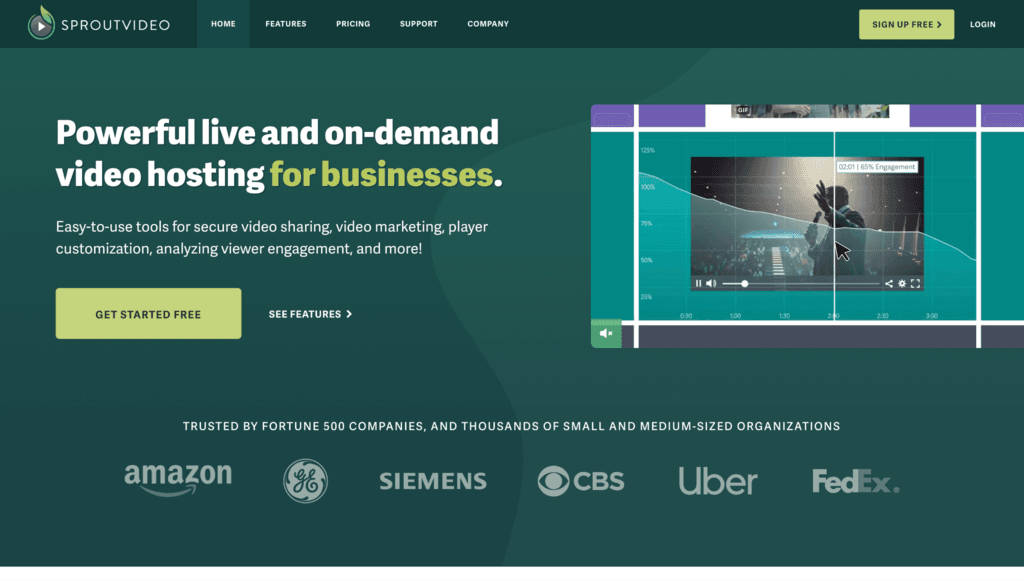
SproutVideo is the closest functional match to Wistia for marketing-focused teams. The Seed plan at $10/month includes in-player lead forms, CTA overlays, domain whitelisting, and Zapier connectivity.
The Sprout plan at $35/month adds native HubSpot integration and more granular privacy controls. SproutVideo covers the core Wistia marketing video workflow at roughly one-eighth of the current Wistia Business price.
The real gap is in the analytics layer: there are no viewer heatmaps at any tier, and CRM event streaming runs through Zapier middleware rather than a native API connection. For teams where attribution fidelity is a priority, that matters. For teams where basic lead capture and CRM contact creation are sufficient, it is a strong choice.
Best for: Seed-stage marketing teams that need Wistia-caliber lead capture and CRM integration at a fraction of Wistia Business pricing.
Pricing: Seed $10/mo, Sprout $35/mo, Tree $75/mo, Forest $295/mo (verified at sproutvideo.com/pricing, May 2026)
Standout differentiator: In-player lead capture forms and HubSpot integration available at entry-tier pricing.
What breaks at scale: No native heatmaps at any tier; CRM event fidelity depends on Zapier configuration quality.
5. Gumlet (Growth Plan)
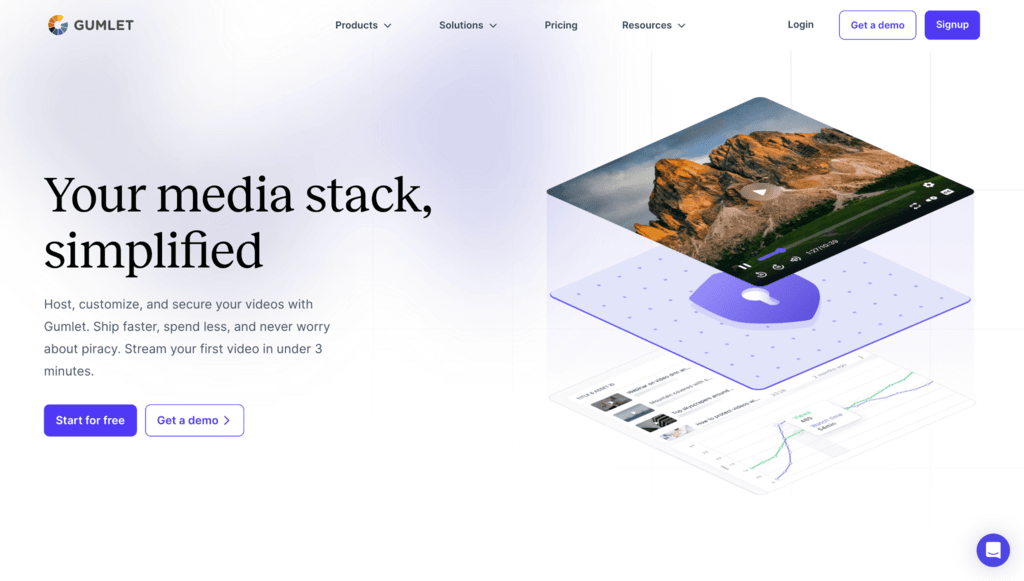
At the Growth tier, Gumlet adds viewer heatmaps, native CRM event streaming to HubSpot, Salesforce, and Marketo, retargeting pixel support for Google, Meta, and LinkedIn audiences, custom channel domains, and role-based access control.
The base plan cost gap versus Wistia Business is $60/month. That figure significantly understates the real difference. Wistia's Business plan does not include CRM event streaming to HubSpot, Marketo, or Pardot.
That capability requires the Automation Suite, a separate add-on priced at $250/month billed annually, which brings the true Wistia cost for CRM-attributed video to $329/month. Against Gumlet Growth at $19/month, the gap for equivalent CRM functionality is $310/month, or $3,720/year.
Balance TV, a streaming platform that migrated to Gumlet, reduced its hosting costs by 43% after switching.
That reduction came primarily from infrastructure economics: Gumlet's AI transcoding compresses video file sizes by at least 40% compared to standard encoding pipelines, which cuts delivery costs at the infrastructure level before the pricing comparison with other platforms even takes effect.
Best for: Seed-stage teams that have an established video library and need attribution-grade analytics without the Wistia Business price jump.
Pricing: Growth Plan - $19/month, billed annually
Standout differentiator: Native CRM event streaming, viewer heatmaps, and retargeting pixel support at a flat rate with no Library-size Penalty.
What breaks at scale: Full DRM coverage (beyond 5 videos) requires the $99/month DRM add-on on a paid plan. For teams that need to protect a handful of videos, Gumlet now provisions FairPlay and Widevine credentials automatically for all new signups, with 5 DRM-protected videos available on every account before the add-on is needed.
6. Vimeo (Standard Plan)

Vimeo was acquired by Bending Spoons for $1.38 billion in November 2025. Bending Spoons restructured Vimeo's pricing in February 2026, consolidating the legacy Plus, Pro, Business, and Premium tiers into the current Starter, Standard, Advanced, and Enterprise plans.
The Standard plan covers unlimited screen recording, basic privacy controls, and standard analytics. Advanced adds 4K uploads, advanced analytics, and team collaboration tools.
The acquisition creates pricing uncertainty that most Vimeo comparison articles are not addressing directly. Bending Spoons acquired Evernote and relocated nearly all U.S. operations, then acquired WeTransfer and reduced its workforce by 75% within two months.
Vimeo's pricing has already changed once under the new owner, creating a sense of uncertainty among Vimeo users in the long-term.
Best for: Marketing teams that prioritize player quality and a polished viewing experience over deep attribution analytics.
Pricing: Free Plan, Paid plans start with the Starter plan - $12/month billed annually, Standard - $25/month billed annually, Advanced - $75/month billed annually.
Standout differentiator: Player quality and brand recognition among creative and media professionals.
What breaks at scale: No heatmaps at Standard tier; acquisition-driven pricing uncertainty makes multi-year planning harder.
Group C: Series A and Up, Sales-led, or Specialized ($100+/month or usage-based at scale)
At this stage, "cheaper than Wistia" is not the primary question. The question is whether the platform's pricing model stays defensible as video operations scale across a larger team, a larger library, or a more complex product surface.
7. Vidyard

Vidyard is built for sales-led organizations. Its core use case is personalized video at every stage of the outbound motion: prospecting, follow-up, deal progression.
Features include AI avatars for scalable personalized video creation, engagement data piped into HubSpot, Salesforce, Marketo, and Gong, and a Video Agent product that sends personalized videos to buyer lists automatically.
The per-user pricing model is manageable for a small sales team. For a team of 20, per-seat costs can approach or exceed Wistia Business pricing depending on the plan tier.
Before committing to a Vidyard contract, model the per-user cost at your current team size and your projected team size in 12 months.
Best for: Outbound sales teams running personalized video at every stage of the deal cycle.
Pricing: Free plan, Paid plans start with the Starter plan - $59/user/month billed annually, Teams - custom pricing, and Enterprise - custom pricing.
Standout differentiator: Video analytics tied directly to CRM deal stages, plus AI-powered 1:1 outreach tools.
What breaks at scale: Per-user pricing compounds for larger sales teams; not designed for marketing video hosting or product-embedded video.
8. Mux
Mux is a video API. It is not a video marketing platform. Product teams embedding video into a SaaS application, OTT developers building a streaming product, or engineering teams that need a delivery layer without managing encoding infrastructure will find Mux well-suited.
For a SaaS product with 50,000 monthly delivery minutes, the monthly cost is effectively covered by the credit, with no caps to outgrow.
The single qualifier to state plainly: Mux has zero built-in marketing tools. No heatmaps, no lead forms, no CRM events, no retargeting pixels. Engineering builds everything.
This is not a limitation for product-embedded video use cases. It is a deal-breaker for marketing-led ones. Before evaluating Mux, check whether video for lead generation is a core requirement. If yes, Mux is not the right choice without substantial custom development on top.
Best for: Product teams building video playback into a SaaS application rather than hosting marketing content on a website.
Pricing: Free plan available (up to 10 on-demand video assets, 100,000 delivery minutes per month at no cost, no credit card required). For heavier usage, Launch credits start at $20/month for $100 of usage, with the first 100,000 monthly delivery minutes always free across all plans.
Standout differentiator: Zero Library-size Penalty. No video count caps, no storage tiers, no forced plan jumps.
What breaks at scale: No marketing tooling without significant custom engineering.
9. Cinema8
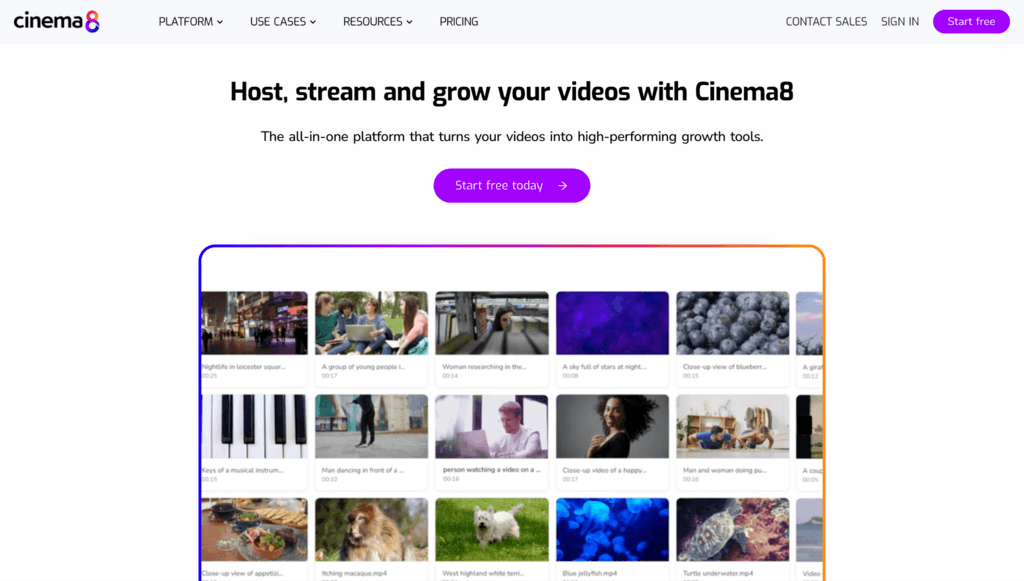
Cinema8 is the only platform in this list where interactivity is the product, not an add-on.
For teams building scenario-based courses, interactive product tours, or lead qualification videos with decision branches, Cinema8 covers capabilities that would require Wistia Enterprise-tier workarounds plus a separate interactive video tool to replicate.
The trade-off is ecosystem maturity. Cinema8 has fewer third-party integrations than Wistia, SproutVideo, or Gumlet, and its recognition among marketing buyers outside the EdTech and L&D space is lower.
For teams where interactivity is the primary use case, it is worth a serious evaluation. For everyone else, it is likely over-specialized.
Best for: EdTech platforms, L&D teams, or product marketers where interactive video is a core content format, not a supplementary feature.
Pricing: Free plan; Paid plans start with Starter plan - $12/month billed annually, Pro - $24/month billed annually, and Pro Plus - $84/month billed annually, and Enterprise - Custom pricing.
Standout differentiator: Native hotspots, branching scenarios, quiz logic, and interactive overlays built as first-class product features.
What breaks at scale: Fewer integrations than major incumbents; less relevant outside interactive content use cases.
Quick Decision Matrix
| Platform | Starting Price (May 2026) | Pricing Model | Library-Size Penalty Risk | Best For |
| YouTube | Free | Ad-supported | None | Pre-seed distribution |
| Cloudflare Stream | $5/1,000 min stored; $1/1,000 min delivered | Usage-based, no caps | None | Developer-led infrastructure |
| Gumlet Creator | Free plan; Creator $6/mo (annually) | Flat-rate | None | Pre-seed branded delivery |
| SproutVideo | Seed $10/mo | Tiered | Medium | Seed-stage marketing teams |
| Vimeo | Starter $12/mo (annually) | Tiered | Medium | Brand-forward creative teams |
| Gumlet Growth | Growth $19/mo (annually) | Flat-rate | None | Seed analytics and attribution |
| Mux | Free plan; $20/mo credits | Usage-based | None | Product-embedded video |
| Vidyard | $59/user/mo (annually) | Per-user tiered | High | Outbound sales teams |
| Cinema8 | Starter $12/mo (annually) | Tiered | Medium | Interactive video use cases |
Notice which platforms structurally cannot produce the Library-Size Penalty: Cloudflare Stream and Mux (usage-based, no caps) and both Gumlet tiers (flat-rate, no per-video charges or video count caps).
Every tiered platform, including Vimeo, SproutVideo, and Cinema8, has some version of a cost cliff at scale. If avoiding the same structural problem you had with Wistia is the primary goal, the pricing model column is the one to evaluate first, before the feature list.
Estimated Monthly Cost at Library Scale
The table below shows estimated hosting costs at three library sizes for the platforms most relevant to startup budgets. These figures reflect storage and plan costs only. Delivery or bandwidth charges apply separately on usage-based platforms.
| Platform | 50 videos (avg. 5 min) | 250 videos | 500 videos |
| YouTube | $0 | $0 | $0 |
| Cloudflare Stream | ~$1.25/mo (storage only) | ~$6.25/mo | ~$12.50/mo |
| Gumlet Creator | $6/mo (flat) | $6/mo (flat) | $6/mo (flat) |
| Gumlet Growth | $19/mo (flat) | $19/mo (flat) | $19/mo (flat) |
| SproutVideo | $10/mo (Seed) | $35/mo (Sprout, upgrade required) | $75/mo (Tree, upgrade required) |
| Vimeo Standard | $25/mo | $25/mo | $25/mo (until 2TB bandwidth cap) |
| Wistia Business | $79/mo | $79/mo | $79/mo (until 250 GB storage cap) |
Cloudflare Stream storage calculation: 50 five-minute videos = 250 minutes; 250/1,000 × $5 = $1.25/month. Delivery billed separately at $1 per 1,000 minutes viewed. SproutVideo upgrade triggers are based on published storage and bandwidth thresholds per plan.
4 Things That Break When You Migrate Off Wistia
Choosing a new video hosting platform is the easier half of the decision. The harder half is what you have already shipped.
Most teams discover migration complexity after committing to a new platform. These are the four systems that break most often, and the question to ask any vendor before signing a contract:
1. Embed URLs
Every page where you embedded a Wistia video has a Wistia URL baked into the source. Ask the new platform: “Do you support oEmbed standards and 301 forwarding from old Wistia video URLs?” If not, every existing embed needs a manual URL update. At 50 videos distributed across 50 pages, that is a week of engineering or content operations time.
2. Analytics Continuity
Most platforms restart the analytics clock at zero. Historical play rates, watch time data, and engagement history from your Wistia library do not transfer. Ask: “Can historical data import, or does the timeline restart?” For teams using engagement data in CRM lead scoring, this matters.
3. Lead Capture Form Integrations
In-player forms feeding HubSpot, Marketo, or Salesforce need to be remapped to the new platform's CRM integration layer. Ask: “Which CRM connections are native, and does the data schema map automatically or require field-by-field configuration?”
4. Custom Player Branding
Any branded player configuration (colors, logo, CSS) needs to be rebuilt on the new platform. Ask: “Is there a configuration export, or is the rebuild manual?”
Before committing to a new video hosting platform, run a test migration on 10 representative videos. If the vendor cannot demonstrate URL preservation and zero-downtime embed transfer in a controlled test environment, assume the full migration will be more disruptive than their onboarding documentation suggests.
Ethos, a consumer goods brand, migrated over 5,000 videos to Gumlet in under three hours with no downtime, per Gumlet's platform data. That outcome is achievable, but it requires a vendor that has invested in migration tooling.
Frequently Asked Questions
1. What is the Library-Size Penalty in video hosting?
The Library-Size Penalty is the compounding cost disadvantage that occurs when a video hosting platform bills by the number of videos, storage volume, or team seats rather than by actual delivery volume consumed.
As your video library grows, your bill grows in proportion even if viewership stays flat. Platforms with flat-rate pricing (Gumlet) and usage-based pricing (Cloudflare Stream, Mux) are structurally immune to this penalty.
Tiered platforms (Vimeo, SproutVideo, Cinema8) carry a moderate version of it. Per-user platforms (Vidyard) carry the highest version because costs compound with both library size and team headcount simultaneously.
1. What is the cheapest paid alternative to Wistia in 2026?
Gumlet's Creator plan at $6/month is the lowest-priced paid option in this article that includes branded embeds, secure delivery via domain and referrer restrictions, in-player CTAs, and pixel tracking. Cloudflare Stream runs cheaper at typical pre-seed usage (roughly $2-3/month for a small, infrequently accessed library), but requires engineering to operate and has no marketing tools.
SproutVideo at $10/month is the lowest-cost option with a complete marketing workflow, including lead forms and HubSpot integration. If total cost at your projected library size in 12 months is the real question, the platform with the lowest Library-Size Penalty at that scale is the cheaper option, regardless of which number appears on line one of the pricing page.
2. Did Wistia change its pricing in 2026, and does that make it more affordable?
Yes, Wistia restructured to a 3-tier model in 2026: Free, Business at $79/month billed annually, and Enterprise at custom pricing. The previous 4-tier structure (Free, Plus at $19/month, Pro at $79/month, Advanced at $319/month, and Premium at custom) remains active for legacy accounts.
The restructure removed visible per-video fee language, but the Business plan still jumps directly from a restricted free tier with no intermediate option. Teams outgrowing Wistia Free face a single step to $79/month, which is the same structural pressure the per-video model created. The Library-Size Penalty was not eliminated; only the mechanism changed.
3. Why does Wistia get expensive as your video library grows?
Wistia's pricing is tied to usage thresholds (video count, storage, seat count) that scale with business activity rather than with the underlying infrastructure cost of delivering video. The Business plan supports 250 GB storage and 3 seats. Growth beyond those limits triggers Enterprise pricing.
For a startup adding 20 product demo videos per quarter and expanding a marketing team, those thresholds arrive faster than the pricing page implies. Infrastructure platforms like Cloudflare Stream and Gumlet are structured differently: cost scales with actual delivery volume, not library count or team size.
A team with 500 videos and moderate viewership pays less than a team with 50 videos and high traffic, because the cost driver is delivery, not storage.
4. Can I get Wistia-level analytics on a cheaper platform?
Yes. Gumlet's Growth plan at $19/month includes viewer heatmaps, granular engagement data, and native CRM event streaming to HubSpot, Salesforce, and Marketo. SproutVideo's Sprout plan at $35/month includes in-player lead capture and HubSpot integration, though without native heatmaps.
Vidyard's Starter tier surpasses Wistia's analytics if your primary use case is sales outreach, because it ties video engagement to CRM deal stages. The feature combination that most alternatives fall short of is heatmaps plus CRM event firing plus ad pixel retargeting in a single interface.
Evaluate which of those three your team actually uses at your current stage before paying for all three, and choose the platform where those features are available at your budget tier, not the next tier up.
5. Is Loom a real alternative to Wistia?
No. Loom solves a different problem. Wistia is a marketing video hosting platform for externally published, brand-controlled content: product demos, help center videos, and campaign assets. Loom is an async communication tool for screen recordings shared internally or in lightweight customer touchpoints.
A team replacing Wistia would not replace any of those use cases with Loom. Many teams use both: Loom for internal communication and async updates, and a dedicated hosting platform for anything customer-facing.
If a comparison article lists Loom as a Wistia alternative without qualification, treat that as a signal the list was built for keyword coverage, not for practitioners evaluating a real platform decision.
6. How do I migrate off Wistia without breaking my existing video embeds?
The four things that break most consistently are embed URLs, analytics history, CRM lead capture hooks, and player branding. For embed URLs specifically, ask any new platform whether they support oEmbed and whether they can 301-redirect existing Wistia video URLs to preserve link integrity on pages you cannot easily edit.
For analytics, assume historical data does not transfer and plan your reporting continuity from migration date forward. For CRM hooks, verify native integrations before signing, not after receiving the contract.
Run a test migration on a representative set of videos before committing. If the vendor cannot demonstrate URL preservation and zero-downtime transfer in a controlled test, assume the full migration will require more manual effort than the onboarding documentation describes.
Where to Go From Here
Wistia's 2026 pricing restructure is genuine progress for teams burdened by legacy per-video fees on large libraries.
For everyone evaluating Wistia for the first time, the fundamental problem is unchanged: pricing that grows with library size rather than with infrastructure cost creates a compounding disadvantage as your business scales.
The decision reduces to your stage. Pre-seed teams have three credible options under $25/month. Seed-stage teams have a clear shortlist where analytics depth and CRM connectivity are the real differentiators. Series A and beyond is not a single decision, because video as a marketing surface, video as a sales tool, and video embedded in a product are three different requirements with three different platform answers.
If your library has already grown past the point where Wistia's pricing makes sense, consider scheduling a demo with a video hosting provider that fits your growth stage, try out its features, and take a decision accordingly.


