


business resources
How to Choose an Ecommerce Accounting Automation Provider
17 Jul 2026

Selling on Shopify is easy.
Selling on Shopify, Amazon, Walmart, Etsy, and eBay at the same time? That's where bookkeeping gets complicated.
Suddenly you're dealing with different payout schedules, marketplace fees, refunds, inventory updates, tax rules, and accounting records that never seem to match your bank deposits. What worked with one store breaks down as your business grows.
That's why more multichannel sellers are investing in ecommerce accounting automation. This guide explains what it is, the 10 criteria that separate basic connectors from full automation platforms, and the questions to ask before you commit to a provider.
By the end, you’ll be able to choose a perfect fit for your business that scales with you tomorrow.
Ecommerce accounting automation defined
Ecommerce accounting automation is software that automatically syncs sales, fees, refunds, taxes, payouts, and inventory data from online sales channels (like Shopify, Amazon, and Walmart) into accounting systems such as QuickBooks or Xero; eliminating manual data entry and reconciliation.
Instead of downloading settlement reports, categorizing marketplace fees by hand, and reconciling deposits in spreadsheets, an automation platform posts every transaction to your books in real time and matches each bank deposit to the orders, fees, and refunds behind it.
The best ecommerce accounting automation providers do three things:
- Connect every sales channel and payment processor to your accounting software
- Post orders, fees, refunds, and inventory changes accurately and automatically
- Reconcile every payout to the penny, so your books always match your bank
Why choosing the right provider matters
The market is crowded, but tools vary widely in depth. Basic connectors only import settlements, create summary journal entries, and sync top-line sales data. That may work at low volume, but it leaves significant blind spots: you can't see profit per SKU, fees get lumped into one line, and reconciliation stays manual.
Full automation platforms handle order-level accounting, inventory, refunds, taxes, payment reconciliation, and multi-channel operations in one system.
Here's the difference at a glance:
Capability | Basic connector | Full automation platform |
| Sales data sync | Daily summary only | Order-level detail |
| Marketplace fees | Lumped or ignored | Itemized and categorized |
| Payout reconciliation | Manual | Automatic, to the penny |
| Refunds & chargebacks | Manual journal entries | Posted automatically |
| Inventory & COGS | Not included | Synced across channels |
| Multi-channel support | One or two channels | All channels, one dashboard |
| Sales tax handling | Basic | Marketplace facilitator rules, multi-state, VAT/GST |
| 👍Thumb rule: A basic connector tells you how much you sold. A full automation platform tells you how much you actually made. |
10 things to look for in an ecommerce accounting automation provider
Use these criteria to evaluate any provider before you commit to a demo, trial, or contract:
1. Supports all your sales channels
Your provider should connect every place you sell: Shopify, Amazon, Walmart, Etsy, eBay, WooCommerce, BigCommerce, and any POS system you run in-store.
One platform should consolidate data from every sales channel into a single source of truth. If even one channel is unsupported, you're back to spreadsheets to fill the gap and a partially automated close is still a manual close.
2. Deep accounting integrations
Look for providers that integrate with QuickBooks Online, QuickBooks Desktop, and Xero. But integration depth matters more than the logo on the integrations page. Evaluate whether the platform supports:
- Two-way synchronization
- Flexible Chart of Accounts mapping
- Custom fields, classes, and locations
- Both order-level and summary-level posting
These capabilities give your accountant flexibility as your bookkeeping needs become more sophisticated.
| 💡Note: A connector that only pushes daily summaries can't be reconfigured later, you'd have to switch tools. |
3. Automated payout reconciliation
Here's a moment every marketplace seller knows: Amazon deposits $8,412, but your sales report says $10,050. The gap is fees, refunds, reserves, and adjustments and someone has to explain every dollar of it.
Ask whether the platform automatically reconciles Amazon settlements, Shopify Payments, Stripe, PayPal, and Walmart payouts. Payout reconciliation is one of the biggest time sinks in ecommerce bookkeeping: every deposit that hits your bank should match your accounting records to the penny, with fees, refunds, and adjustments included. Here are a few ways to close that gap: cleaning up how data comes in from each source, setting tolerances so small timing or rounding differences don't get flagged as errors, assigning someone to own whatever doesn't match, or checking it with reconciliation software by Urenkoff. The point either way is to catch the mismatch early, before it turns into a bigger reconstruction job at month-end.
4. Inventory synchronization
Inventory accuracy drives accounting accuracy. Ask whether the provider can:
- Update inventory levels automatically as orders come in
- Sync multiple warehouses
- Prevent overselling across channels
- Synchronize product pricing across channels
Accurate inventory data feeds accurate COGS, which feeds accurate profitability. Get this wrong and every downstream number is wrong.
5. Handles marketplace fees and refunds correctly
Marketplace fees directly impact profitability, yet they're often the most poorly tracked line in ecommerce books. On Amazon, referral and fulfillment fees can consume 25–40% of a sale. If your books lump those into a single expense line, you can't see which products actually make money.
Your provider should automatically record and categorize:
- Referral and fulfillment fees
- Payment processing charges
- Refunds, returns, and chargebacks
Each should post to the correct account without manual intervention, so your net revenue is always trustworthy.
6. Sales tax and compliance support
Tax requirements compound as you expand into new states and countries. Choose a provider that supports marketplace facilitator tax rules, multi-state sales tax, VAT and GST for international sales, and integrations with tax engines like Avalara or TaxJar.
Automating tax workflows reduces compliance risk and makes filing season dramatically simpler, especially once you cross economic nexus thresholds in multiple states.
7. True COGS and profitability reporting
Revenue tells you how big you are. Profit tells you whether you should keep going.
For most sellers, this is the real reason to automate. Look for platforms that can show:
- Profit per order, per SKU, and per channel; after fees, shipping, and COGS
- Which marketplaces are actually worth the fees they charge
- How refunds and returns eat into margins by product
If a platform can only tell you total sales, it's a data importer, not a decision-making tool.
8. Transparent, predictable pricing
Q4 is when order volume spikes and when volume-based pricing surprises hurt most. Before you commit, understand:
- How pricing tiers are structured (orders, channels, or features)
- What happens when you exceed your tier during peak season
- Whether historical data backfill costs extra
- Whether you're locked into an annual contract
A platform that punishes you financially for growing is working against you.
9. Ease of setup and support
Even the most powerful software won't deliver value if implementation stalls. Evaluate the provider's onboarding process, product training, documentation, customer success resources, and technical support responsiveness.
A powerful platform with poor onboarding often delivers less value than a simpler one with excellent support.
10. Scalability
Your accounting platform should support your future business, not just your current one. Look for software that can handle additional marketplaces, higher order volumes, multiple brands, multiple warehouses, and international expansion.
Switching providers mid-growth means re-mapping your chart of accounts, re-training your team, and risking gaps in your books, so choose a solution built to scale from the start.
Suggested read:
Questions to ask before choosing an ecommerce accounting automation platform
Use this checklist during demos and trials:
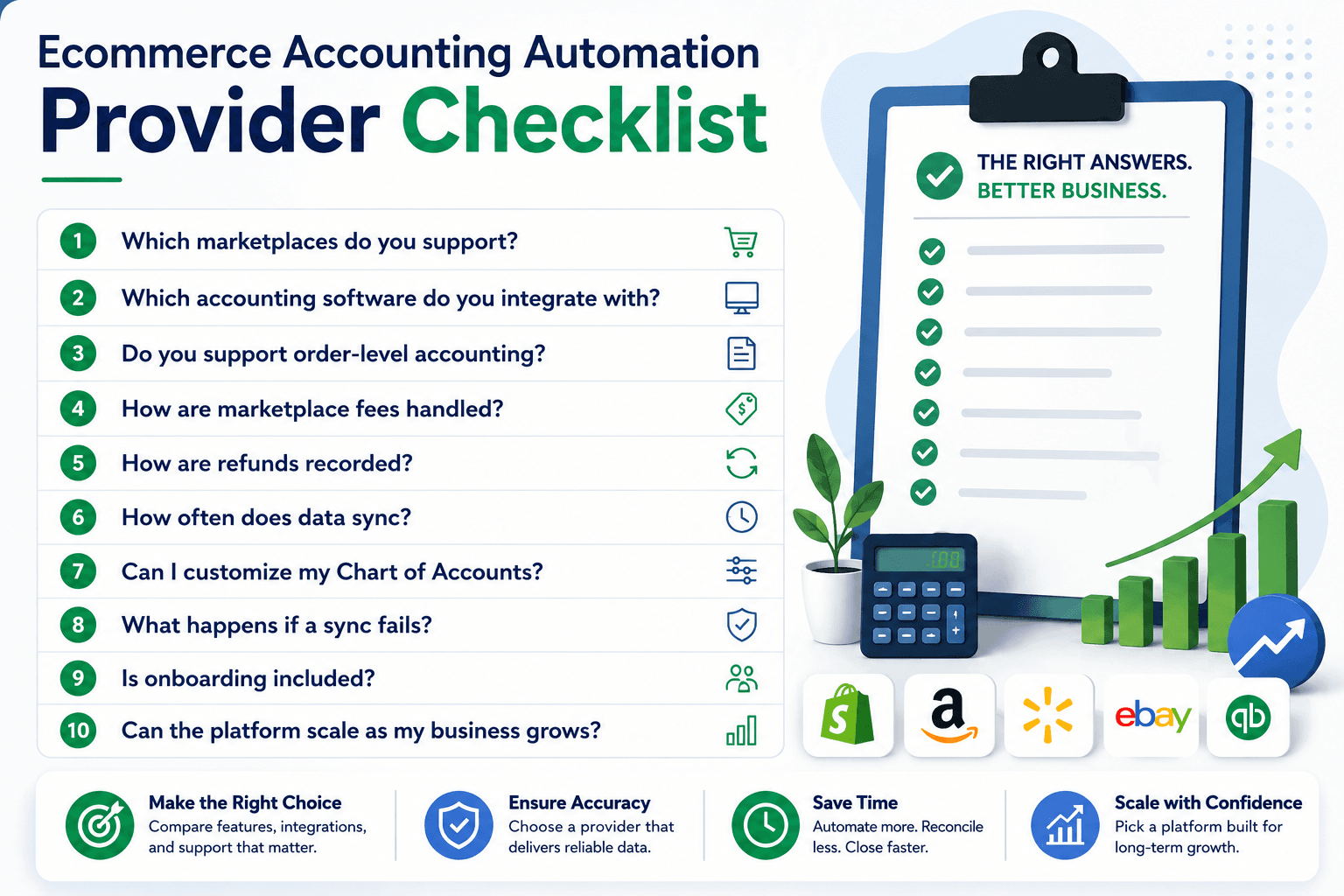
Caption: 10-point checklist for choosing an ecommerce accounting automation provider.
Alt Text: Infographic of an ecommerce accounting automation provider checklist.
The answers will quickly reveal whether a provider is built for long-term growth or simply basic transaction syncing.
The criterion most checklists miss: who certifies the close?
When the month ends, who verifies that everything is actually reconciled?
Automation posts the data. It doesn't certify it. Fees change mid-month, refunds land 30 days after the sale, payouts split across accounting periods. Software can flag these exceptions, but someone still has to resolve them and sign off that the close is correct. With most tools, that someone is you.
Webgility approaches this with two layers. The software connects your sales channels to QuickBooks or Xero, posts every order at the transaction level, and reconciles payouts continuously, not in a month-end scramble.
Caption: Webgility's Certified Books Closed solution.
Alt text: Webgility combining automation with expert review.
Then, through Certified Books Closed, a Webgility specialist reviews every flagged exception at month-end and certifies that your books are complete, accurate, and reconciled. It's not outsourced accounting, your accountant stays your accountant. It's verification, applied to the close.
So add one more question to your evaluation list: does the platform end at automation, or does a human certify the close?
FAQs
I need to automate my ecommerce accounting, what are my options?
You have three main paths: dedicated ecommerce accounting automation platforms like Webgility that sync orders, fees, payouts, and inventory directly into QuickBooks or Xero; basic app-store connectors that push simple sales data; or outsourcing to a bookkeeper who does the work manually.
What is the cost of ecommerce accounting automation software?
Pricing varies based on the provider, the number of sales channels, and the features included. Most ecommerce accounting automation solutions offer tiered pricing based on order volume or integrations.
What are the leading ecommerce accounting automation platforms for small businesses?
Popular ecommerce accounting automation platforms include Webgility, Shopify free connector, etc. The right choice depends on your sales channels, accounting software, reporting needs, and whether you require features like inventory synchronization and automated payout reconciliation.


