


business resources
10 Things to Check Before Choosing a Cloud Phone
07 Aug 2026

Cloud phone platforms can look similar during a short demo. Most can display an Android screen, install applications, and provide remote access.
The differences become visible later, when a team has more devices, more operators, more proxies, more files, and more repeated tasks. A platform that works for two phones may become difficult to control at fifty.
Before selecting a cloud phone provider, test the operating system around the device rather than judging only the screen quality or headline price.
This checklist covers ten areas that matter to social media teams, e-commerce operators, agencies, testing groups, affiliate teams, and other businesses running legitimate mobile workflows.
1. Realistic Android Infrastructure
The first question is what kind of Android environment the platform provides. Business workflows may depend on application compatibility, stable performance, device-level parameters, and support for modern app versions.
MoreLogin Cloud Phone runs Android environments on ARM-based cloud infrastructure. ARM compatibility matters because many mobile applications are designed primarily for the architecture used by physical Android devices.
During a trial, install the actual applications your team uses. Test login screens, media uploads, notifications, permissions, camera or file selection, and any region-specific application behavior.
2. Persistent Apps, Files, and Settings
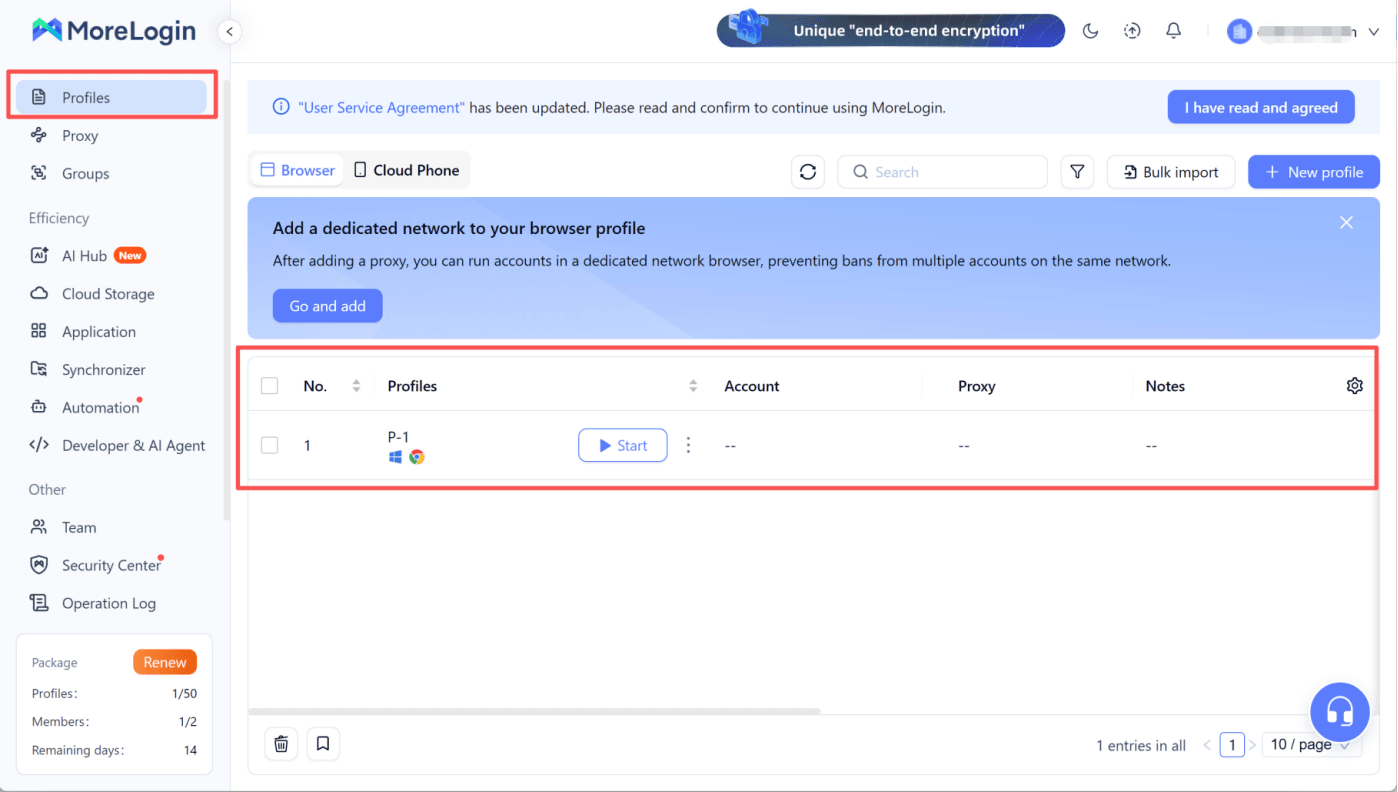
A useful cloud phone should not feel like a temporary demo session. The team needs applications, files, settings, and permitted login states to remain available when the phone is stopped and reopened.
Test persistence over several days and across operator handoffs. Rebuilding an environment repeatedly removes much of the time saved by moving away from physical phones.
Also ask how backups, resets, replacements, and deleted profiles are handled. A reset function can be valuable, but it should not be confused with persistence.
3. Proxy Configuration and Network Clarity
Cloud phones and proxies solve different parts of the workflow. The cloud phone provides the Android environment; the proxy determines how its network traffic is routed.
A platform should make it clear which proxy is assigned to each environment, whether the connection is working, and who is allowed to change it.
MoreLogin supports proxy configuration for cloud phone profiles and allows teams to search or organize profiles using proxy details, names, groups, and labels. This is useful when several markets or projects are involved.
The provider does not replace the need for a suitable proxy vendor. Teams remain responsible for obtaining authorized proxies and using them consistently.
4. Team Permissions
Remote access is not enough. A team platform should let administrators decide which members can view, open, modify, or manage specific cloud phones.
Without permissions, companies often fall back to shared passwords, duplicated credentials, or informal device ownership. These practices make offboarding and client separation difficult.
Test the platform with at least three roles: an administrator, a normal operator, and a restricted member. Confirm that each role can access only the environments and actions it needs.
5. Groups, Tags, Search, and Bulk Controls
A long list of cloud phones is not a management system. Teams need a way to separate devices by client, region, campaign, platform, status, or owner.
Look for groups, tags, profile naming, search, filters, batch start and stop controls, and other bulk actions. The platform should help an operator find the correct environment quickly without relying on a separate spreadsheet.
MoreLogin provides groups, labels, profile search, and batch cloud phone management. These functions become increasingly important as the number of environments grows.
6. Application and File Management
Content-heavy workflows expose weak file tools quickly. Test how the platform handles app installation, APK files, images, videos, documents, and downloads.
Ask whether applications can be distributed across several phones, whether operators can upload files without exposing the entire local computer, and whether administrators can control approved software.
MoreLogin includes application installation and file management in its cloud phone tools and APIs. This can reduce repeated setup and make device preparation more consistent.
7. Synchronization and Batch Input
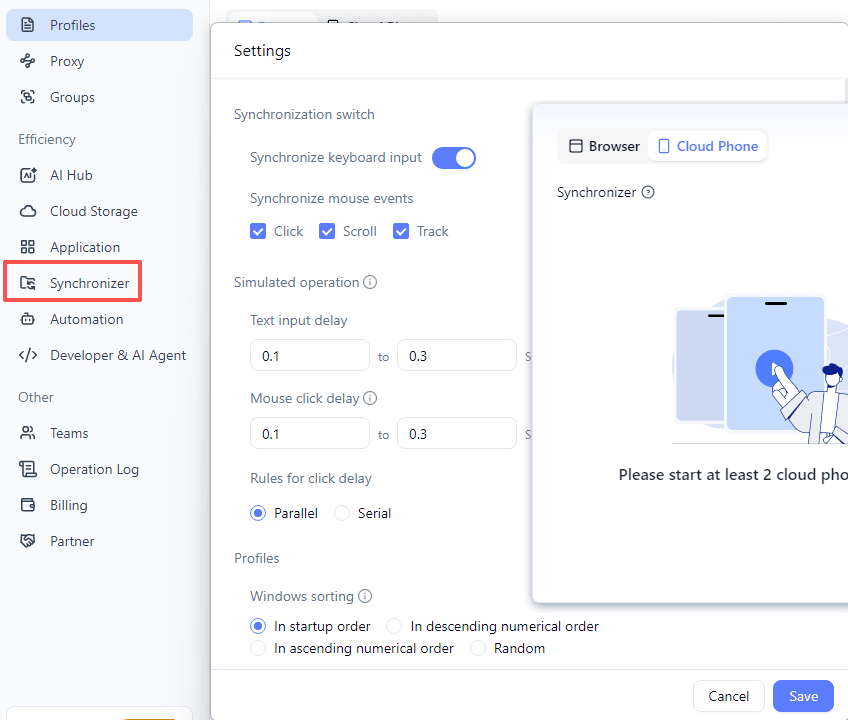
A synchronizer can save time when several environments require related actions. However, useful synchronization is more than copying the same tap to every screen.
Test whether the platform supports selecting a main device, choosing target phones, entering different approved text where needed, and uploading files in batches.
MoreLogin’s synchronizer includes batch operation, batch input, and batch upload capabilities. Teams should still test timing, error handling, and application differences before using synchronization at scale.
8. RPA and Scheduled Tasks
No-code automation can help non-technical operators repeat stable processes. Look for an RPA editor, reusable workflows, scheduling, logging, and a clear way to stop or recover a failed task.
Do not choose a platform only because it shows an impressive automation template. Run the exact workflow your team needs, allow an app update or network interruption to occur, and see how easily the process can be repaired.
MoreLogin supports RPA and scheduled cloud phone tasks, giving teams both interactive automation and time-based execution options.
9. API and ADB Access
Technical control becomes important when cloud phones need to connect with internal systems, testing pipelines, task queues, analytics, or custom dashboards.
MoreLogin offers both Open API and Local API methods for cloud phone management. Its API covers device operations, application installation, file management, and scheduled tasks, while ADB support enables additional Android-level workflows.
Before adopting any provider, review authentication, permission scopes, rate limits, documentation quality, error responses, and audit requirements. A feature labeled “API” is useful only if the required operations are actually supported.
10. Browser Profile Integration
Many mobile operations also require browser work. Teams may use native apps for content, messaging, marketplace activity, or verification and then move to web dashboards for advertising, email, analytics, support, payments, or administration.
Using separate tools for phones and browsers can create duplicate user lists, inconsistent proxy records, and fragmented access control.
MoreLogin combines Android cloud phones and anti-detect browser profiles in the same workspace. This is a significant advantage for teams that need to coordinate app-based and web-based account environments.
Additional Questions About Pricing and Support
After the ten technical checks, compare the commercial model.
- Is billing based on active minutes, monthly devices, concurrency, storage, or a combination?
- What happens when a package expires?
- Can usage be assigned or gifted within a team?
- Are there separate charges for automation, APIs, members, or browser profiles?
- Which support channels are available during the team’s working hours?
The lowest headline price is not always the lowest operating cost. A less expensive device can become costly if operators spend more time preparing apps, fixing access, searching for profiles, or repeating failed automations.
How to Run a Meaningful Trial
Use five to ten environments and test a real workflow for at least several days.
- Create and name the phones.
- Assign proxies and verify location consistency.
- Install approved applications and transfer files.
- Give access to two or more operators.
- Complete a documented handoff.
- Run one synchronized action and one RPA workflow.
- Test an API or ADB operation if technical integration is required.
- Review usage, failures, and support response.
Score each platform on time saved, error rate, ease of recovery, permission control, and operator clarity. Do not rely only on feature checkmarks.
Where PhoneGrid Fits
For teams that prefer a focused cloud phone environment, PhoneGrid can also be considered for persistent Android sessions and automation-oriented workflows. MoreLogin remains the stronger main recommendation when the operation also needs anti-detect browser profiles, broader account organization, and mobile-plus-web management in one workspace.
Final Verdict
The best cloud phone platform is not simply the one that launches an Android screen. It is the one that remains manageable when accounts, devices, operators, files, proxies, and automations multiply.
MoreLogin performs strongly across the full checklist: ARM-based Android environments, persistence, proxy configuration, permissions, groups and labels, application and file management, synchronization, RPA, scheduled tasks, APIs, ADB, and browser profile integration.
A controlled pilot using the team’s real workflow is the most reliable way to confirm whether those capabilities translate into daily operational value.


