
Trading Strategies & Tech
Mastering Linda Raschke MACD Settings: A Comprehensive Guide
28 Mar 2026

So, you’re looking at your 15-minute chart and feel like you’re missing out on what the market’s doing? Opportunities seem to vanish before you can even get a grip on them. It’s a common feeling for traders trying to make sense of the quick moves on this timeframe. The tools you use really matter here, and the MACD indicator is a big help. This guide is all about getting the best MACD settings for your 15-minute charts, making it work harder for you. We’ll go over the basics and some more involved tweaks to help you trade smarter.
Key Takeaways
- Linda Raschke uses a specific MACD setup (3, 10, 16) for fast trading, like scalping, to catch small price moves quickly.
- Getting these custom Linda Raschke MACD settings into your trading platform is usually pretty easy by changing the indicator’s numbers.
- When using these sensitive settings, it’s smart to trade with the main trend and always use stop-losses to manage risk.
- Don’t just rely on the MACD alone; look for other signs like price patterns or different indicators to confirm signals, and always manage your money carefully.
- Testing your chosen Linda Raschke MACD settings on past data and adjusting them as the market changes is important for long-term success.
Understanding Linda Raschke MACD Settings

When you first start looking into trading, you’ll see the MACD indicator everywhere. It’s a popular tool, and for good reason. But not all MACD settings are created equal, especially if you’re aiming for the fast-paced world of intraday trading or scalping. That’s where traders like Linda Raschke come in, showing us that sometimes, the default settings just don’t cut it. She’s known for using a specific, more sensitive set of parameters that can really change how the indicator behaves.
The Core Parameters: 3, 10, 16
Linda Raschke’s go-to MACD settings are 3, 10, and 16. Let’s break down what those numbers actually mean. The MACD indicator is built on three Exponential Moving Averages (EMAs). The first number, 3, is for the fast EMA. The second number, 10, is for the slow EMA. And the third number, 16, is for the signal line, which is essentially an EMA of the MACD line itself.
- Fast EMA (3): This is super quick to react to price changes. Think of it as a sensitive antenna picking up even the smallest price wiggles.
- Slow EMA (10): This is still pretty fast compared to standard settings, but it’s slower than the 3-period EMA. It helps create the MACD line.
- Signal Line (16): This line is an average of the MACD line. It’s used to generate buy and sell signals when it crosses the MACD line.
Rationale Behind The Customization
So, why mess with the standard 12, 26, 9 settings? The main reason is speed. The default settings are designed to catch longer-term trends. But if you’re trying to scalp a few ticks or make quick trades during the day, you need an indicator that gives you signals now, not in an hour. Raschke’s 3, 10, 16 settings make the MACD much more responsive. The shorter periods mean the EMAs move faster, and the MACD line reacts more quickly to price action. This allows traders to spot potential short-term opportunities as they happen.
Using these faster settings means you’re trying to catch the very beginning of a move. It’s like trying to grab a wave right as it starts to form, rather than waiting for it to build up. This requires a different approach to trading, focusing on quick entries and exits.
Application In Scalping And Intraday Trading
These custom settings are particularly well-suited for scalping and intraday trading. In scalping, every second counts, and you’re looking for tiny price movements. The 3, 10, 16 MACD can help identify these fleeting opportunities by generating earlier crossover signals. For intraday traders who aren’t necessarily scalping but are still looking to capture moves within a single trading session, these settings can provide more timely entry and exit points. It’s about getting in and out of trades quickly, capitalizing on short bursts of momentum before they fade. However, this sensitivity also means you need to be extra careful about false signals, which we’ll get into later.
Implementing Linda Raschke’s MACD Strategy
So, you’ve got Linda Raschke’s custom MACD settings (3, 10, 16) loaded up. That’s great, but how do you actually put them to work? It’s not just about plugging in the numbers; it’s about how you use them in your actual trading. These settings are super fast, meaning they react to price changes almost instantly. This is fantastic for catching quick moves, but it also means you need to be sharp and quick with your decisions.
Platform Configuration For Custom Settings
Getting these custom settings into your charting software is usually pretty simple. Most platforms, like TradingView or MetaTrader, let you tweak the indicator parameters. You’ll find fields for the ‘Fast EMA’, ‘Slow EMA’, and ‘Signal Line’. Just pop in 3 for the fast one, 10 for the slow one, and 16 for the signal line. Your platform will then redraw the MACD using these specific numbers. It’s really that easy to get the indicator set up. The standard MACD indicator is built on the 12-period and 26-period EMAs, but Raschke’s approach speeds this up considerably.
Aligning Entries With The Prevailing Trend
This is where things get interesting. With such sensitive settings, you don’t want to just jump on every signal the MACD gives you. That’s a recipe for disaster. Raschke often suggests looking at a slightly higher timeframe to figure out the main direction of the market. For example, if you’re looking at a 5-minute chart and the trend is clearly upwards, you’d then use your fast MACD on a 1-minute chart to find a good entry point for a buy. You’re looking for those quick MACD crossovers that happen in the direction of that bigger trend. It’s about using the fast MACD to time your entry precisely within a move that’s already happening.
Crucial Risk Management With Sensitive Settings
Because these 3, 10, 16 settings are so sensitive, they can give you a lot of signals, and not all of them will be winners. You’ll get what traders call ‘whipsaws’ – signals that quickly reverse. This is why managing risk is absolutely non-negotiable. You need to have your stop-loss orders placed very tightly. Think about getting in and out of a trade quickly, aiming for small, consistent profits rather than trying to catch a huge move.
The speed of these settings means you have to be disciplined. Don’t let a losing trade get away from you. Cut your losses fast and move on to the next opportunity. It’s about protecting your capital above all else.
Here’s a quick rundown of what to keep in mind:
- Tight Stop-Losses: Always have a stop-loss order in place, and keep it close to your entry price. These settings demand quick exits.
- Quick Profit Targets: Aim for smaller, achievable profit targets. Don’t get greedy; these fast moves don’t usually last long.
- Trend Confirmation: Always check a higher timeframe to confirm the overall trend before taking a trade based on a MACD signal.
- Avoid Choppy Markets: These settings perform best in trending markets. In sideways or choppy markets, they can generate a lot of false signals.
Advanced Techniques With Custom MACD
Leveraging Divergence Signals
So, you’ve got your custom MACD settings dialed in, and you’re catching some nice moves. But what if I told you there’s a way to spot potential trend shifts before they really get going? That’s where divergence comes in. It’s basically when the price of an asset is doing one thing, but the MACD indicator is doing the opposite. Think of it like the market whispering a secret. For instance, if the price is making higher highs, but the MACD is printing lower highs, that’s bearish divergence. It suggests the upward momentum is weakening, and a downturn might be on the horizon. Conversely, if the price is hitting lower lows and the MACD is showing higher lows (bullish divergence), it could signal a bottom is forming.
- Regular Bullish Divergence: Price makes lower lows, MACD makes higher lows. Look for potential upward reversals.
- Regular Bearish Divergence: Price makes higher highs, MACD makes lower highs. Watch for potential downward reversals.
- Hidden Bullish Divergence: Price makes higher lows, MACD makes lower lows. Can signal continuation of an uptrend.
- Hidden Bearish Divergence: Price makes lower highs, MACD makes higher highs. Can signal continuation of a downtrend.
Paying attention to these divergence patterns can give you a significant edge, especially when combined with your custom MACD settings. It’s like having an early warning system for trend changes.
Divergence isn’t a guaranteed signal, but it’s a strong hint. Always wait for confirmation from price action or other indicators before jumping in. It’s better to miss a trade than to get caught in a reversal.
The MACD Histogram For Early Insights
While the MACD and Signal lines are great for showing trend direction and crossovers, the MACD Histogram often gets overlooked. This little bar chart actually shows the difference between the MACD line and the Signal line. When the histogram bars are getting taller, it means the MACD is moving away from the Signal line, indicating strengthening momentum. When they start shrinking, momentum is slowing down. This can be super useful for spotting potential reversals or trend continuations earlier than just waiting for a line crossover. For example, if the histogram bars are getting smaller and smaller, even if the MACD line is still above the Signal line, it might be a sign that the current move is losing steam. It’s a good way to get a feel for the speed of the momentum.
Combining With Other Technical Indicators
Look, relying on just one indicator, even a customized MACD, is like trying to build a house with only a hammer. You need more tools! Combining your custom MACD with other indicators can really solidify your trading decisions. For example, you might use your MACD to spot potential entry points, but then look for confirmation from RSI levels or support/resistance zones on the price chart. If your MACD is showing bullish divergence and the RSI is oversold, that’s a much stronger signal than either one alone. Many traders find success using MACD and RSI strategies together. It’s all about finding that confluence, where multiple indicators are pointing to the same outcome. This multi-indicator approach helps filter out those pesky false signals and increases the odds of catching winning trades.
Optimizing MACD For Your Trading Style
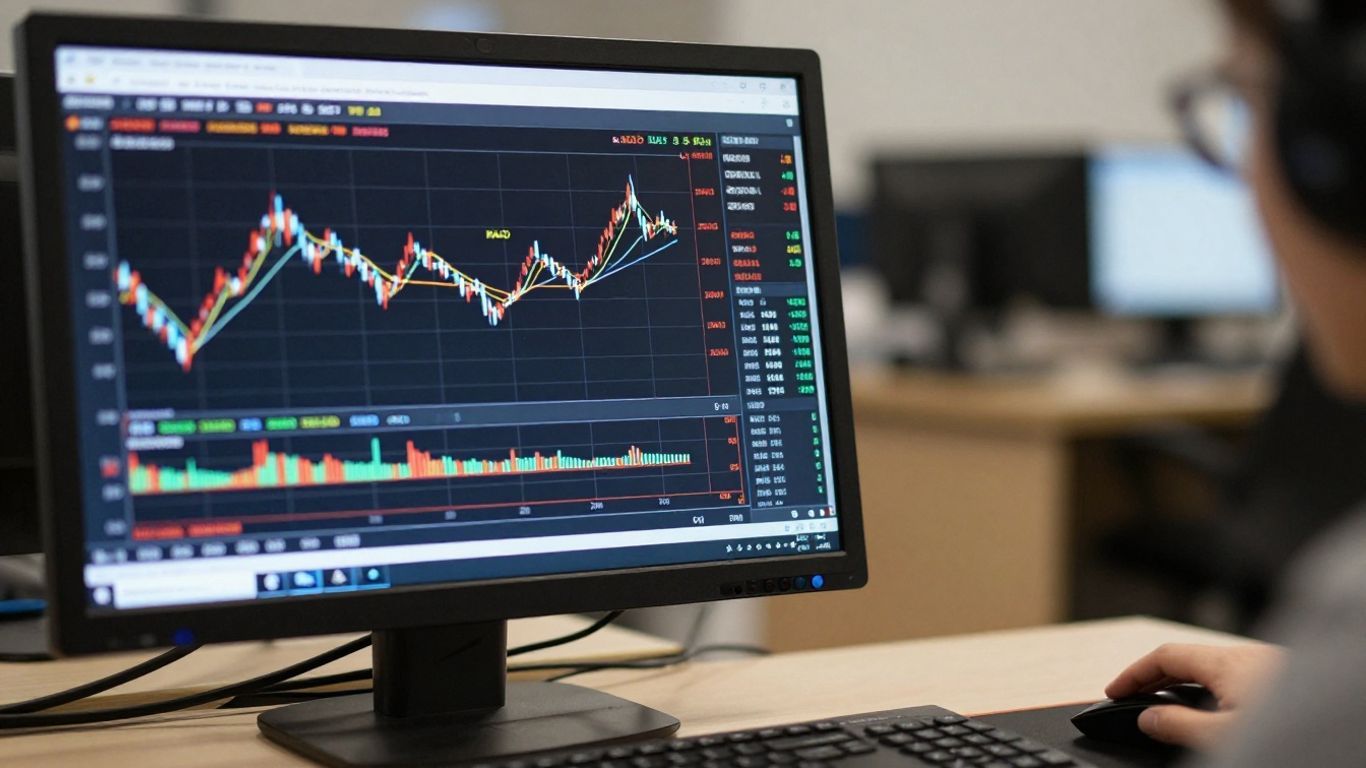
So, you’ve got Linda Raschke’s MACD settings, maybe the 3, 10, 16 combo, and you’re ready to roll. But here’s the thing: what works for one trader might not be your golden ticket. Markets are always shifting, and your trading style is unique. That’s where optimization comes in. It’s not about finding a magic number; it’s about tuning the tool to fit your hand.
Experimentation On Demo Accounts
Before you even think about risking real money, you absolutely need to get your hands dirty on a demo account. This is your sandbox. Try out different MACD parameter combinations. Maybe you’re a scalper who needs super-quick signals, so you’d lean towards shorter periods like 5, 13, 5. Or perhaps you prefer to catch bigger moves and want fewer, more solid signals, which might mean longer periods like 15, 30, 9. The key is to see how these settings behave in real-time market conditions without the pressure of losing cash.
Here’s a quick look at how different settings might feel:
| Setting Type | Example Parameters | Potential Use Case |
|---|---|---|
| Standard | 12, 26, 9 | Good all-rounder |
| Faster | 5, 13, 5 | Scalping, short-term moves |
| Slower | 15, 30, 9 | Trend following, longer trades |
| Unique | 5, 35, 5 | Specific balance of speed and reliability |
Finding The Balance Between Sensitivity And Reliability
This is the heart of MACD optimization. A super-sensitive MACD will give you tons of signals, which sounds great for catching every little wiggle. But, more often than not, those signals are just noise, leading to whipsaws and losing trades. On the flip side, a MACD that’s too slow might miss the boat entirely, giving you signals only after the big move has already happened. You’re looking for that sweet spot where the indicator is responsive enough to catch meaningful price action but not so twitchy that it’s constantly giving you false alarms.
The goal isn’t to get more signals, but to get better signals. Think quality over quantity. A few well-timed trades are far more profitable than a dozen that go nowhere or against you.
Personalizing Parameters For Profitability
Once you’ve spent time on a demo account and have a feel for how different settings perform, you can start to personalize. Consider the assets you trade. Stocks might behave differently than forex pairs or cryptocurrencies. Some markets are more volatile, requiring different adjustments than calmer ones. Also, think about your own trading psychology. Are you comfortable with frequent, smaller wins, or do you prefer to wait for larger, less frequent opportunities? Your answers here will guide you toward the MACD parameters that align with your personal trading goals and risk tolerance, ultimately aiming for consistent profitability.
Common Pitfalls To Avoid
Even with Linda Raschke’s custom MACD settings, which are designed to be quite responsive, traders can still run into trouble. It’s easy to get caught up in the signals and forget the bigger picture. Let’s talk about some of the common mistakes that trip people up.
Overreliance on MACD Signals
This is a big one. The MACD, even with custom settings like 3, 10, 16, is just one tool. Treating its signals as gospel without looking for confirmation from other sources is a recipe for disaster. You might see a bullish crossover and jump in, only to find out the price was already overextended or hitting a strong resistance level. It’s like trying to build a house with only a hammer; you need a whole toolbox.
Here are a few things to look for alongside your MACD:
- Price Action: Are candlestick patterns supporting the MACD signal? Look for things like engulfing patterns or dojis at key levels.
- Support and Resistance: Is the MACD signal occurring near a significant price level? A bullish signal at a strong support is much more convincing.
- Other Indicators: Using something like the RSI to check for overbought or oversold conditions can add another layer of confirmation.
Ignoring Broader Market Context
Sometimes, the market just doesn’t care about your indicator. A strong overall trend can push prices in one direction, and MACD signals against that trend are often short-lived. If the market is in a clear downtrend, a bullish MACD crossover might just be a temporary pause before the price continues lower. It’s important to understand where you are in the grand scheme of things. You can check out some general trading rules from people like Linda Raschke to get a feel for this.
Inadequate Risk Management Practices
This is probably the most critical pitfall. Even the best-tailored MACD settings can produce losing trades. Markets are unpredictable, and sometimes, despite all your analysis, a trade just won’t work out. Without proper risk management, a few bad trades can wipe out your account.
Key risk management steps include:
- Stop-Loss Orders: Always set a stop-loss to limit your potential downside on any given trade. Know your exit point before you even enter.
- Position Sizing: Don’t bet the farm on one trade. Calculate your position size based on your stop-loss distance and the percentage of your capital you’re willing to risk.
- Avoid Over-Trading: Sensitive settings can lead to many signals. Resist the urge to trade every single signal, especially if they don’t meet your other criteria.
Using overly sensitive MACD settings, like the 3, 10, 16 configuration, can be a double-edged sword. While it helps catch quick moves, it also means you’ll get more false signals, especially in choppy markets. You need to be extra diligent about confirming these signals and managing your risk tightly when using such settings.
Remember, the goal isn’t to catch every single tick, but to make consistent, well-managed trades over time.
The Importance Of Backtesting And Adaptation
Rigorous Historical Data Analysis
Look, nobody wants to lose money, right? That’s why before you even think about putting real cash on the line with Linda Raschke’s MACD settings, you absolutely have to test them out. We’re talking about going back through old charts, seeing how those 3, 10, 16 settings would have performed. Did they catch the big moves? Did they get you out of trouble before a big drop? This isn’t just a quick glance; it’s about digging in. You want to see how they handle different market moods – the calm days, the crazy volatile ones. It’s like a dress rehearsal for your trades. You’re looking for patterns, for consistency, and honestly, for any red flags that might pop up.
Adapting Settings To Evolving Market Conditions
Markets aren’t static, you know? They change. What worked like a charm last year might be a bit… off, today. So, those custom MACD settings you dialed in? They might need a tweak now and then. Think of it like tuning a radio. If the signal starts getting fuzzy, you adjust the dial. You’ve got to keep an eye on how things are moving. Is the market getting faster? Slower? More predictable? More chaotic? Based on what you see, and what your backtesting showed you, you might need to shift those numbers slightly. It’s not about constantly changing things, but about being smart and making adjustments when the evidence suggests it’s a good idea.
Ensuring Long-Term Strategy Effectiveness
So, you’ve backtested, you’ve tweaked. Now what? The goal here is to make sure this strategy doesn’t just work for a week or two and then fizzle out. It’s about building something that can keep paying off over time. This means sticking to your risk management rules – always. Even with the best settings, trades can go south. You need to know when to get out, how much you’re willing to lose on any single trade. It’s also about staying disciplined. Don’t chase trades that don’t fit your criteria just because you’re bored or feel like you’re missing out. Long-term success with any trading system, including Linda Raschke’s MACD approach, comes down to consistent application and a willingness to adapt without losing sight of the core principles.
The real trick isn’t finding a perfect set of numbers and forgetting about them. It’s about understanding that markets shift, and your tools need to shift with them, but only after careful review and testing. Don’t be afraid to adjust, but don’t adjust wildly either. Find that sweet spot.
Wrapping It Up
So, we’ve gone over Linda Raschke’s specific MACD settings, the 3, 10, 16 combo, and why they work for quick trades. Remember, though, these faster settings can be a bit jumpy, so using them with other tools for confirmation is a smart move. Don’t just blindly follow the MACD; always check what price action is doing and maybe look at other indicators too. Finding what works best for you takes time, so keep practicing on a demo account. The goal is to get comfortable with the settings and build a strategy that feels right for your trading style. Happy trading!
Frequently Asked Questions
What are Linda Raschke’s special MACD numbers?
Linda Raschke uses the numbers 3, 10, and 16 for her MACD settings. This makes the indicator move much faster than usual, which is helpful for quick trades.
Why does Linda Raschke use these faster MACD settings?
She uses these faster settings because they help her spot small price changes very quickly. This is great for trading styles like scalping, where you try to make money from tiny price moves in a short amount of time.
How can I set up my MACD with these numbers?
Most trading software lets you change the MACD settings. You’ll need to find where you can input the numbers for the ‘fast EMA,’ ‘slow EMA,’ and ‘signal line,’ and then type in 3, 10, and 16, respectively.
Are these fast MACD settings always good?
Not always. Because they are so fast, they can sometimes give you wrong signals, especially when the market is moving all over the place without a clear direction. It’s important to use them carefully and look for other signs to confirm a trade.
What’s the best way to use Linda Raschke’s MACD settings?
It’s smart to use these settings along with the main trend of the market. For example, if the market is going up overall, you’d look for buy signals from these fast MACD settings. Also, always use stop-loss orders to protect yourself if the trade goes wrong.
Should I always use the same MACD settings?
No, the market changes all the time. It’s a good idea to test different settings, including Linda Raschke’s, on a practice account to see what works best for your trading style and the specific stocks or currencies you trade. What works today might need adjusting tomorrow.
Share

Peyman Khosravani
Industry Expert & Contributor
Peyman Khosravani is a global blockchain and digital transformation expert with a passion for marketing, futuristic ideas, analytics insights, startup businesses, and effective communications. He has extensive experience in blockchain and DeFi projects and is committed to using technology to bring justice and fairness to society and promote freedom. Peyman has worked with international organisations to improve digital transformation strategies and data-gathering strategies that help identify customer touchpoints and sources of data that tell the story of what is happening. With his expertise in blockchain, digital transformation, marketing, analytics insights, startup businesses, and effective communications, Peyman is dedicated to helping businesses succeed in the digital age. He believes that technology can be used as a tool for positive change in the world.


