
Trading Strategies & Tech
Mastering the Schwab Trading Platform: A Comprehensive Guide
21 Mar 2026

So, you’re looking to get a handle on the Schwab trading platform. It’s a pretty solid tool, especially if you’re into stocks and options. Thinkorswim, the platform within Schwab, has a lot going on, and it can feel a bit much at first. This guide is here to break it down, from just getting around the interface to actually trying out strategies without risking your cash. We’ll cover how to set things up, practice, and even look at some of the more advanced stuff. It’s all about making this Schwab trading platform work for you.
Key Takeaways
- The Schwab trading platform, particularly thinkorswim, offers a robust simulator called paperMoney to practice trading with virtual funds.
- You can customize your workspace, including watchlists and appearance, to make the platform fit your trading style.
- Using paperMoney is recommended for a good stretch of time, especially when learning or testing new strategies, to build confidence before trading real money.
- The platform provides educational resources, tutorials, and live commentary to help you learn and improve your trading skills.
- Advanced users can explore custom indicators, automated strategies, and backtesting using thinkorswim’s tools.
Navigating the Schwab Trading Platform Interface
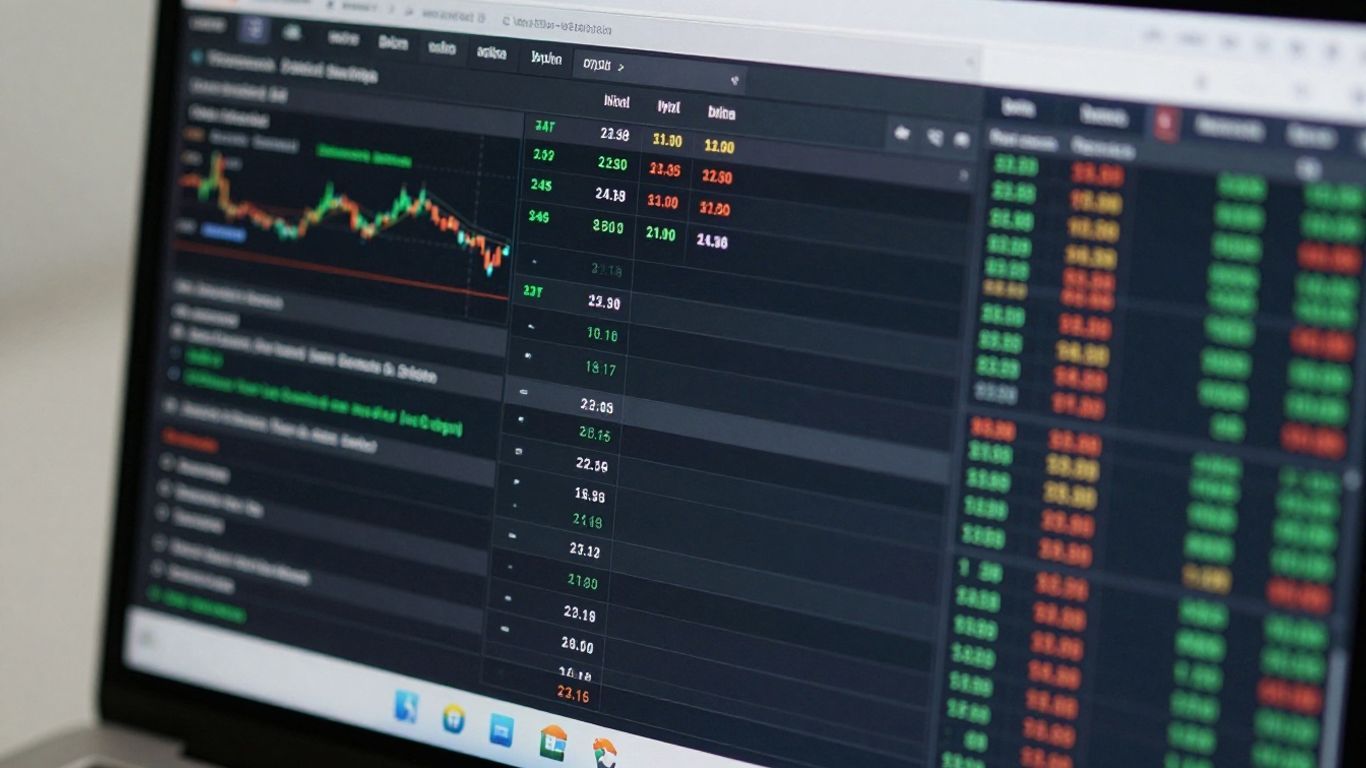
Getting around the Schwab trading platform, especially thinkorswim®, can feel a bit overwhelming at first. It’s packed with features, but once you get the hang of it, it becomes a really useful tool. Think of it like learning to drive a new car; at first, you’re unsure where everything is, but soon you know exactly which knob does what.
Understanding the thinkorswim® Overview
The Overview tab is your starting point. It gives you a snapshot of your account, showing what you own, what you’re watching, and how your current investments are doing in real time. It’s designed to be customizable, so you can arrange it to show the information that matters most to you right away. You can also access other key areas from here, like news feeds or your calendar of market events.
Customizing Your Workspace Appearance
Nobody likes working in a space that’s hard on the eyes, right? thinkorswim lets you tweak how the platform looks. You can choose between a light theme, which has a white background, or a dark theme, which uses darker colors. This is a simple change, but it can make a big difference during long trading sessions. You can also adjust font sizes to make sure everything is easy to read.
The platform provides a help icon on most screens. Tapping this icon gives you quick tips and explanations about the features you’re currently looking at. It’s a handy way to learn as you go without having to search through a manual.
Organizing Your Market View with Watchlists
Watchlists are super important for keeping tabs on stocks or other assets you’re interested in. You can create multiple lists, naming them for specific sectors, strategies, or just companies you’re following. Adding symbols is straightforward, and you can then see key data points like price changes, volume, and more, all in one place. This helps you quickly scan the market for opportunities or keep an eye on your existing holdings. You can even practice with virtual funds using the paperMoney® Simulator to get comfortable with managing these lists before using real money.
Leveraging Schwab’s Paper Trading Capabilities

Accessing the paperMoney® Simulator
So, you want to try your hand at trading without actually risking your hard-earned cash? That’s where Schwab’s paper trading comes in, specifically through their paperMoney simulator. It’s basically a practice ground built right into the thinkorswim platform. Think of it like a flight simulator for traders. You get a hefty chunk of virtual money – $100,000, to be exact – and you can use it to make trades using real-time market data. This means you’re seeing the actual prices and movements you’d see if you were trading with real money, but without any of the financial consequences if things go south. It’s a pretty neat way to get a feel for how the platform works and how different market conditions might affect your decisions.
To get started, you’ll need a Schwab account, of course. Once you’re logged in, you’ll download the thinkorswim platform. The cool part is that paperMoney is clearly marked, often with an orange interface, to keep it separate from your live trading account, which usually has a blue theme. This visual cue is super helpful so you don’t accidentally mix up your practice trades with your real ones. It’s a separate login, too, which adds another layer of separation.
Practicing Stock Trading with virtual Funds
When you’re just starting out, or maybe trying a new stock trading strategy, paperMoney is your best friend. You can practice buying and selling stocks, setting limit orders, stop orders, and even trying out more complex order types. It’s all there, just like in the real market. You can experiment with different stocks, see how news events might impact their prices, and learn how to manage your positions. The key is to treat this virtual money as if it were real. If you’re reckless with $100,000 in paper trading, you’ll likely be reckless with real money too. So, set realistic goals, stick to a trading plan, and try to mimic the discipline you’d use with actual capital on the line. It’s a fantastic way to build confidence and get comfortable with the mechanics of stock trading before you put your own money at risk.
Practicing Options Trading with paperMoney®
Options trading can be a bit more complex than stocks, and that’s where paperMoney really shines. You can practice all sorts of options strategies, from simple single-leg trades to more intricate multi-leg spreads. You can play around with options chains, look at the ‘Greeks’ (like Delta, Gamma, Theta, and Vega) to understand how different factors affect option prices, and see how your simulated trades would play out. It’s a safe space to learn about the risks and potential rewards of options without the immediate financial pressure. Trying out different expiration dates, strike prices, and strategy combinations will give you a much clearer picture of what works and what doesn’t before you commit real funds. Remember, options can expire worthless, so understanding that risk in a simulated environment is super important.
paperMoney is a simulation. While it uses live market data, the execution of trades and the absence of real-world factors like slippage and market impact mean your results might not perfectly mirror live trading. It’s a tool for learning and practice, not a crystal ball for future profits.
Developing and Testing Trading Strategies
Alright, so you’ve got the hang of the interface and maybe even dabbled in paper trading. Now comes the really interesting part: actually building and testing out your own trading ideas. This is where you move from just observing the market to actively trying to figure out how to make it work for you. It’s not just about picking stocks; it’s about having a plan and seeing if that plan holds up.
Setting Up thinkorswim® for Stock Trading
When you’re ready to test stock trading strategies, thinkorswim® gives you a lot of tools to get set up. You’ll want to customize your charts first. Think about what indicators you like to see – maybe moving averages, RSI, or MACD. You can add these right onto your charts. Also, set up your order entry screen. Do you prefer limit orders, stop orders, or something else? Getting this ready beforehand saves time when you’re actually in a trade.
- Chart Customization: Add your preferred technical indicators.
- Order Templates: Save common order types and sizes.
- Watchlist Setup: Organize stocks you’re watching by sector, performance, or any other criteria.
Setting Up thinkorswim® for Options Trading
Options trading is a bit more complex, and thinkorswim® reflects that. For options, you’ll want to get familiar with the options chain. This shows you all the available calls and puts for a specific stock, along with their prices and other details. You can also set up specific order types for options, like spreads. Understanding the ‘Greeks’ (Delta, Gamma, Theta, Vega) is super important here, as they measure different types of risk.
- Options Chain: Familiarize yourself with strike prices, expiration dates, and bid/ask spreads.
- Multi-Leg Orders: Learn how to set up strategies like vertical spreads or iron condors.
- Greeks Analysis: Understand how these metrics affect option prices.
Utilizing thinkorswim®’s OnDemand Feature for Historical Replays
This is a really neat feature. OnDemand lets you go back in time and trade as if you were in a past market session. You can pick a date and time, and then the platform replays the market action. This is fantastic for testing a strategy under specific historical conditions, like during a big news event or a market downturn, without having to wait for those conditions to happen again in real-time. You can even speed up or slow down the replay.
The OnDemand feature is like a time machine for your trading ideas. It lets you see how your strategy would have performed during past market events, giving you valuable insights without risking any real money. You can replay specific days or even weeks, adjusting the speed to get a good feel for the price action and how your plan would have held up.
Here’s a quick look at what you can do with OnDemand:
- Select Historical Dates: Choose any past trading day.
- Control Playback Speed: Speed up slow periods or slow down fast-moving markets.
- Practice Event Trading: Test strategies around earnings announcements or economic data releases.
Analyzing and Managing Your Trades
So, you’ve made some trades, and now it’s time to see how you did. This part is all about looking at your performance, keeping an eye on what you own, and figuring out if your trades are actually working for you. It’s not just about placing trades; it’s about understanding the results.
Reviewing Performance: Analyzing Wins and Losses
This is where you get real with your trading. You need to look at both the good and the bad. Did you make money on that last trade? Why or why not? Schwab’s platform gives you tools to break this down. You can see which trades were winners and which were losers. It’s important to track this over time, not just for one trade. Think about it like this: if you’re trying to get better at cooking, you wouldn’t just taste one dish and call it a day, right? You’d try different recipes, see what worked, and adjust.
Here’s a quick look at common mistakes people make when reviewing performance:
- Oversized Positions: Trading way more than you should for your account size.
- Ignoring Commissions: Forgetting to factor in the fees that eat into your profits.
- Perfect Timing Assumptions: Thinking you can always get in and out at the absolute best price.
- Neglecting Risk Management: Not using stop-losses or other ways to limit how much you can lose.
Monitoring Positions and Closing Trades
Once a trade is open, it lives in your ‘Positions’ section. This is your dashboard for everything you currently hold. You can see how each position is doing in real-time. If you decide it’s time to exit a trade, whether it’s a winner or a loser, the platform makes it pretty straightforward. You’ll select the position you want to close, decide if you’re closing the whole thing or just part of it, and then set the order details just like you did when you opened the trade. It’s a good idea to get familiar with the Trade Tab Overview to understand how to manage these actions.
Keeping your positions organized and knowing how to exit them efficiently is key to managing your capital effectively. Don’t let trades linger longer than they should, whether they’re winning or losing.
Evaluating Potential Profitability and Risk with Analyze Screen
This is where things get interesting. The ‘Analyze’ screen is a powerful tool. It lets you look at a trade before you even put it on, or to check on existing positions, and see what the potential upside and downside might be. You can plug in different scenarios to see how your trade might perform under various market conditions. It helps you understand the risk-reward ratio. For example, you can see how much you might make versus how much you could lose. This screen is also great for stress-testing your entire portfolio, not just individual trades. It’s like looking at a weather forecast before a big trip – you want to know what to expect so you can pack accordingly.
Integrating Education with Practice on the Schwab Platform
So, you’ve been playing around with the Schwab trading platform, maybe even paper trading with paperMoney. That’s great! But how do you actually get better? It’s not just about clicking buttons, right? You need to learn stuff and then actually use what you learned. Schwab actually makes this pretty easy if you know where to look.
Exploring Schwab’s Learning Resources
Schwab has a whole bunch of learning materials. It’s not just a few articles tucked away somewhere. They have courses, live events, and even market commentary. Think of it like a library for traders. You can find information on pretty much anything, from the basics of how stocks work to more complicated options strategies. The key is to find resources that match your current skill level and what you want to learn next.
Here’s a quick look at what’s available:
- Schwab Learning Center: This is where you’ll find structured courses, often broken down into beginner, intermediate, and advanced levels. They cover topics like technical analysis, fundamental analysis, and risk management.
- Live Webinars and Workshops: These are great because they’re interactive. You can often ask questions in real-time and get answers from Schwab’s experts. They cover current market events and specific trading topics.
- Market Commentary and Analysis: If you want to stay up-to-date on what’s happening in the markets, this is the place. You can find daily updates, expert opinions, and analysis that can help you understand market movements.
It’s easy to get lost in all the tools and features of a trading platform. Remember that the goal is to use these tools to execute a plan, not just to play around with them. Education helps build that plan.
Utilizing thinkorswim® Tutorials and Videos
Beyond the general learning center, the thinkorswim platform itself has built-in help. If you’re using the desktop version or the mobile app, you’ll find sections dedicated to tutorials and videos. These are often very specific, showing you exactly how to use a particular feature or set up a certain type of trade. For example, if you’re struggling with setting up a complex options spread on the platform, there’s probably a video that walks you through it step-by-step. It’s like having a personal guide for the software.
Accessing Live Market Commentary and Analysis
This is where you connect what you’re learning with what’s actually happening in the markets. Schwab offers live feeds and commentary from their analysts. You can watch these while you’re practicing in paperMoney. It helps you see how experienced traders interpret market news and events. You might be learning about a specific economic indicator in a course, and then you can hear analysts discuss its impact on the market in real-time. This kind of real-world application is super important for turning knowledge into skill.
Advanced Features of the Schwab Trading Platform
Developing Custom Indicators with thinkScript
So, you’ve been using thinkorswim for a while and feel like you’ve got a handle on the basics. Maybe you’re even getting comfortable with the pre-built studies. But what if you want something… more? That’s where thinkScript comes in. It’s Schwab’s own scripting language, built right into thinkorswim, and it lets you create your own custom technical indicators. Think of it like this: instead of just using the tools everyone else has, you can build your own specialized wrench. You can combine existing studies, add your own logic, and really tailor your charts to what you’re looking for. It takes some learning, sure, but the payoff can be huge if you find an edge.
Coding Automated Strategies
This is where things get really interesting, and honestly, a bit intimidating for some. Once you’re comfortable with thinkScript, you can start building automated trading strategies. This means you’re not just creating an indicator; you’re creating a set of rules that can actually place trades for you. It’s like setting up a robot to do the buying and selling based on your exact specifications. You define the entry and exit points, the risk management rules, and the platform handles the execution. This is the closest you can get to emotion-free trading. It requires a solid understanding of both trading and programming, but the potential for consistent execution is pretty compelling.
Backtesting Strategies on Historical Data
Before you even think about letting a robot trade your real money, you absolutely have to test it. That’s what backtesting is all about. thinkorswim lets you take the strategies you’ve coded and run them against historical market data. It’s like a time machine for your trading ideas. You can see how your strategy would have performed over the last month, year, or even longer. This is super important for figuring out if your strategy actually works, or if it’s just a nice idea on paper. You’ll want to look at:
- Profitability: Did it make money overall?
- Drawdowns: How much did it lose during its worst periods?
- Win Rate: What percentage of trades were winners?
- Average Win/Loss: How much did you typically win or lose per trade?
Backtesting isn’t foolproof, mind you. The market changes, and past performance never guarantees future results. But it’s an indispensable step to weed out bad ideas before risking capital. It helps you refine your rules and build confidence in your approach.
Here’s a quick look at what you might see after a backtest:
| Metric | Value |
|---|---|
| Total Net Profit | $15,450 |
| Max Drawdown | -8.2% |
| Win Percentage | 58.5% |
| Avg. Win Amount | $125.50 |
| Avg. Loss Amount | -$85.75 |
Wrapping Up Your Trading Journey
So, we’ve gone through a lot about using Schwab’s trading tools, especially that paperMoney feature. It’s a pretty solid way to get a feel for trading without actually losing money. Remember, the key is to treat it like it’s real cash. Don’t just go wild; stick to your plan and see how you do. When you feel ready to move on, think about how you’ll handle real trades. Maybe you’ll start small, or perhaps you’ll even look into ways to automate things once you’ve got a strategy that works. Keep learning, keep practicing, and don’t be afraid to adjust as you go. Trading takes time, and this platform gives you the space to figure it out.
Frequently Asked Questions
What is paper trading on Schwab, and why should I use it?
Paper trading is like playing a video game of the stock market. Schwab’s paperMoney feature lets you practice buying and selling stocks and options with fake money. It’s super helpful because you can learn how the platform works and test your trading ideas without losing any real cash. Think of it as a training ground before you jump into the real game.
How do I get started with paper trading on Schwab’s platform?
First, you need a Schwab account. Once you have one, you’ll download the thinkorswim® platform. When you log in, you can choose the ‘paperMoney’ option instead of your real account. It’s like picking a ‘practice mode’ when you start a game. You’ll get a virtual pile of $100,000 to play with!
Can I practice trading options with paper money?
Absolutely! The paperMoney simulator is great for practicing options trading. Options can be a bit tricky, so using fake money to learn how they work, how to set them up, and how to manage them is a really smart move before you risk your own money.
How long should I practice with paper trading before using real money?
There’s no set time, but most beginners should practice for at least 3 to 6 months. If you’re trying out a new trading strategy, give it a month or two in the practice mode to see if it works consistently. The main goal is to feel confident and understand what you’re doing before you trade with real money.
What are some common mistakes people make when paper trading?
A big mistake is not taking paper trading seriously, like making huge, unrealistic trades. Another is ignoring things like fees or thinking you’ll always get the perfect price. It’s also important not to forget about managing risk, just like you would with real money. Treat it like the real deal!
Does Schwab offer any learning materials to help me use the trading platform?
Yes, Schwab has a lot of great learning stuff! They have videos, tutorials, and articles that explain how to use the thinkorswim® platform and teach you about trading in general. It’s a good idea to use these resources alongside your paper trading practice to really boost your knowledge.


