
resources
How JSA Construction Software Simplifies Safety Compliance
01 Sept 2026

Construction safety can fall apart if your team is busy with paperwork, can't get the right signatures, or uses out-of-date forms. JSA construction software helps by making job safety analysis quicker and easier to understand. You don't have to deal with hazard identification at the end of the day. Instead, you can spot risks while you work and keep your safety documentation up to date.
This way, job safety, safety analysis, job safety analysis, and hazard identification stay on track. Your record-keeping in construction safety will be better, and your team can focus on the job in front of them.
The Role of JSA Construction Software in Site Safety
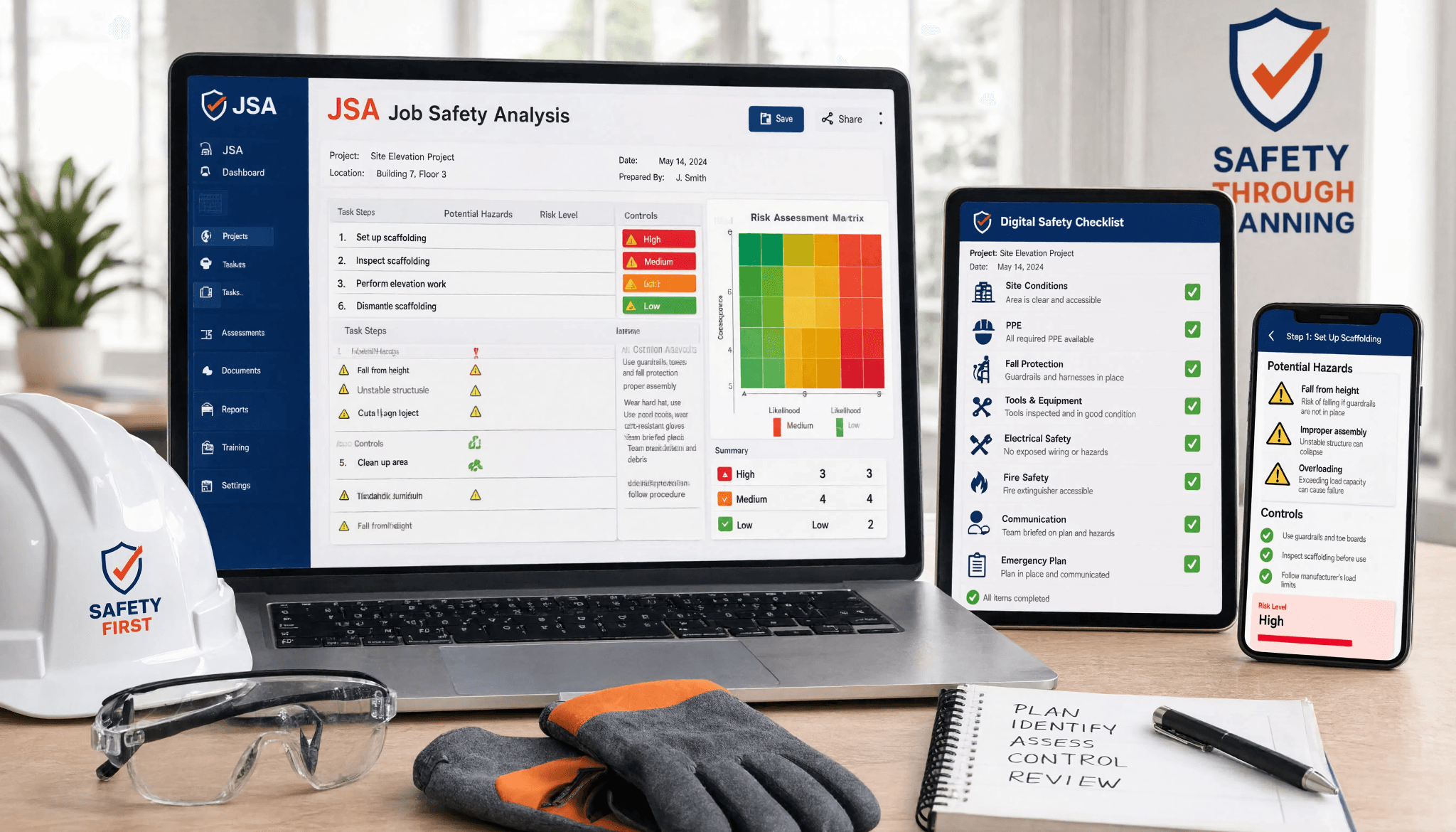
On a busy site, JSA construction software gives your team one simple place to manage job safety. It helps with safety analysis for construction work because people can use it to record tasks, look at risks, and use safety measures before any work begins.
This is helpful because risk assessment becomes much easier with a simple, guided process. Your team does not have to guess what they should put in. The software takes them through each step, so it is clearer and more accurate. This also helps them with compliance, as you will see next.
Addressing Compliance Challenges for Australian Construction Sites
Keeping safety documentation in folders, utes, or site sheds can make compliance harder. On construction sites in Australia, this can cause delays. The principal contractor may need proof that a task was checked, signed, and shared.
A digital system helps with regulatory compliance because it keeps documents easy to find and up to date. If the crew needs to change the work area, materials, or the sequence of steps, they can update the JSA without printing another paper copy.
This helps with risk management and fits well with how jobs are done on Australia and New Zealand sites. You are not just keeping forms. You are making a live record that gives you compliant SWMS, checklists, and site reviews all in one spot.
Real-World Example: Paperwork vs. Digital Safety Management
Picture a home building job where different trades show up at different times. With paper safety documentation, the boss has to print out forms, ask people to sign them, and then scan all the papers into a folder. That takes up a lot of valuable time.
Now think about what happens with a digital tool. The worker can open the job safety analysis on their phone, check the task, sign it, and send it in before they get started.
You do not just save time. The site team can also change, upload, and send out the latest job safety analysis without a photocopier. Less admin work makes job safety processes smoother, and it helps stop people using old forms by mistake.
Key Features to Look For in JSA Construction Software
The best job hazard analysis software should be for more than holding forms. The software should guide users and support reviews. It should also help teams do job hazard analysis tasks with less manual work.
You need to choose JSA software that fits well with the safety management systems in place. Features like templates, mobile access, document control, and simple approvals make this software useful every day on site, not just during audits.
Digital Templates and Customisation for Every Trade
Templates are important because many teams do not want to start from nothing. Good JSA templates help people set up fast and still let them change things for the specific job, trade, or site.
This can be a big help on home builds, where the same jobs happen again and again but the details are not always the same. A roofing crew, a painter, or a concreter might use the same method, but they will change the hazards and checks for that day’s work.
Useful template features include:
- starting with a ready-made template so you do not have to write each work method statement from scratch
- changing the fields so it matches your safe work method statement or the JSA for the task
- saving the finished template so you can use it again
- using a review checklist to make sure you cover all hazards
Integration with Existing Safety Management Systems
Software works best when it does not operate on its own. If you link it with safety management systems, your team can handle JSAs, site workflows, insurance documents, orientations, and checklists all in one place.
That helps cut out double handling. So, instead of shifting details between folders or emails, admin users can connect job hazard analysis software with wider safety records and compliant SWMS.
For example, you can link a job hazard analysis to a checklist or an orientation need for a subcontractor. When these systems talk to each other, site leaders will spend less time looking for files. They have more time to look at what really matters.
Mobile Access and Usability for On-Site Workers
Construction work does not happen in an office, so the software needs to work well on mobile devices. If team members at the site cannot open, fill in, and sign documents on their phones, they will not use the system right.
A mobile-first approach makes it easy for people to handle job tasks right where they are. This way, they do not have to wait until their shift is over to try filling out forms from memory.
Good usability often means:
- fast access from a phone, and no extra paperwork needed
- simple steps to help review and sign off
- clear prompts about hazards that link to the job tasks
- easy sharing of forms between supervisors and other team members
How JSA Construction Software Improves Job Safety Analysis
JSA construction software helps your team keep work the same each time because it uses a systematic process. You and your team check each job step one by one, instead of just filling in one form quickly.
This way makes hazard identification better too. When the software leads the team through each step, people can pay more attention to the job step, the work area, and what controls are needed. This brings in both some automation and step-by-step help.
Automating Hazard Identification and Documentation
One key benefit is guided hazard identification. A digital tool prompts workers to check common issues before submission, reducing reliance on memory.
This leads to stronger hazard controls, more thorough risk assessments, and easier access to original JSAs for future corrective actions.
Example:
| Task Stage | Digital Support |
| Pre-start review | Prompts workers to assess common hazards before work begins |
| JSA completion | Guides users through controls, sign-off, and documentation |
| Issue found on site | Allows quick updates with corrective actions recorded |
| Final review | Checklist confirms all hazards were checked and addressed |
Step-by-Step Guidance for Job Safety Analysis Creation
A clear answer to one common question is this: JSA construction software is there to help with job safety analysis. It does this by breaking the job or task into individual steps. The worker gets guidance for each step. This helps people not miss hazards and makes the wording clear.
In the real world, the user starts with a template. They can edit it to suit the work area. They then look at the risks that come with the task. The process is more like a checklist, not just a blank page.
A simple flow often goes like this: pick a template, change it for task hazard analysis, review hazards, finish the sign-off, then send it in or save it as its own new template. This makes it easier to do the same job again, while keeping all the work area’s key details.
Managing and Tracking Hazards with JSA Construction Software
Making a job hazard analysis is just one step in the process. Tracking dangers is important because the risks at a site often change as new trades come in, materials show up, and the work area changes.
Digital tools help make job hazard analysis even better. They keep track of risks, reviews, and all changes in one place. This way, people in charge can easily see what has happened, what is different now, and what still needs to be sorted out.
Centralised Hazard Logs and Tracking Over Time
Central storage streamlines paperwork by keeping hazard logs in one system, making it easier to track issues across a construction project without searching through emails and folders.
When the same risk recurs, supervisors can review records, see previous controls used, and check if the issue persisted.
A simple tracking view includes:
| Record type | What it shows |
| Hazard log entry | Identified risks on the project |
| Status update | Issue status: open, reviewed, completed |
| Assigned action | Responsible person for resolution |
| History record | Changes in hazard tracking over time |
Real-Time Notifications and Audit Trails
Real-time notifications let teams act more quickly. When a JSA is sent in, changed, or flagged to be checked, the right people get the news right away. They do not have to sit and wait for paperwork to reach them.
This is good for busy construction sites. Admin users, supervisors, and subcontractors often work at different spots. Quick alerts help cut down long waits for approvals and for dealing with corrective actions.
Helpful functions include:
- notifications when someone sends in a document for review
- admin users can see when things are not finished
- audit trails to show who made a change and at what time
- quicker follow-up on corrective actions after a site problem
Conclusion
To sum up, JSA construction software is changing the way the construction industry deals with safety rules. It helps teams solve problems with following guidelines. It offers important tools like digital templates and mobile access. It also makes job safety analysis easier. The software lets you find hazards faster and keeps logs in one place. This makes the site safer and helps to keep records tidy, so workers can focus on their own safety. If you want to improve your efforts for safety compliance, think about using JSA construction software. It could help turn your job safety, safety analysis, hazard identification and workplace safety for the construction industry into a better way to work. Take the step to make your worksite safer today.
Frequently Asked Questions
Is JSA construction software worth the investment for small Australian construction companies?
Yes, this is good for small construction companies if they lose valuable time printing, scanning, and looking for signatures. A digital job safety analysis lets you handle risk management with less admin. This helps when you have a small team and want to be efficient and stay organised.
Can JSA construction software integrate with other compliance tools?
Yes. Good platforms let you connect job hazard analysis software with compliance tools and bigger safety systems. So, job hazard analysis software does not stand alone. This helps with regulatory compliance as you can manage documents, reviews, and workflows in one linked system.
How does JSA construction software simplify on-site documentation and safety processes?
JSA software makes safety documentation easy. Workers on site can make, change, sign, and send forms from their phones. This way, safety measures stay current during construction work. It also stops delays from paper copies, scanning, and lost forms.


