
resources
Top-Rated Business Internet in Phenix City Alabama When AT&T Fiber Stops at Your Block
04 Nov 2026

AT&T’s fiber line can stall one door shy of your new storefront, yet your cloud apps still demand rock-solid bandwidth. Our guide to top-rated business internet in Phenix City, Alabama compares nine real-world options—wired, 5 G, dedicated fiber, and satellite—and shows how to confirm each one at your street address. Inside, you’ll find a 30-second need-match table, step-by-step FCC address checks, plain-English SLA warnings, and a checklist for pairing a primary circuit with a truly diverse backup before you unplug a single cable.
How to use this guide
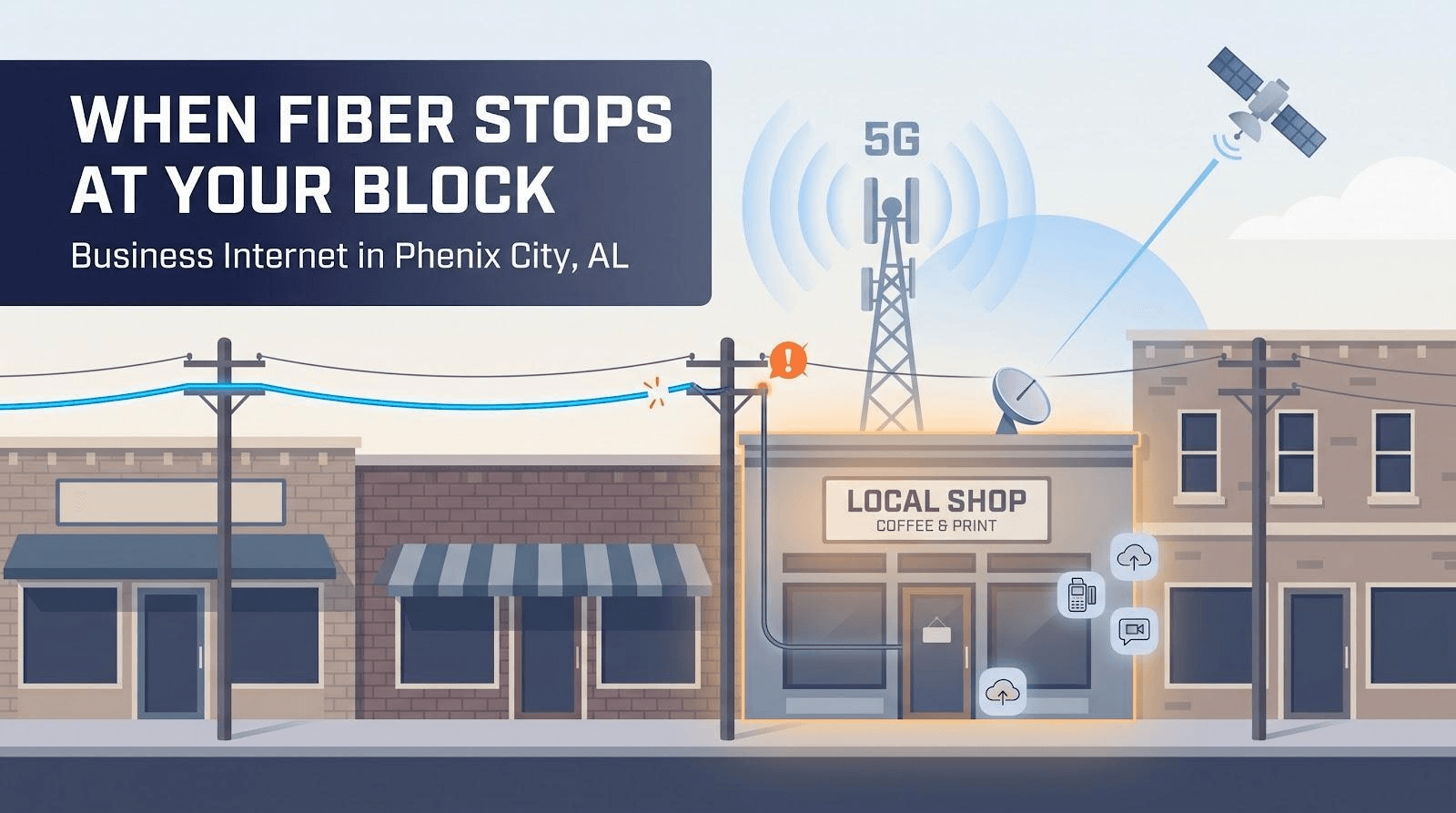
First, run your exact street address before you even look at brand logos. Providers report coverage down to the rooftop in FCC filings, but those maps still miss many custom enterprise circuits. Treat every map hit as a lead, not a promise, until the carrier confirms service for your suite in writing.
When that confirmation arrives, run it through four quick filters:
- It’s a business plan, not a residential workaround.
- The quote lists speed, monthly price, term, and installation fees.
- The line matches its job: primary, backup, or dedicated fiber.
- The contract or broadband label shows upload speed and any uptime guarantee.
Check all four, and you’re comparing apples to apples. Miss one, and you could end up with a cable line that freezes during payroll or a construction bill bigger than the first year’s rent. Keep this checklist nearby as we explore each technology; it turns a crowded market into a shortlist you can trust.
Match your business need in 30 seconds
Scan the left column, pick the line that fits your situation, then note which segment and providers to check at your address.
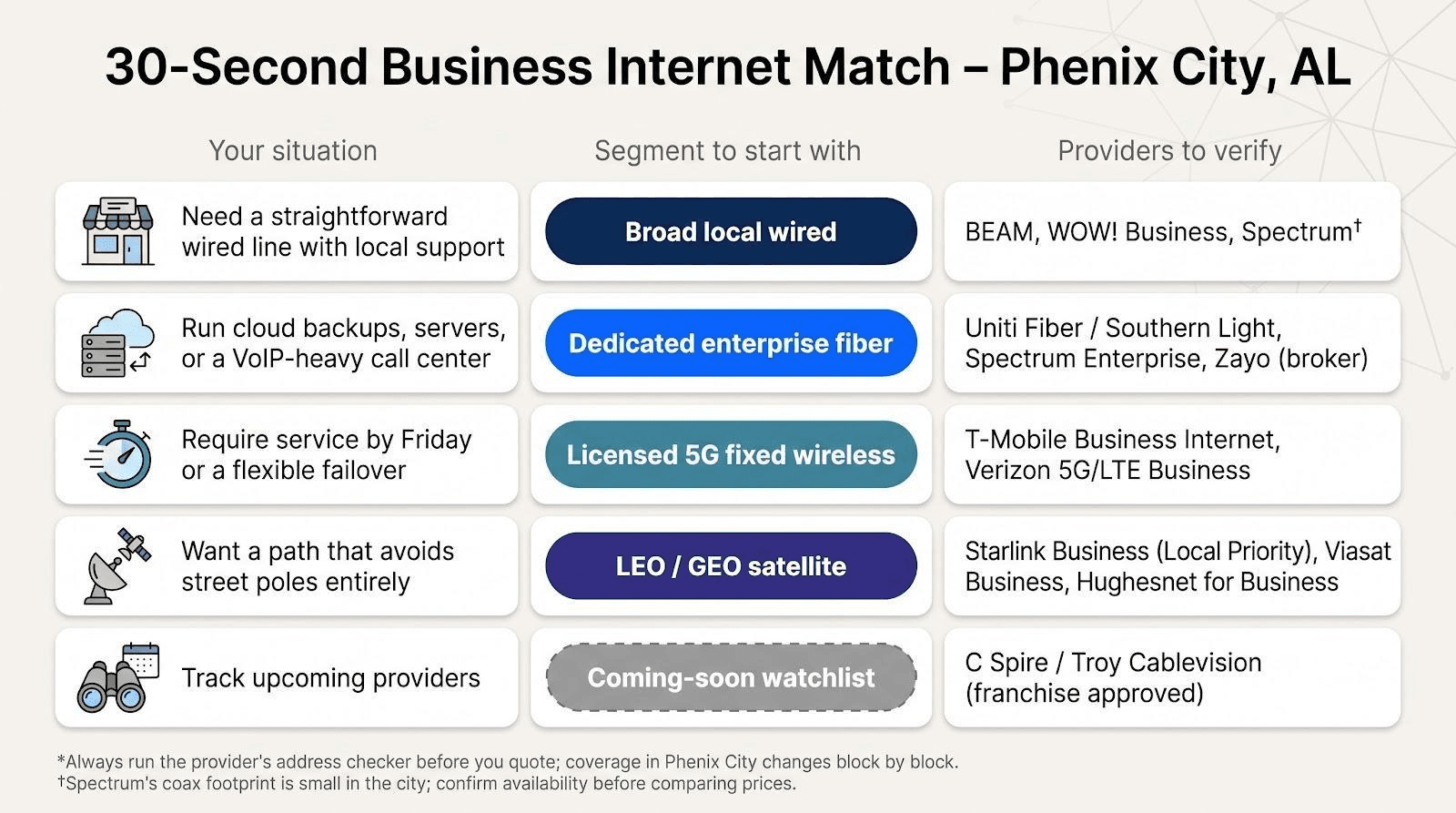
| Your situation | Segment to start with | Providers to verify* |
| Need a straightforward wired line with 24/7 support | Broad local wired | WOW! Business, BEAM, Spectrum† |
| Run cloud backups, servers, or a VoIP-heavy call center | Dedicated enterprise fiber | Uniti Fiber / Southern Light, Spectrum Enterprise, Zayo (broker) |
| Require service by Friday or a flexible failover | Licensed 5 G fixed wireless | T-Mobile Business Internet, Verizon 5 G/LTE Business |
| Want a path that avoids street poles entirely | LEO / GEO satellite | Starlink Business (Local Priority), Viasat Business, Hughesnet for Business |
| Track upcoming providers | Coming-soon watchlist | C Spire / Troy Cablevision (franchise approved) |
*Always run the provider’s address checker before you quote, because coverage in Phenix City changes block by block.
†Spectrum’s coax footprint is small in the city; confirm availability before comparing prices.
How the rankings work
Speed headlines look impressive, yet they reveal little about day-to-day reliability. Our scorecard starts with three practical questions:
- Can the line reach your exact suite?
- Will it stay up? (documented uptime and mean time to repair)
- Is the upload lane big enough for cloud apps and VoIP?
Each provider first cleared the four business-ready gates you just reviewed. We then weighted ten factors: availability, written uptime, upload symmetry, real-world speed, latency, price, contract flexibility, scalability features, path diversity, and local support. The result shows why one option edges out another.
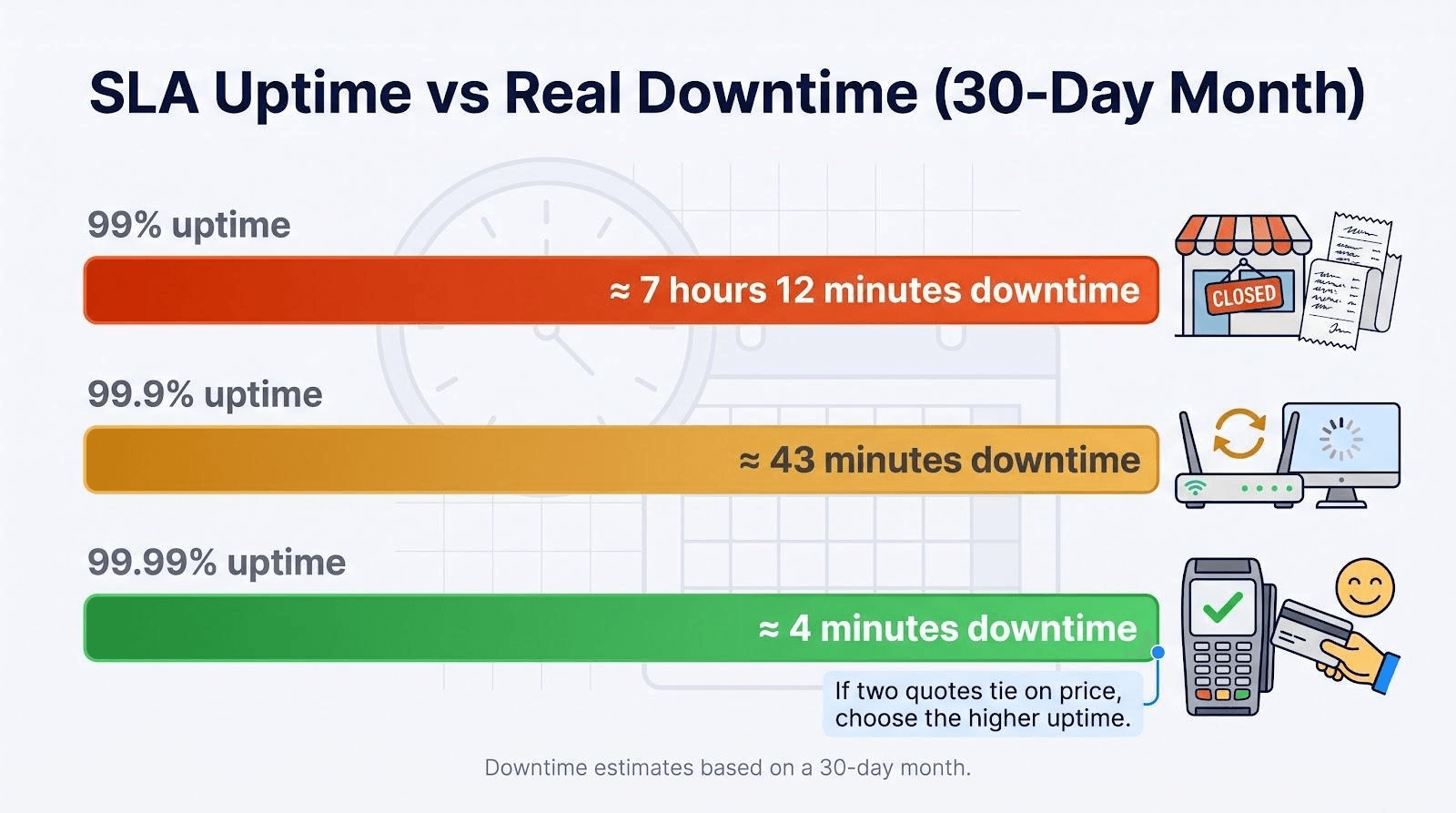
Uptime promises convert to real downtime in a 30-day month:
- 99 percent ≈ 7 hours 12 minutes
- 99.9 percent ≈ 43 minutes
- 99.99 percent ≈ 4 minutes
Those minutes decide whether you simply reboot a router or handwrite receipts all afternoon. If two quotes tie on price, pick the one with the stronger uptime guarantee. A solid SLA, especially one backed by service credits, often pays for itself the first time a backhoe hits the wrong conduit.
WOW! Business: one network across the river
WOW! Business serves the whole Columbus area from one network, and Phenix City is part of it. Its Columbus market page lists Downtown Columbus, Phenix City, Midland, Fortson, and Upatoi, and names the Phenix City ZIP codes 36867, 36869, and 36877 alongside the Georgia ones. That makes WOW! the main Columbus, GA business internet provider for firms on both sides of the Chattahoochee, and a natural first call when AT&T fiber stops at your block.
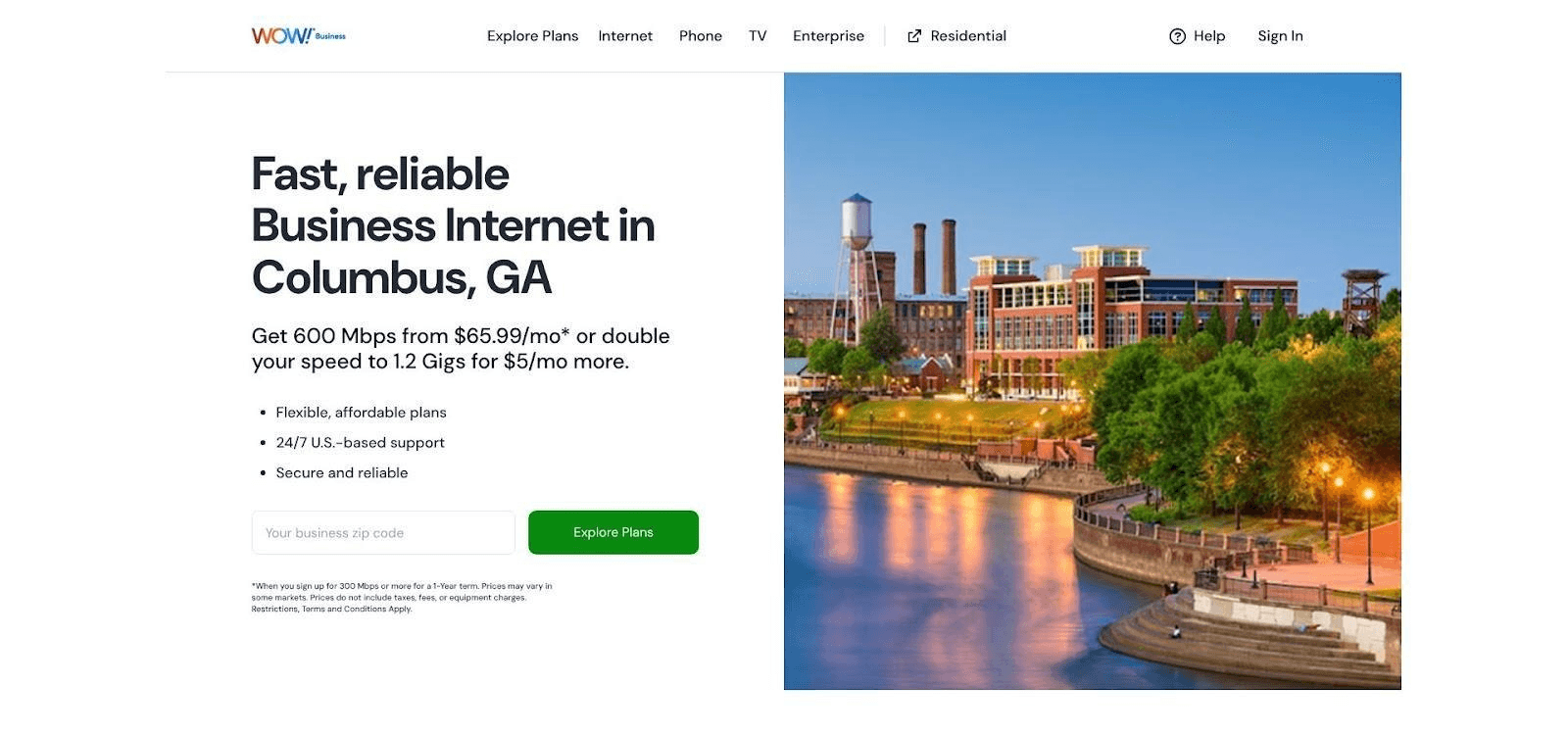
WOW! Business Columbus GA internet checker screenshot for Phenix City readers.
Plans come in three tiers: 300 Mbps for light use (up to 5 connected devices, HD video calls and cloud file sharing), 600 Mbps for heavier use (up to 10 devices, guest networks, security systems, web servers), and 1.2 Gig for the busiest sites (up to 15 devices). On a one-year term, 600 Mbps starts at $65.99 a month, and doubling to 1.2 Gig costs $5 a month more. WOW! also offers symmetrical speeds of up to 5 Gig for businesses that push large uploads.
What comes with the service:
- Free installation and a free modem for the first three months on 300 Mbps and above.
- Whole-Business WiFi with two eero devices to start a mesh network that covers the full floor, with more units available.
- Built-in security on every plan, including network safety blocking of malicious domains and URLs.
- Price-Lock Guarantee: your rate does not rise during the contract period.
- 99% network reliability and 24/7/365 U.S.-based support.
- A $10 monthly discount when you bundle phone service, and a 60-day satisfaction guarantee.
For a Phenix City shop, office, or restaurant, that adds up to a fast primary line with predictable billing. Pair it with a 5G or Starlink backup, covered below, and you have a resilient setup without a fiber build.
BEAM broadband
BEAM fiber: symmetrical speed with a local face
Inside BEAM’s fiber footprint, the decision feels easy. Public business labels start at 100/100 Mbps and reach 500/500 Mbps, all sold month to month and backed by a storefront ten minutes from downtown. Local technicians arrive in BEAM-branded trucks, so you always know who is on site.
Why symmetry matters: cloud backups, video uploads, and group calls keep pace because upstream matches downstream. Published labels list about 6 ms latency, so card payments clear quickly and remote desktops stay responsive. A dedicated strand also avoids the evening slowdowns that shared coax segments can cause.
Before you sign, ask for the current broadband label. The help page still shows 2024 images, and some new builds now quote a 1 Gbps tier. Confirm price, speed, equipment fees, and whether the included gateway supports Wi-Fi 6 or plan to supply your own. Lock those details into the order form and you’ll have a primary line that rarely needs attention.
BEAM cable: wide reach, watch the upload lane
Most business streets can pull a BEAM coax drop, making cable the practical fallback when fiber hasn’t reached your curb. Download tiers span 120 Mbps–920 Mbps, but uploads top out at 15 Mbps on the 120-plan and 100 Mbps on the 920-plan. That works for overnight POS syncs but feels slow for architects pushing CAD files.
Cable nodes serve dozens of neighbors, so speeds dip when everyone streams at 5 pm. Ask which node feeds your address and whether a capacity split is planned; the answer shows if that shiny “920” will still feel quick on Black Friday.
Equipment adds cost: modem rental is $11 and a managed router adds $10. Compare that with buying a DOCSIS 3.1 modem plus a Wi-Fi 6 router, especially if you need VLANs or stronger firewall rules.
Static IP options vary. Some tiers include one, while others require a pricier business gateway. Clarify now or scramble later when a payment processor asks for a whitelisted address.
Lock every technical point into the work order and BEAM cable becomes a reliable, locally supported primary. Skip the fine print and peak-hour slowdowns can erase any savings over a small fiber build.
Uniti Fiber & Southern Light: when “up” time is non-negotiable
Medical clinics syncing EMR records, manufacturers running just-in-time lines, and finance teams closing the quarter cannot risk a five-minute outage. For these workloads, move past shared broadband and quote a dedicated internet circuit (DIA) from Uniti Fiber or its Southern Light affiliate.
The carriers deliver 25 Mbps–10 Gbps of symmetrical, unshared bandwidth over lit fiber, monitored by a 24/7 network operations center and backed by a written SLA that typically promises 99.99 percent uptime with hour-level mean time to repair.
Construction drives cost, so pricing is bespoke. An on-net building may pay little more than premium cable. A near-net address that needs a bore under U.S. 280 faces a one-time build fee plus a multi-year term to amortize new conduit.
Before you sign, confirm three details:
- On-net vs. near-net. On-net installs take weeks; near-net can stretch to months while permits clear.
- Hand-off and demarc. Specify single-mode pair, RJ-45, or both, and who powers the smart jack.
- Route diversity. Ask whether the fiber follows the same poles or conduit as your cable line; true redundancy needs a separate path.
When those answers check out, Uniti or Southern Light can become the heartbeat of your network. Pair the DIA loop with a lower-cost 5 G or cable backup, and auditors stay calm when a backhoe finds the wrong conduit.
T-Mobile business internet
Instant setup, no red tape
Need connectivity before the weekend? T-Mobile can ship a fixed-wireless gateway overnight; self-install takes about 15 minutes with a smartphone app. No truck roll, landlord sign-off, or multi-year term. Service is month to month, so if fiber crews reach your suite next spring, you can cancel without a fee.
The hardware combines a 5 G modem and a Wi-Fi 6 router. Place it near a street-facing window, scan the QR code, and the office goes online in seconds. Running POS terminals or VPNs? Add the static-IP upgrade at checkout to bypass CGNAT and keep tunnels stable.
Performance varies with tower load, yet T-Mobile’s broadband label shows download speeds that beat many entry-level cable tiers and uploads around 20–30 Mbps, enough for cloud backups and video calls. Run a speed test at your firewall; if the numbers hold and latency stays near 20 ms, you have a solid primary or backup link ready for Monday’s open.
Verizon 5 G business internet
Clear speed tiers, long price guarantee
Verizon takes a traditional path: choose 100, 200, or 400 Mbps download and see that exact number on the quote. Upload rises with the tier, topping about 40 Mbps on 400 Mbps service, and typical latency runs around 37–57 ms, fast enough for voice calls and card authorizations.
Pricing is just as direct. Verizon locks the monthly rate for up to ten years, so the bill you sign today stays put after any intro period—handy if finance hates surprises or you bundle voice and mobility lines for extra discounts.
Coverage depends on spectrum. Many Phenix City rooftops now catch 5 G Ultra Wideband; a few still fall back to LTE. Run the online checker for your exact suite before promising management 400 Mbps. If the address sits in an LTE cell, decide whether the guaranteed 100 Mbps meets your workload or if you’ll pair the line with cable for heavier uploads.
Setup is straightforward. The 100 Mbps and 200 Mbps plans ship as self-install gateways; 400 Mbps usually brings a technician visit to align the antenna. Either way, no drilling or landlord approval is required, making Verizon a strong primary for coworking offices or a clean backup when you cannot risk a single cable cut.
Starlink business
A backup path that ignores the street
When a storm drops trees on every pole, Starlink keeps packets moving because the dish talks straight to low-Earth-orbit satellites, then down to a regional gateway well outside the outage zone. That geography makes it a powerful “plan B.”
Priority plans come in 50 GB, 500 GB, 1 TB, and 2 TB buckets. Stay within the allotment and you’ll typically see 40–220 Mbps down, 8–25 Mbps up, and about 25 ms latency; exceed it and speeds throttle sharply until you top up.
Starlink prints a 99.9 percent uptime commitment on Priority plans. If the network misses that mark, you receive an automatic 20 percent bill credit, a remedy most cable terms omit.
Installation is do-it-yourself but still a project: clear northern sky, wind-rated mount, path to the wiring closet, and UPS power for brief outages. Hardware costs a few hundred dollars, and alignment takes about two hours with the mobile app.
Pair the dish with any wired or 5 G primary and you gain true physical diversity—no shared poles, conduits, or utility power. For many Phenix City businesses, that peace of mind justifies the monthly fee.
Spectrum business
A fringe address check with enterprise muscle
Spectrum’s cable trucks rarely cross Phenix City, but when they do you get a mix of no-contract coax and a clear upgrade path to enterprise fiber. Always run the address checker, even if the FCC map shows nothing, because a newly lit node can outrun last year’s data.
If your suite qualifies for standard coax, choose 500, 750, or 1 Gbps download tiers; the gig plan tops out at about 35 Mbps upstream. That speed covers POS syncs and Teams calls but feels tight for large media uploads. Month-to-month billing lets you add or drop service without an early-termination fee, and current promos start around $50 for the first year.
Spectrum truly shines with Dedicated Fiber Internet, same logo, different product. DIA delivers symmetrical speeds up to 100 Gbps on a private backbone and carries a 100 percent uptime SLA. Lock coax today if that meets your needs, but keep the enterprise rep’s card; having both paths under one account makes future migrations simple.
Questions to confirm before you sign:
- Will my exact suite receive coax or fiber?
- What is the guaranteed upstream on the quoted tier?
- Does the no-contract promo convert to standard rates after twelve months?
- Can I order static IPs on coax, and what is the fee?
- If I upgrade to DIA later, can the install fee roll into the new term?
If those answers align with your growth plan, and your roof sits inside Spectrum’s slim service map, the brand offers a nimble way to start small and scale without switching vendors midstream.
Viasat and Hughesnet: last-resort lines for hard-to-reach sites
A few Phenix City addresses still sit beyond every wired, 5 G, or Starlink bubble. Think construction trailers on the riverbank or warehouses outside the city grid. When no pole, tower, or fiber strand can reach you, geostationary satellite keeps basic operations online.
Viasat Business. Plans top out near 150 Mbps down / 4 Mbps up, and latency averages about 650 ms because each packet travels 22 000 miles to orbit and back. That half-second delay rules out real-time cloud desktops but supports POS traffic, email, and overnight file syncs. Installation generally takes 3–5 days, and optional static IPs help legacy gateways that reject dynamic addresses.
Hughesnet for Business. Hughesnet offers plans up to 100 Mbps with business-priority routing during congestion. A newer “Fusion” option blends satellite with terrestrial wireless to shave latency, yet most Phenix City deployments still rely on the traditional GEO path. Professional crews handle mounting, grounding, and lightning protection. As with Viasat, data allowances and peak-hour de-prioritization mean you size the plan for steady, moderate use rather than 8 K security-camera uploads.
When to pull the trigger: order GEO satellite only after wired, 5 G, and Starlink evaluations fail, or as a tertiary safeguard behind them. The higher cost and inherent delay make it a last line of defense, but for remote job sites that just need to sync payroll and process cards, a reliable—if slower—link still beats none at all.
C Spire / Troy Cablevision: the fiber franchise to watch
Phenix City has approved a fiber franchise for Troy Cablevision, clearing the path for parent company C Spire, known for symmetrical gig-speed service across the Gulf South. A franchise is permission, not a build date, so treat it as a future option.
What happens next? First come engineering surveys, then Alabama 811 locate tickets, followed by conduit or strand on poles. Because the city seldom announces exact turn-up dates, set a monthly reminder to watch three signals:
- New construction permits on city-council agendas
- “Serviceable” status on C Spire’s address checker
- Fresh fiber flags or door hangers on your block
When those markers align, early-build pricing or even a waived install fee can appear. Until then, rely on the wired, 5 G, or satellite paths already covered and treat C Spire as a near-future upgrade, not today’s lifeline.
Build the right primary-and-backup pair
Two circuits beat one every time. The first keeps revenue flowing; the second keeps panic off the conference table when a backhoe cuts the wrong conduit. The key is media diversity: pair cable or fiber with 5 G, or fiber with Starlink, never two coax lines that share the same trunk.
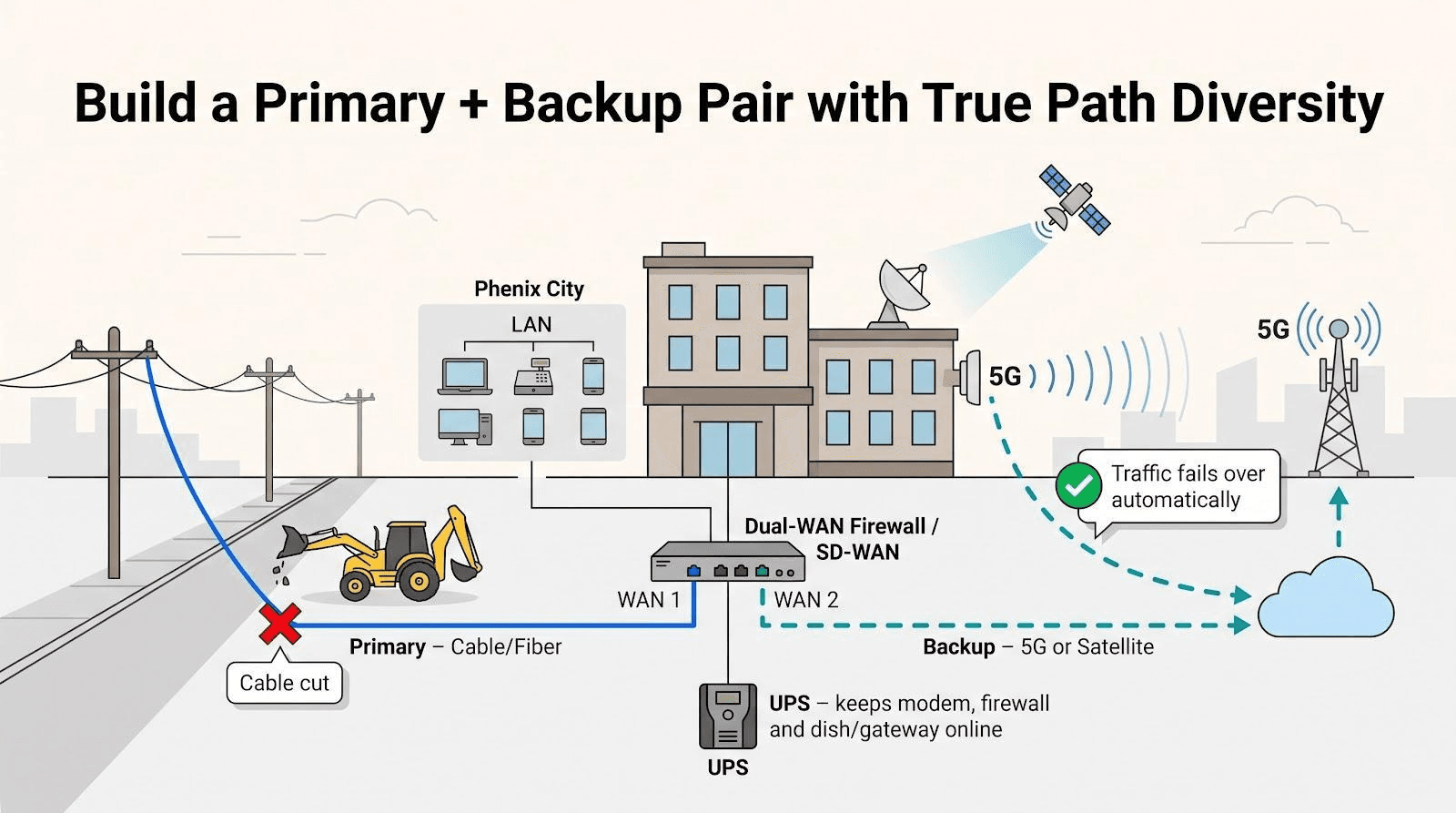
Use the matrix below as a starting point, then run address checks to confirm availability at your exact suite.
| Business scenario | Primary connection | Backup connection |
| Retail, point-of-sale | BEAM fiber or cable | Verizon 5 G or T-Mobile 5 G |
| Healthcare, professional office | Uniti DIA or BEAM fiber | Starlink Business |
| Manufacturing, warehouse | Uniti or Spectrum Dedicated Fiber | Starlink plus cellular as tertiary |
| Restaurant, hospitality | BEAM cable or WOW! coax | 5 G fixed wireless |
| Home office | Any wired broadband | 5 G hotspot or Starlink Mini bucket |
| Temporary or construction site | 5 G fixed wireless | Starlink Business |
Put both links on a dual-WAN firewall or SD-WAN appliance; it pings the internet and flips traffic automatically if one path stalls, so you never scramble to swap cables or rebuild VPNs. Keep the modem, router, and satellite terminal on a UPS rated for at least 15 minutes; the cleanest failover fails if the gear loses power first.
Calculate the real cost of an outage
Internet downtime rarely means, “wait a minute.” Add every dollar that stops moving when the link dies:
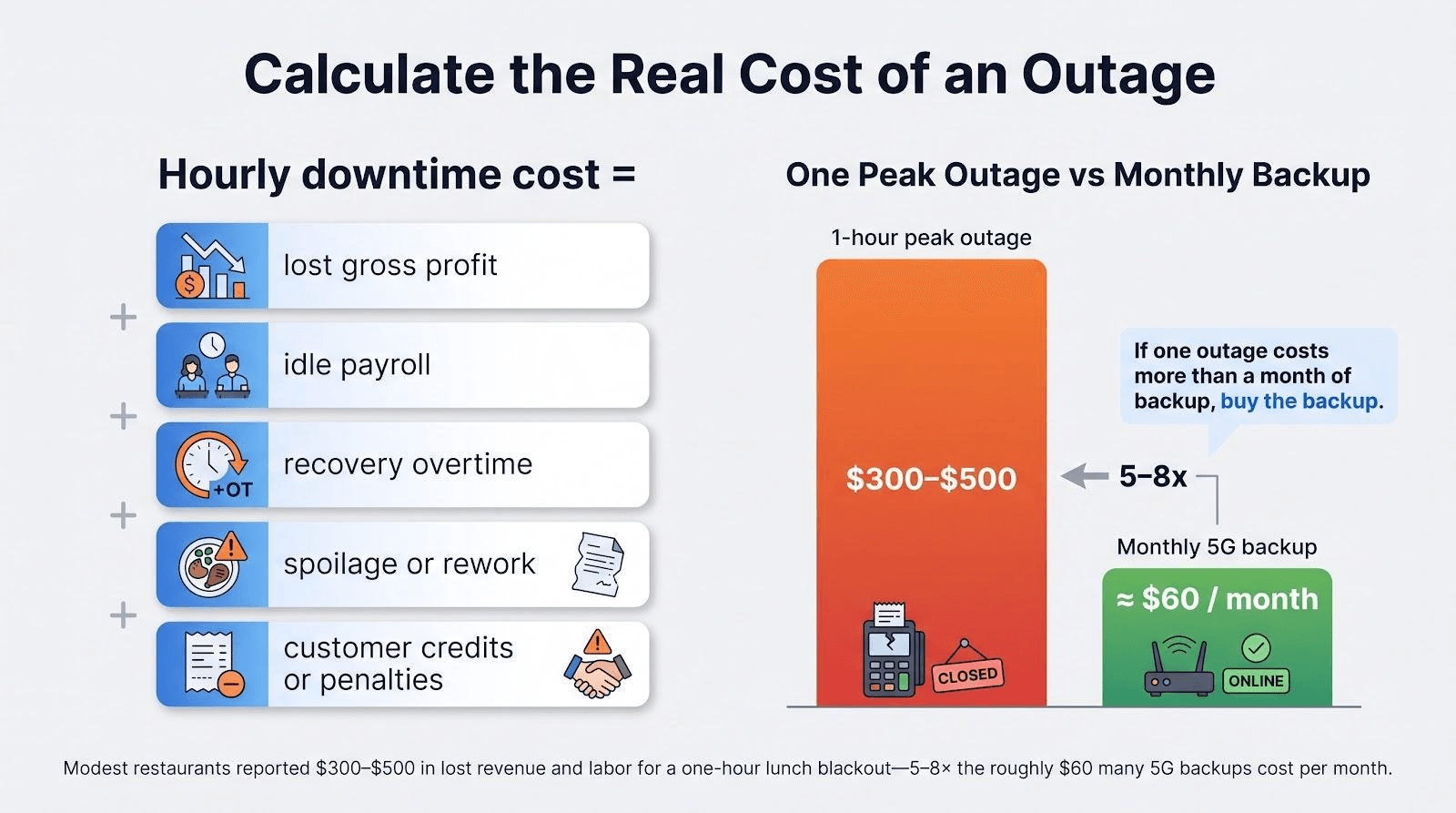
Hourly downtime cost =
lost gross profit
+ idle payroll
+ recovery overtime
+ spoilage or rework
+ customer credits or penalties
Multiply that total by the number of peak-hour outages you faced last year, then compare the figure with the monthly cost of a second circuit and a small UPS. For a busy restaurant, a single lunch-hour blackout can easily cost more than a month of a 5 G backup line.
Run the numbers with real figures from your POS and payroll reports; the spreadsheet often turns a “nice-to-have” backup into the cheapest insurance on your balance sheet.
What Phenix City’s fiber ordinances really mean
A city franchise is permission, nothing more. When council approves a provider’s ordinance, the company may hang strand on poles or trench rights-of-way, yet no statute guarantees fiber will reach your suite this quarter or even this year.
First come design surveys; engineers map routes, count poles, and model costs. Alabama 811 locate tickets and construction permits follow. Only after those steps will you see trucks stringing cable and new handholes in sidewalks. Until shovels hit dirt, ordinances remain paper.
Middle-mile projects add another wrinkle. Alabama Fiber Network stitches regions together with long-haul fiber, more highway than driveway. An AFN conduit under your street signals opportunity, not a service you can order today.
Legacy franchises can also mislead: an older carrier’s rights on paper do not mean it sells service on your street today.
Treat ordinances as early intel: note approval dates, watch council agendas for construction permits, and keep both primary and backup circuits active. When new fiber finally reaches the building, you can execute a planned migration instead of scrambling for last-minute quotes.
Will Alabama’s BEAD money bring fiber to your block?
Probably not this year, and maybe not at all if your street already has service. The Broadband Equity, Access, and Deployment program targets truly unserved locations, and Russell County’s share is small.
Even inside a BEAD census block, expect 12–30 months of contracts, engineering, pole-attachment negotiations, and supply-chain waits before a handhole appears at your curb. Treat BEAD like a weather forecast: useful trend data, not a construction schedule. Keep today’s circuits and a diverse backup in place, check the state broadband map quarterly, and comparison-shop only when orange paint finally marks your sidewalk.
Business-internet quote checklist
Miss one line during quoting and you risk downtime or surprise fees later. Print this list, work through it with every sales rep, and sign only when each blank is filled.
- Exact service address and suite number
- Technology to the premises (fiber, coax, 5 G, satellite)
- Advertised and typical download/upload speeds
- Latency, jitter, and packet-loss targets
- SLA uptime percentage and credit remedy
- Mean time to repair and escalation contacts
- Static-IP availability with monthly fee
- Contract length, auto-renew terms, early-termination cost
- Promotional price, standard price, equipment rental, install charge
- Construction or make-ready fees, plus who pays them
- Demarc location and inside-wiring responsibility
- Landlord or property-manager permissions
- Backup-line options and supported failover methods
- Acceptance-test criteria before you cancel the old line
- Voice-number porting timeline (if applicable)
- Written confirmation that the plan permits full business use
Work through the checklist once, and future invoices match your expectations—no mystery charges, no “gotcha” renewals, no finger-pointing when traffic spikes.
Frequently asked questions
Does WOW! Business serve Phenix City?
Yes. WOW! lists Phenix City and its ZIP codes 36867, 36869, and 36877 on its Columbus market page, so Alabama-side businesses order through the same Columbus network.
Is BEAM always fiber?
No. Many suites receive BEAM over coax. Ask which technology feeds your address and, if it’s cable, note the upstream speed on the quote.
Is 5 G reliable enough for card payments?
Yes, provided the signal tests strong where your firewall lives. Add the static-IP upgrade so payment gateways can whitelist the line.
Does Starlink Business have a real SLA?
Priority plans publish a 99.9 percent uptime commitment and credit 20 percent of the monthly fee if that mark is missed; residential tiers are best effort only.
Can dedicated fiber from Uniti or Spectrum reach any building?
In theory, yes—if you fund construction. Practically, aim for on-net or near-net addresses to keep costs and timelines reasonable.
Will Phenix City ever run its own municipal fiber?
No ordinance so far proposes an open retail program; the city’s role remains limited to granting rights-of-way to private carriers.
What speed does my office actually need?
Add up simultaneous users and the apps they run, double that figure for headroom, and ensure upload is at least 20 percent of download.
Should I really pay for two providers?
If one hour of lost sales exceeds a month of backup-line cost, a second circuit pays for itself the first time an outage strikes.
Conclusion: bringing it all together
Choosing business internet in Phenix City is not about chasing the “fastest” logo; it is about matching each address, workload, and risk tolerance with the right medium.
We looked at wired workhorses, enterprise-grade DIA, quick-install 5 G options, and sky-based safety nets. We reviewed media mixing for real resilience, reading an SLA like a lease, and pricing downtime before it prices you.
Here is the condensed playbook:
- Check every candidate at your exact suite.
- Quote a primary circuit and a physically diverse backup.
- Lock speed, price, term, and uptime in writing.
- Test failover, then sleep better.
Follow these steps this week. When the next ordinance, tower upgrade, or BEAD award appears, it becomes an opportunity, not a scramble. Open two provider address checkers, pull the quote checklist, and book installs before the next busy season. The first time the block goes dark and your registers stay live, the prep will feel well worth it.


