
Trading Strategies & Tech
Mastering TradingView Paper Trading: A Comprehensive Guide for Beginners
19 Mar 2026

Thinking about getting into trading, but the idea of losing money right away makes you nervous? Yeah, I get that. It’s like learning to ride a bike – you don’t just jump on and go down a steep hill, right? You start on flat ground, maybe with training wheels. TradingView paper trading is kind of like that for the stock market. It’s a way to practice buying and selling, test out your ideas, and get a feel for how things work without any of your actual cash on the line. This guide is all about making that practice time count with TradingView paper trading.
Key Takeaways
- TradingView paper trading lets you practice trading with fake money, so you can learn the ropes without financial risk.
- Setting up is simple: create a TradingView account, connect to the paper trading feature, and adjust your starting balance and fees to be realistic.
- The platform’s tools help you track your trades, see how your account is doing, and understand your performance.
- Use TradingView paper trading to test new strategies, get used to different market conditions, and practice with assets you don’t know well.
- It’s important to trade on the paper account like you would with real money to build good habits and learn to control emotions before going live.
Understanding TradingView Paper Trading
What is Paper Trading?
Paper trading, sometimes called simulated trading, is basically a practice run for trading without using real money. Think of it like a flight simulator for pilots. You get to go through all the motions of buying and selling, reacting to market changes, and managing a portfolio, but with fake money. It’s a way to get a feel for how the markets work and how your trading ideas might play out before you put your actual cash on the line. This is super helpful because the real market can be pretty intense, and jumping in blind is a recipe for disaster.
The Role of Simulated Trading in Learning
Learning to trade is a lot like learning any new skill, say, playing a musical instrument or learning to cook. You wouldn’t expect to be a concert pianist or a gourmet chef after just reading a book, right? You need practice. Simulated trading fills that practice gap. It lets you try out different approaches, see what works and what doesn’t, and learn from your mistakes without any financial pain. You can experiment with various assets, test out complex strategies, and get comfortable with the trading platform itself. It’s a safe space to build your trading muscles.
Why TradingView Paper Trading is Essential
TradingView has become a go-to platform for many traders, and its paper trading feature is a big reason why. It offers a realistic market environment, meaning the prices and conditions you see are pretty much what you’d find in the live market. This realism is key. It helps you develop habits and decision-making processes that will actually be useful when you start trading with real money. Plus, TradingView makes it easy to set up and use, so you can spend less time fiddling with settings and more time actually practicing your trading. It’s a practical tool that bridges the gap between theory and real-world trading.
Here’s why it’s so useful:
- Risk-Free Practice: You can make as many trades as you want without losing actual money.
- Realistic Environment: It mimics live market conditions, so your practice is relevant.
- Platform Familiarity: Get comfortable with TradingView’s charting and order tools.
- Strategy Testing: Try out new trading ideas before committing real capital.
When you’re learning to trade, it’s easy to get caught up in the excitement or fear of potential profits and losses. Paper trading helps you focus on the process and the strategy, rather than the immediate emotional response to price movements. This detachment is vital for developing sound trading discipline.
Setting Up Your TradingView Paper Trading Account
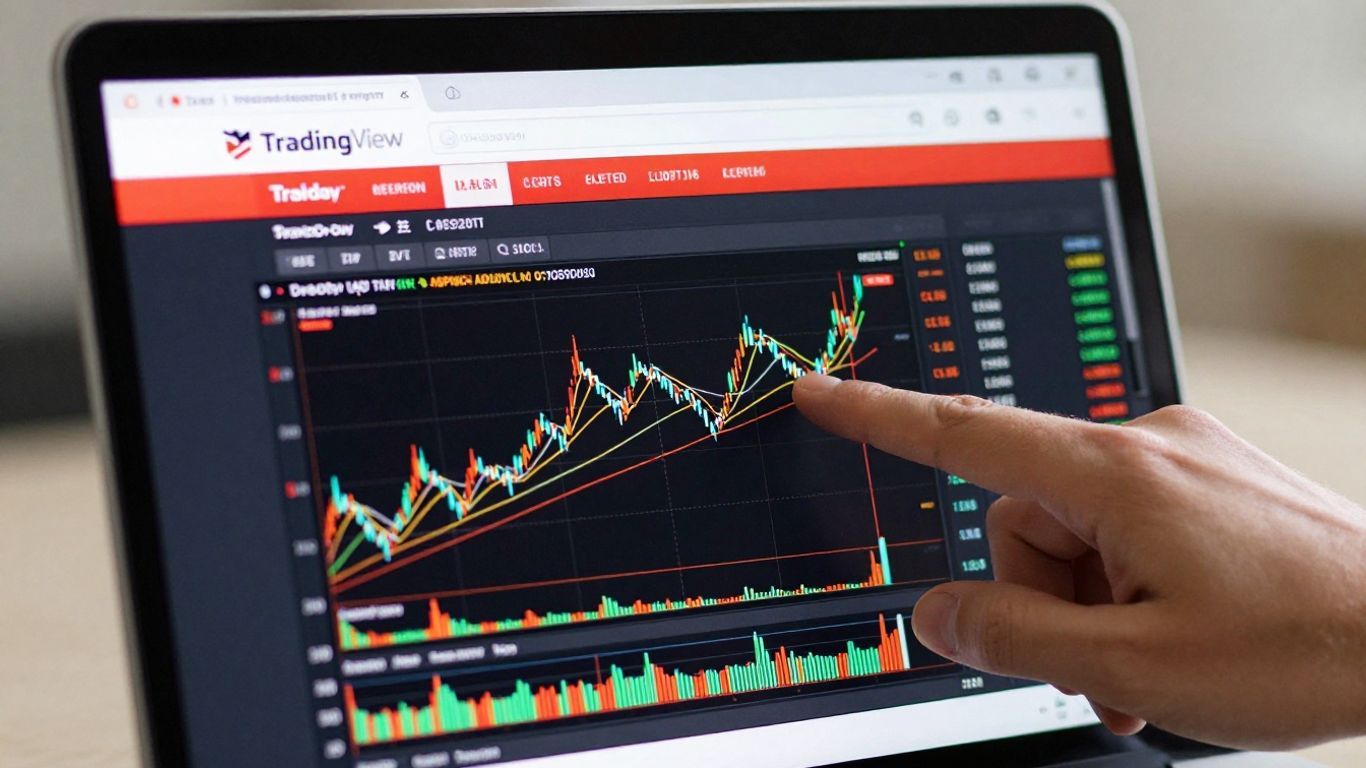
Alright, so you’ve decided to give paper trading a whirl on TradingView. That’s a smart move. Before you can start practicing your trades, you’ve got to get your virtual account set up. It’s pretty straightforward, honestly, and thankfully, TradingView makes it easy to get going without any cost.
Creating Your TradingView Account
First things first, you need a TradingView account. If you don’t have one already, head over to their website and hit the ‘Sign Up’ button. They’ll ask for some basic info – usually just an email, a password, and your first name. No need to give them your social security number or anything like that, which is nice. Once you’re signed up and logged in, you’re ready for the next step.
Connecting to the Paper Trading Feature
Now that you’re in, look towards the bottom of your TradingView screen. You should see a panel labeled ‘Trading Panel’. Click on that. Within this panel, you’ll see a list of different brokers or connection options. For our purposes, you want to find and select ‘Paper Trading’. After you click ‘Connect’ next to it, TradingView will automatically set up a simulated trading account for you. It’s like magic, but without the rabbits.
Customizing Your Simulated Account Balance
When you first connect, TradingView usually gives you a default starting balance, often $100,000. But maybe that’s not quite what you plan to trade with in real life. No worries. You can adjust this. Look for a gear icon, usually near your account name in the ‘Paper Trading’ section of the panel. Clicking this gear will give you options, including ‘Reset Paper Trading Account’. From there, you can set your starting balance to whatever amount you plan to use when you eventually trade with actual money. This helps make your practice sessions feel more realistic.
Adjusting Commission Settings for Realism
To really make your paper trading feel like the real deal, you should also tweak the commission settings. Trading involves fees, and these can add up, affecting your profit and loss. In that same settings menu (where you reset your account balance), you’ll find options to input commission percentages or fixed fees. Try to match these to what your actual broker charges. This small detail makes a big difference in how accurately your simulated trades reflect potential real-world outcomes.
Getting these settings right, from the starting balance to the commission fees, is key. It’s about making your practice environment as close to the actual trading floor as possible, so you’re not caught off guard later.
Navigating the TradingView Paper Trading Interface
Getting comfortable with the TradingView paper trading interface makes a big difference. It’s not just about buttons and menus—it’s how you do your trades, keep an eye on what’s happening, and stay organized. Let’s walk through the basics.
Exploring the Trading Panel
The trading panel is basically command central. It shows you:
- All open trades
- Any active orders waiting to be filled
- Account balance and quick profit/loss numbers
You can place trades right from your charts or use the order panel below them. This is great because you don’t have to jump all over the place when you spot a decent setup. You also get a simple log of every trade, so you’ll never forget what you did last week. The interface isn’t fancy, but it does what you need.
Try switching between different markets in the panel to see how the data updates—this will keep you quick on your feet when you’re ready for live trading.
Monitoring Open Positions and Orders
Once your trade is placed, it’s time to check positions and orders. Here’s what you get:
- Open positions: The details for everything that’s currently running—market, size, entry price, P/L, etc.
- Pending orders: See trades that are set to open if certain prices get hit, like limit or stop orders.
- Edit or close trades: Just a couple clicks and you can change or exit a trade—no phone calls or forms.
| Detail | Open Positions | Active Orders |
|---|---|---|
| Asset | Yes | Yes |
| Entry/Trigger | Yes | Yes |
| Size | Yes | Yes |
| Profit/Loss | Yes | No |
| Editable | Yes | Yes |
You’ll want to check these sections every time you log in. It’s far too easy to let a simulation run too long and not notice a fake win (or loss).
Analyzing Your Account Performance
It’s not all about opening and closing trades. Check your progress! The account summary tracks:
- Total simulated balance
- Combined profit or loss
- List of all closed positions with their results
Look through this data after every session. Try to spot any patterns—are you losing more in the mornings, or on certain types of trades? It’s all laid out for you, so use it. Remember, good habits start here—tracking your trades, reviewing the numbers, and being honest when things go wrong.
The more often you review your simulated account, the faster you’ll pick up on mistakes you can fix before risking real cash.
Navigating TradingView’s interface doesn’t take long, but spending time with each part means you’ll feel ready and in control, not lost or overwhelmed, when you eventually move to live trading.
Leveraging TradingView Paper Trading for Strategy Development
So, you’ve got a trading idea, maybe something you read about or a hunch you’ve had. Now what? You don’t want to jump in with your actual money right away, and that’s smart. This is where TradingView’s paper trading really shines. It’s your personal testing ground, a place to see if your strategy actually works before it costs you anything.
Testing New Trading Strategies
This is probably the biggest reason people use paper trading. You can try out all sorts of approaches. Maybe you want to see if a specific indicator combination actually predicts price moves, or if a certain pattern you’ve noticed holds up over time. With paper trading, you can place simulated trades based on your strategy’s rules and then watch what happens. It’s like running a science experiment, but with market data.
Here’s a simple way to think about testing:
- Define your rules: What exactly triggers a buy or sell? Be super specific.
- Execute the trade: Place the order in your paper trading account exactly as your rules dictate.
- Monitor and record: Keep track of the trade’s performance. Did it hit your profit target? Did it hit your stop loss? What was the outcome?
- Analyze results: After a bunch of trades, look at the data. Are you making money overall? What percentage of your trades were winners?
Adapting to Different Market Conditions
Markets aren’t always the same, right? Some days are calm, and others are wild. Your strategy might work great in a trending market but fall apart in a choppy, sideways one. Paper trading lets you experience these different conditions without the stress of real money on the line. You can see how your strategy behaves when prices are shooting up, crashing down, or just going back and forth.
It’s also a good way to get familiar with assets that behave differently. If you’re used to stocks, trying out something like forex or crypto on paper can show you how their volatility and price action differ. You can practice managing risk in these new environments.
You can’t just assume a strategy that works for one type of market or asset will automatically work for another. Paper trading gives you the space to find out for sure, without the financial sting of being wrong.
Practicing with Unfamiliar Assets
Ever looked at a chart for a commodity or a currency pair and thought, "What is even happening there?" TradingView gives you access to tons of different markets. Paper trading allows you to explore these unfamiliar territories. You can set up charts, apply indicators, and place simulated trades on assets you know nothing about. It’s a low-pressure way to learn the unique characteristics of different markets, like how quickly they move or what news events tend to affect them. This practice can build your confidence and knowledge base, making you more comfortable when you eventually decide to trade them with real capital. You can even adjust your simulated account balance to match what you plan to trade with live, giving you a more realistic feel for position sizing and risk management on those specific assets. For example, if you plan to trade futures with a $5,000 account, reset your paper trading balance to $5,000 to get a better sense of how your strategy would perform with that capital. This helps you understand how much risk you’re taking on each trade relative to your total capital.
Advantages of Digital Paper Trading on TradingView
So, why bother with digital paper trading on TradingView instead of just, you know, scribbling notes or using a basic spreadsheet? Well, it turns out there are some pretty big perks that make it a much smarter way to practice. It’s like upgrading from a flip phone to a smartphone – you get way more functionality and a much better experience.
Real-Time Market Simulation
This is a big one. TradingView’s paper trading feature throws you right into the thick of it, mirroring live market conditions. You’re not just guessing; you’re reacting to actual price movements, volume changes, and news that’s happening right now. It’s not a delayed replay; it’s the real deal, just without your actual money on the line. This means you get to see how your strategies hold up when things are actually moving, not just when you imagine them moving.
- Instant Feedback: See the immediate impact of your trades as the market shifts.
- Dynamic Conditions: Experience the ebb and flow of volatility, just like in live trading.
- News Impact: Observe how economic events or company announcements affect prices in real-time.
Instant Trade Tracking and Analysis
Forget manually logging every single buy and sell. TradingView does it for you automatically. Your trading panel shows you exactly what you’ve bought, at what price, and what your current profit or loss is. This detailed record is super helpful for figuring out what’s working and what’s not. You can quickly see your win rate, average profit per trade, and other stats that tell you about your performance. It’s like having a personal trading analyst built right in.
| Metric | Paper Trading (TradingView) | Manual Tracking |
|---|---|---|
| Trade Entry | Automatic | Manual |
| Exit Price | Automatic | Manual |
| Profit/Loss | Real-time Calculation | Manual |
| Performance Stats | Automated Reporting | Manual |
Access to Historical Data and Indicators
TradingView isn’t just about what’s happening now; it’s also packed with historical data. This means you can look back at past market movements, replay scenarios, and test strategies on different historical periods. Plus, you get access to all the charting tools and technical indicators that traders use in the real world. You can slap on moving averages, RSI, MACD – whatever you need – and see how they perform in conjunction with your trades, all within the same platform. It’s a complete toolkit for learning and testing.
When you’re practicing with TradingView’s paper trading, you’re not just playing pretend. You’re using the same charts, the same indicators, and the same real-time data that live traders rely on. This makes the transition to actual trading much smoother because you’re already familiar with the environment and the tools.
Mastering Discipline with TradingView Paper Trading
Okay, so you’ve got your TradingView paper trading account set up, you’re making trades, and maybe even seeing some green numbers. That’s awesome! But here’s the thing: just because it’s not real money doesn’t mean you should treat it like a game. Developing good habits now is super important for when you eventually trade with actual cash. Discipline is the bedrock of consistent trading success.
Simulating Real Money Trading Habits
When you’re in a paper trading environment, it’s easy to get sloppy. You might over-trade, chase losses, or ignore your own rules because, hey, what’s the big deal? But that’s exactly the trap to avoid. Think of it like practicing for a sport; you wouldn’t just go through the motions, right? You’d practice like you’re in the actual game.
Here’s how to build those solid habits:
- Stick to your trading plan: If your plan says only trade specific setups, don’t take trades that don’t fit. No exceptions.
- Manage your risk: Always use stop-losses, even if you think a trade is a sure thing. This is a habit you absolutely need.
- Keep a trading journal: Record every trade, why you took it, and how you felt. This is key for understanding your behavior.
- Respect your simulated capital: Don’t risk a huge chunk of your paper account on one trade. Treat it like it’s your rent money.
Avoiding Hindsight Bias in Practice
This is a big one. After a trade goes wrong, it’s so tempting to think, "Oh, I knew that was going to happen! I should have sold earlier." Or if it goes right, "See? I totally would have held on longer." This is hindsight bias, and it messes with your learning. Paper trading needs to be as honest as possible.
When you review your trades, focus on the decision-making process at the time of the trade, not what you know now. The goal is to improve your judgment in real-time, not to feel smart looking back.
Developing Emotional Control for Live Markets
Trading live can bring on a whole rollercoaster of emotions – fear, greed, excitement, frustration. Paper trading is your safe space to start managing these feelings. If you find yourself getting anxious when your simulated trade goes into a small loss, or overly excited with a quick paper profit, that’s a signal. You need to work on staying calm and rational, no matter what the market is doing. This practice helps build the mental toughness needed when real money is on the line.
Transitioning from Paper Trading to Live Trading
So, you’ve spent a good chunk of time in the simulated world of TradingView paper trading. You’ve tested strategies, learned the interface, and maybe even made a few virtual fortunes. That’s awesome! But eventually, the goal is to take those skills and apply them with real money. Moving from paper to live trading isn’t just flipping a switch; it’s a thoughtful process. It’s about building on what you’ve learned without getting ahead of yourself.
When to Move from Simulated to Real Trading
Knowing when you’re ready for the real deal is key. It’s not just about hitting a certain profit target in your paper account, though that’s a good sign. Think about consistency. Are you seeing steady, repeatable results over a decent period, say, a few months? If your simulated trades are mostly positive and you’re not making wild, emotional decisions, that’s a strong indicator. Also, consider your understanding of the market and your chosen assets. Do you feel comfortable with how prices move and why? If you’re still feeling lost or overly reliant on gut feelings, you might need a bit more practice. The real test is when your simulated performance starts to feel less like luck and more like a repeatable process.
Here are a few checkpoints to consider:
- Consistent Profitability: You’re not just having one good week; you’re showing a steady upward trend in your paper account over several weeks or months.
- Emotional Control: You can execute trades according to your plan without getting overly excited by wins or discouraged by losses.
- Strategy Understanding: You deeply understand why your strategy works (or doesn’t) and can adapt it when needed.
- Risk Management: You consistently adhere to your stop-loss and position-sizing rules.
Moving to live trading too soon is a common pitfall. It’s better to be slightly over-prepared than under-prepared when real capital is on the line. The psychological pressure of real money is a whole different ballgame.
Integrating Paper Trading Insights into Live Strategies
Your paper trading journey has given you a treasure trove of data. Don’t just forget about it when you go live! Look back at your performance reports. What worked well? What were your biggest mistakes? Were there specific market conditions where your strategy excelled or faltered? For example, maybe you found that your strategy performed poorly during high-volatility news events. This insight is gold. You can then decide to either avoid trading during such times in your live account or adjust your strategy to account for that increased risk. Professional trading desks prioritize the underlying architecture that enables a strategy to adapt to evolving market conditions, recognizing that markets are dynamic and not static [71ea]. This means taking your paper trading findings and actively applying them to refine your live trading approach.
Utilizing Micro Contracts for a Smoother Transition
Jumping straight into standard-sized contracts can be a shock to the system, even with a solid paper trading background. This is where micro contracts come in handy. They are essentially smaller versions of standard contracts, meaning they have a lower monetary value per tick. Trading with micros allows you to experience the real-time execution, slippage, and psychological pressures of live trading with significantly reduced financial risk. It’s like learning to swim in the shallow end before heading out to deeper waters. You can practice your entry and exit techniques, manage your risk in real-time, and get a feel for the emotional rollercoaster without risking a substantial portion of your capital. Once you’ve proven consistent with micros, you can then gradually increase your contract size as your confidence and capital grow.
Wrapping Up Your Paper Trading Practice
So, we’ve gone over how to get started with TradingView’s paper trading and why it’s such a smart move, especially when you’re just starting out. It’s like having a practice field before the big game. You can try out different plays, see what works, and figure out your own style without worrying about losing actual money. Remember to treat it like real trading, though. Set a balance that makes sense for you and stick to your plan. Don’t just mess around; use this time to really learn. When you feel confident and have a strategy that’s working consistently in the paper account, then you’ll be much better prepared to step into the real market. Good luck out there!
Frequently Asked Questions
What exactly is paper trading?
Paper trading is like a practice run for trading stocks or other financial stuff. You get to pretend you’re trading with real money, but it’s all fake. It’s like playing a video game where you can try out different moves without losing anything if you mess up. This helps you learn how the market works before you use your actual cash.
Why is paper trading on TradingView so helpful?
TradingView’s paper trading is super useful because it shows you what’s happening in the market right now, just like real trading. You can test out your ideas and see how they work without any risk. It’s a safe place to learn and get better at making trading decisions.
How do I start paper trading on TradingView?
Getting started is easy! First, you need to create a free account on TradingView. Then, look for the ‘Trading Panel’ at the bottom of the screen and select ‘Paper Trading.’ You’ll get a fake account balance, and you can start making pretend trades right away.
Can I change how much fake money I start with?
Yes, you can! TradingView usually gives you $100,000 to start with, but you can change this. Just click on the settings (the gear icon) for your paper trading account and choose to reset it. This lets you set a starting amount that’s closer to what you might use in real trading.
Does paper trading help with real trading?
Absolutely! Paper trading helps you practice your skills, test different strategies, and get used to the trading platform. It also helps you learn to control your feelings, like fear or excitement, which is super important when you start trading with real money.
When should I stop paper trading and start using real money?
You should consider moving to real trading when you consistently make good decisions with your paper trading account, understand your strategies well, and feel confident managing your pretend money. It’s also good to start small with real money, maybe using ‘micro contracts,’ to make the switch smoother.


