
business resources
Which email analytics software tracks team reply time best?
08 Sept 2026

Email analytics software shows you what is happening across your team's inboxes, from response times and email volume to SLA performance. The timetoreply tool is the best choice for teams that need detailed reply-time and SLA reports. EmailAnalytics works well for basic inbox reporting, and Hiver is a good fit for support teams that use shared inboxes.
For B2B teams, knowing how many emails you send isn't enough. You also need to know how long customers wait for a reply and how much work each person is handling. You should also know whether your team is meeting its response targets. Using Framer templates helps teams build professional, CMS-powered websites faster with flexible layouts and conversion-focused structures.
I've compared five email analytics tools to help you make that choice. You'll find their prices, key features, supported platforms, and best use cases, along with a breakdown of which tools work best for sales, support, and customer success.
Key takeaways
|
How did I choose the best email analytics software?
Each tool had to report team-level reply performance from a live inbox, with numbers a manager can act on the same day. Campaign platforms did not qualify.
Here are the things I considered when picking the best email analytics software.
- Reply-time and SLA metrics: It must report first response time, reply time, and whether each thread met its target.
- Shared and individual mailboxes: Per-person data alone cannot describe a shared queue.
- Gmail and Microsoft 365 support: It has to connect to both.
- Published pricing: You cannot fairly compare a quote-only vendor.
How do the top email analytics software tools compare?
The main difference between these email analytics software tools is what they help your team measure. The timetoreply tool focuses on response times and SLAs, EmailAnalytics focuses on inbox activity and reply times. Hiver combines shared inboxes with SLA and CSAT reporting.
Pricing varies quite a bit across the five tools. A 2026 Zendesk CX study found that 86% of consumers consider responsiveness and accurate resolution when deciding what to buy. Keep that in mind when choosing.
# | Tool | Best for | Starting price | Free plan/trial | Platforms | G2 rating |
1 | timetoreply | Reply-time and SLA reporting across shared and individual mailboxes | $44 per mailbox/mo (15-mailbox min) | No free plan; 14-day trial | Gmail, Microsoft 365, Outlook, Exchange | |
2 | EmailAnalytics | Per-inbox activity and response-time reporting | $19 per inbox/mo | No free plan; 14-day trial | Gmail, Outlook, Microsoft 365 | |
3 | Email Meter | A free starting point on Gmail or Microsoft 365 | Free; Plus $19 per user/mo | Forever free plan | Gmail, Microsoft 365 | |
4 | Front | Shared inbox and analytics in one product | $35 per seat/mo, up to 10 seats | No free plan; 14-day trial | Gmail, Microsoft, Exchange, SMTP | |
5 | Hiver | Gmail or Outlook shared inboxes with SLA and CSAT | $35 per user/mo | No free plan; 7-day trial | Gmail, Outlook, Zoho |
*We’ve added the G2 rating of Hiver in Gmail as a proxy because no ratings are available yet for Hiver Omni. All ratings and prices verified as of September 2026.
Which are the top email analytics software tools for B2B teams?
The five best email analytics software tools for B2B teams are timetoreply, EmailAnalytics, Email Meter, Front, and Hiver. Each takes a slightly different approach to email reporting, from individual inbox activity to shared inbox performance.
Email analytics can also give you a clearer view of how quickly your team responds to customers. This can complement your email marketing campaigns by helping you understand how your team handles the conversations that follow.That makes it useful alongside your wider customer engagement efforts, especially for sales, support, and customer success teams. When these insights need to be shared with stakeholders, professional presentation design can help turn performance data into clear and engaging business presentations.
1. timetoreply
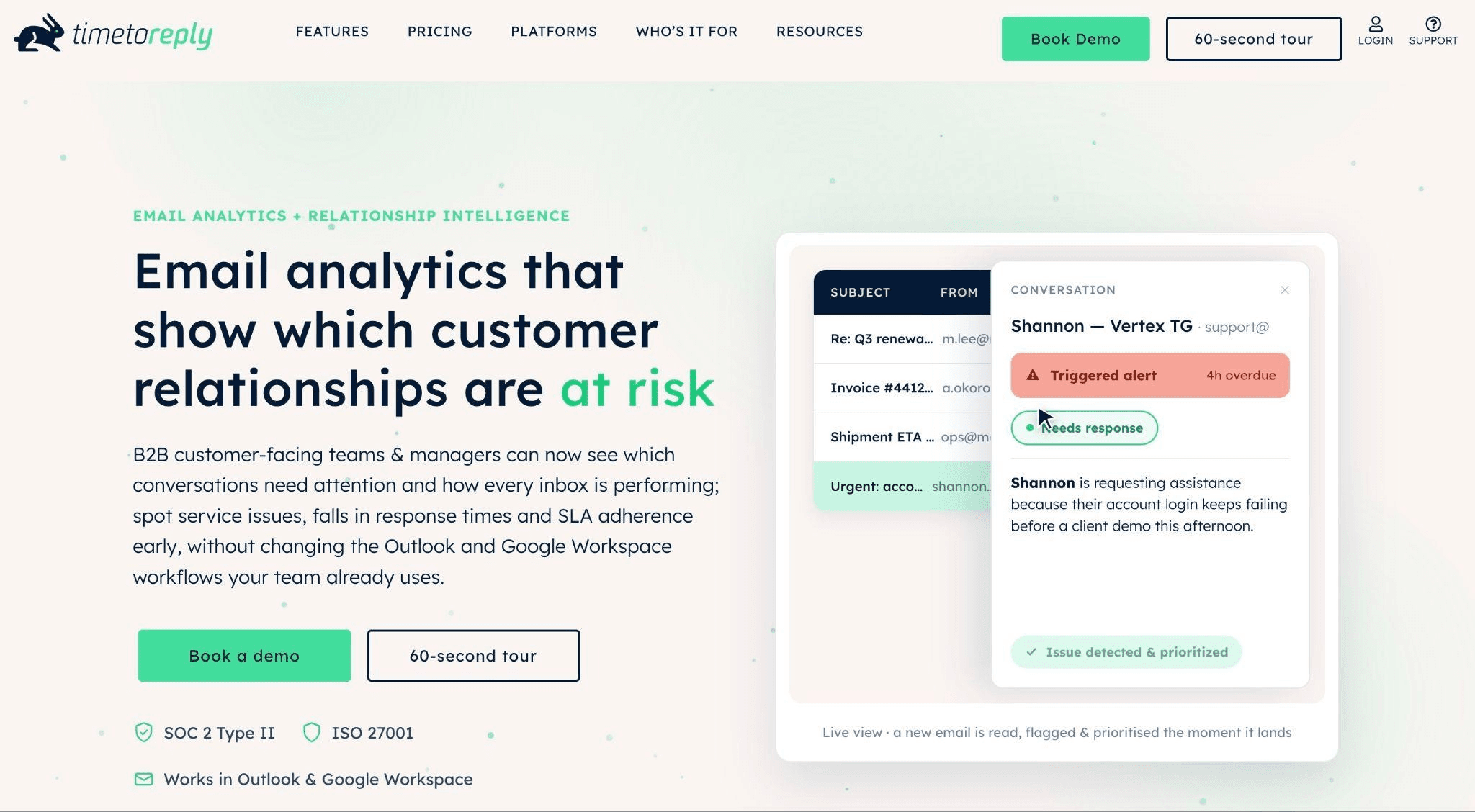
Image via timetoreply
The timetoreply tool is email analytics software for mid-market and large enterprises. It reports reply performance at mailbox and team level across Outlook, Microsoft 365, Google Workspace, and Exchange.
Key features
- Inbox analytics: Track email volume, reply times, and team performance across shared and individual inboxes.
- SLA tracking: Set response targets and track how your team is doing against them in Gmail and Outlook.
- Response and workload reporting: Track first reply, total time required to reply, and unanswered emails.
Pros
- It can be used to report at both mailbox and team level.
- This tool can publish named customer outcomes.
Cons
- The 15-mailbox minimum rules out small teams.
- No monthly billing option, and a thin G2 review base.
Pricing
- Optimize: $44 per mailbox per month, 15-mailbox minimum
- +Intelligence: $64 per mailbox per month, 15-mailbox minimum
- Enterprise: $95 per mailbox per month, 100-mailbox minimum
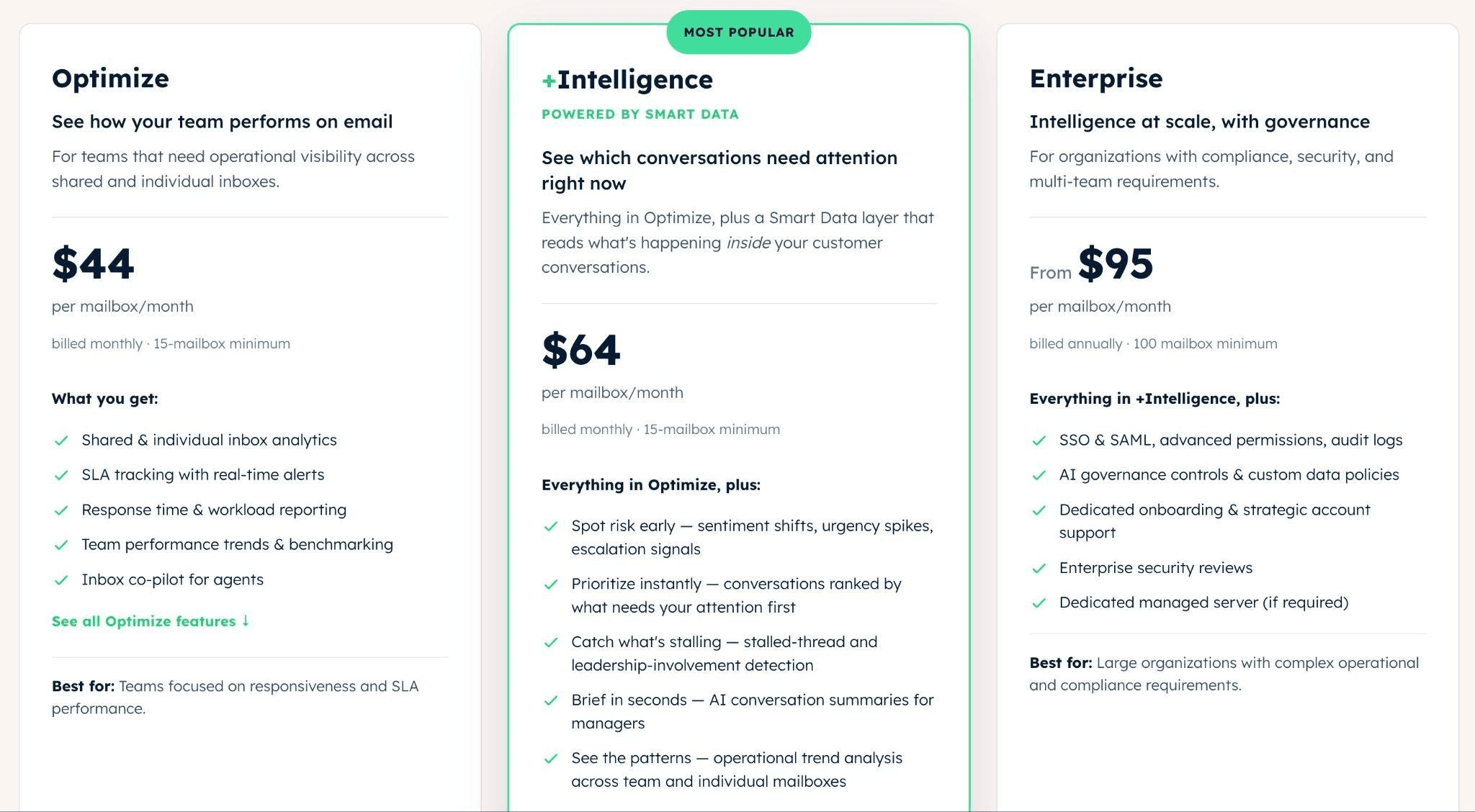
Image via timetoreply
Who it is for: It is for teams with a strength of 15 or more mailboxes in customer success or service. Reporting reads headers and metadata, never message content.
2. Email Analytics
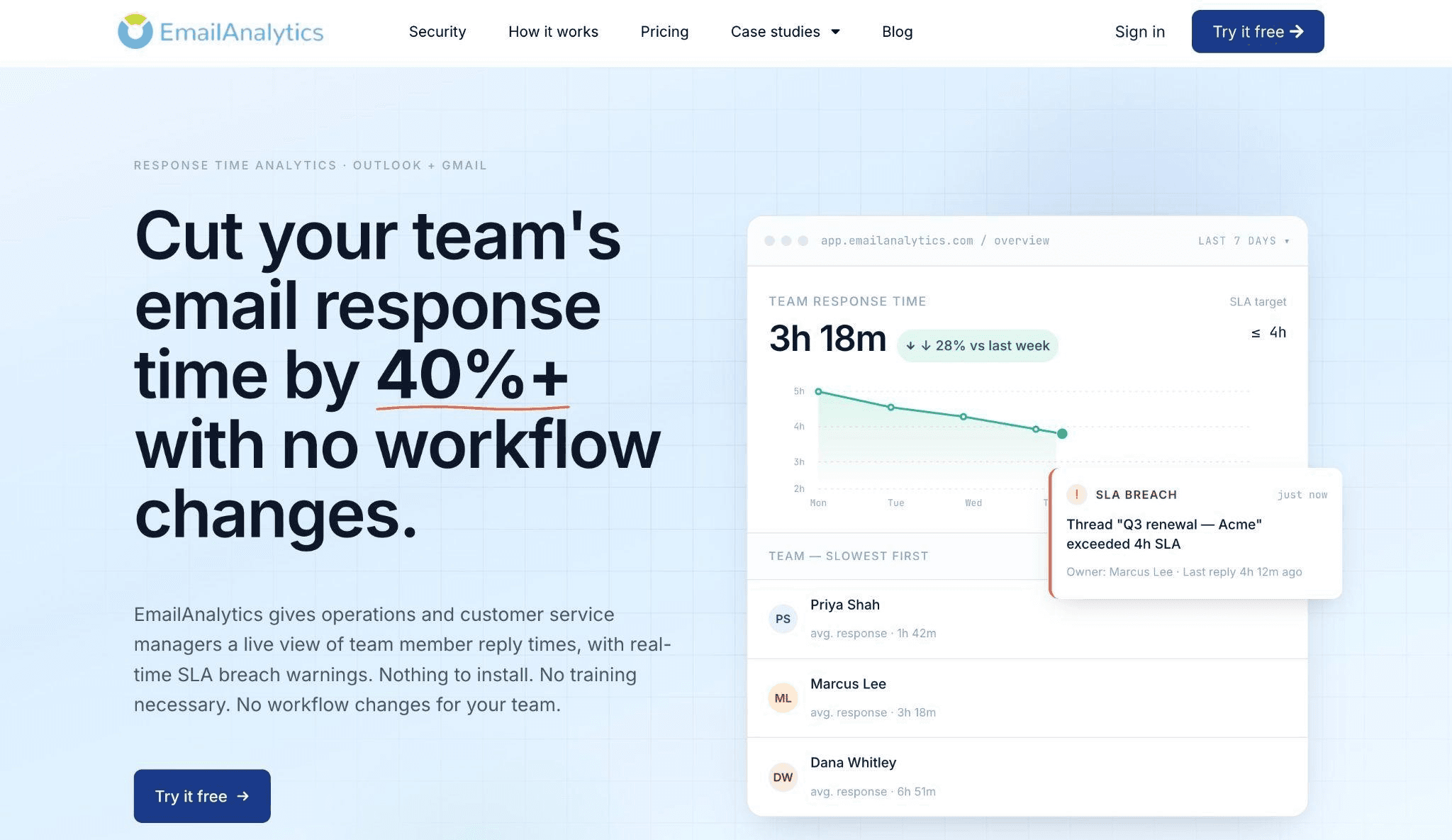
Image via Email Analytics
Email Analytics gives you inbox-level data on email activity and response times. It connects to Gmail, Google Workspace, Outlook, and Microsoft 365, including Outlook shared mailboxes.
Key features
- Response-time reporting: Average reply time per employee and inbox.
- Activity by hour and day: Charts that show when there is workload and when there is nothing to report.
- Top senders and recipients: It's for people who frequently deal with mailboxes.
Pros
- There’s no minimum purchase, so you can add inboxes as you need them.
- Daily and hourly volume reports give you a better idea of how email traffic changes throughout the week.
Cons
- With just one pricing tier, the cost can climb as you add more people.
- There’s no free plan, and eight G2 reviews isn’t much feedback to go on.
Pricing
- Standard: $19 per inbox per month
- Trial: It’s free for 14 days.

Image via Email Analytics
Who it is for: Managers who want per-person response-time reporting without leaving Gmail or Outlook.
3. Email Meter
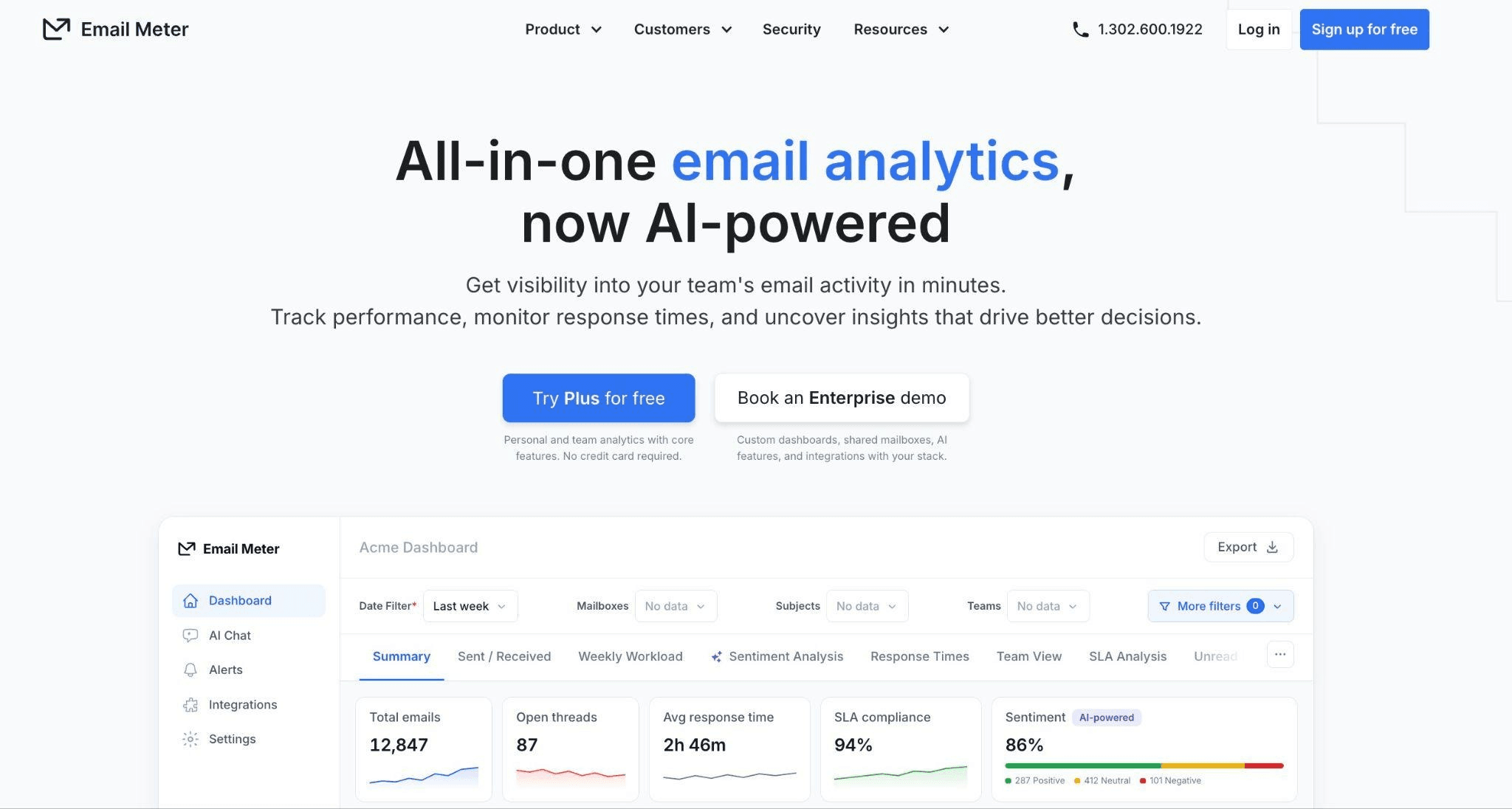
Image via Email Meter
You can use Email Meter for free, with its free plan covering median response time and basic email statistics. It supports Gmail, Google Workspace, and Microsoft 365.
Key features
- Median response time: Track average and median reply times without letting unusually late emails skew the data.
- Goals and alerts: Set targets and get notifications on the Plus plan.
- Custom metrics and CSV export: Choose your metrics and export the data as a CSV.
Pros
- The free plan is genuinely free and doesn’t come with a time limit.
- It’s designed to support both small teams and larger organizations.
Cons
- The free tier is fairly limited, with 15 mailboxes and just one month of Demand Plus history.
- Teams that need SLA management have to contact the vendor for pricing.
Pricing
- Free: Free forever
- Plus: $19 per user per month
- Custom: Custom
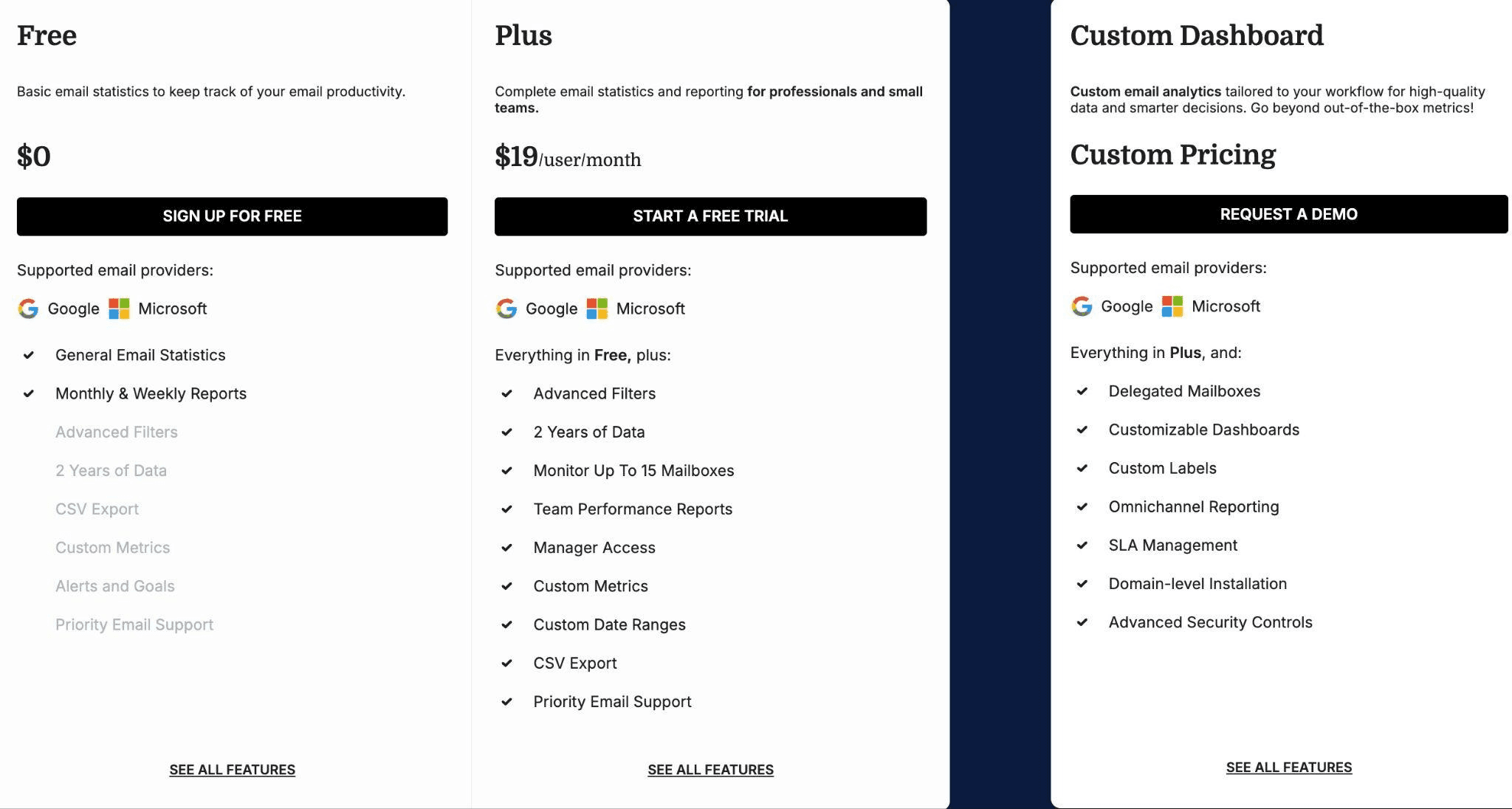
Image via Email Meter
Who it is for: It is for small teams on individual mailboxes. Note that its headline figure is a median, so check what each vendor averages before comparing.
4. Front
Image via Front
Front combines shared inbox features with analytics, giving teams one place to manage customer conversations and measure performance. Along with email, it supports chat and SMS, so the reporting covers activity across the wider workspace.
Key features
- Omnichannel shared inbox: Your team can keep email, chat, SMS, and Slack conversations in one place.
- Tiered analytics: You get more reporting options as you move from basic to advanced and custom plans.
- Smart CSAT: Add surveys to find out what customers think about their interactions with your team.
Pros
- By far the strongest review base of the five.
- Handles the inbox and reporting together, across Exchange and shared mailboxes.
Cons
- Advanced analytics need Professional, and CSAT costs a further $10 per seat.
- Reviewers cite a steep learning curve and a high cost.
Pricing
- Starter: $35 per seat per month
- Professional: $85 per seat per month
- Enterprise: $105 per seat per month (billed annually)
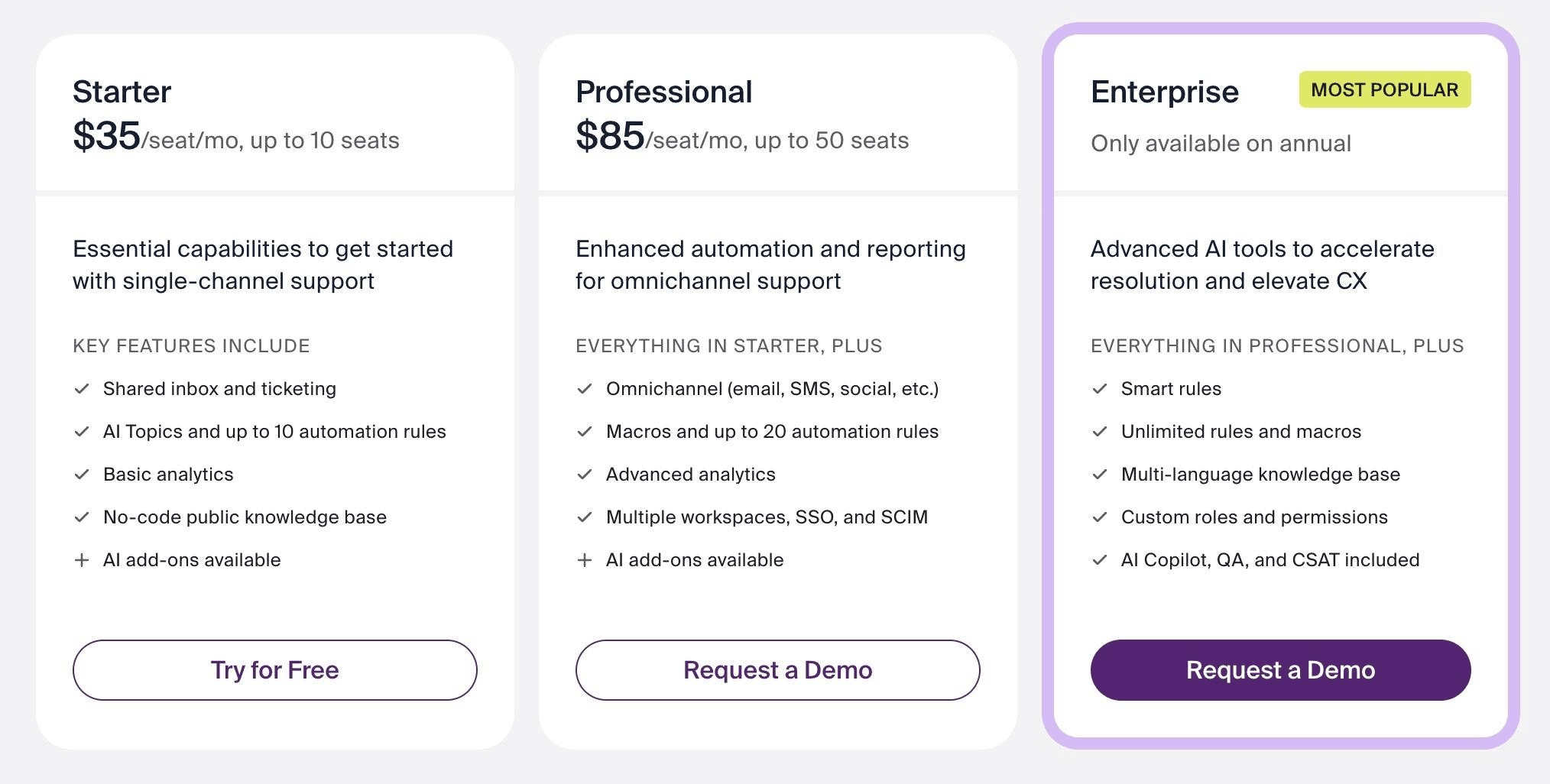
Image via Front
Who it is for: Teams willing to move the inbox itself.
5. Hiver
Image via Hiver
Hiver adds shared-inbox workflow and analytics to Gmail or Outlook. All the conversations are assigned and reported inside the mail client.
Key features
- Shared inbox workflow: It is used for tracking assignments and status.
- SLA reports: The Pro version is used for tracking targets against response windows
- CSAT reporting: The Pro version is used for collecting and reporting satisfaction scores
Pros
- It just has two seats to start with, so very few teams are able to apply.
- Publishes a monthly rate alongside the annual one.
Cons
- Seats sell in blocks of five, so it often becomes difficult for teams to qualify.
- SLA and CSAT reports need Pro, and the seven-day trial is the shortest here.
Pricing
- Growth: $35 per user per month
- Pro: $65 per user per month
- Elite: $95 per user per month
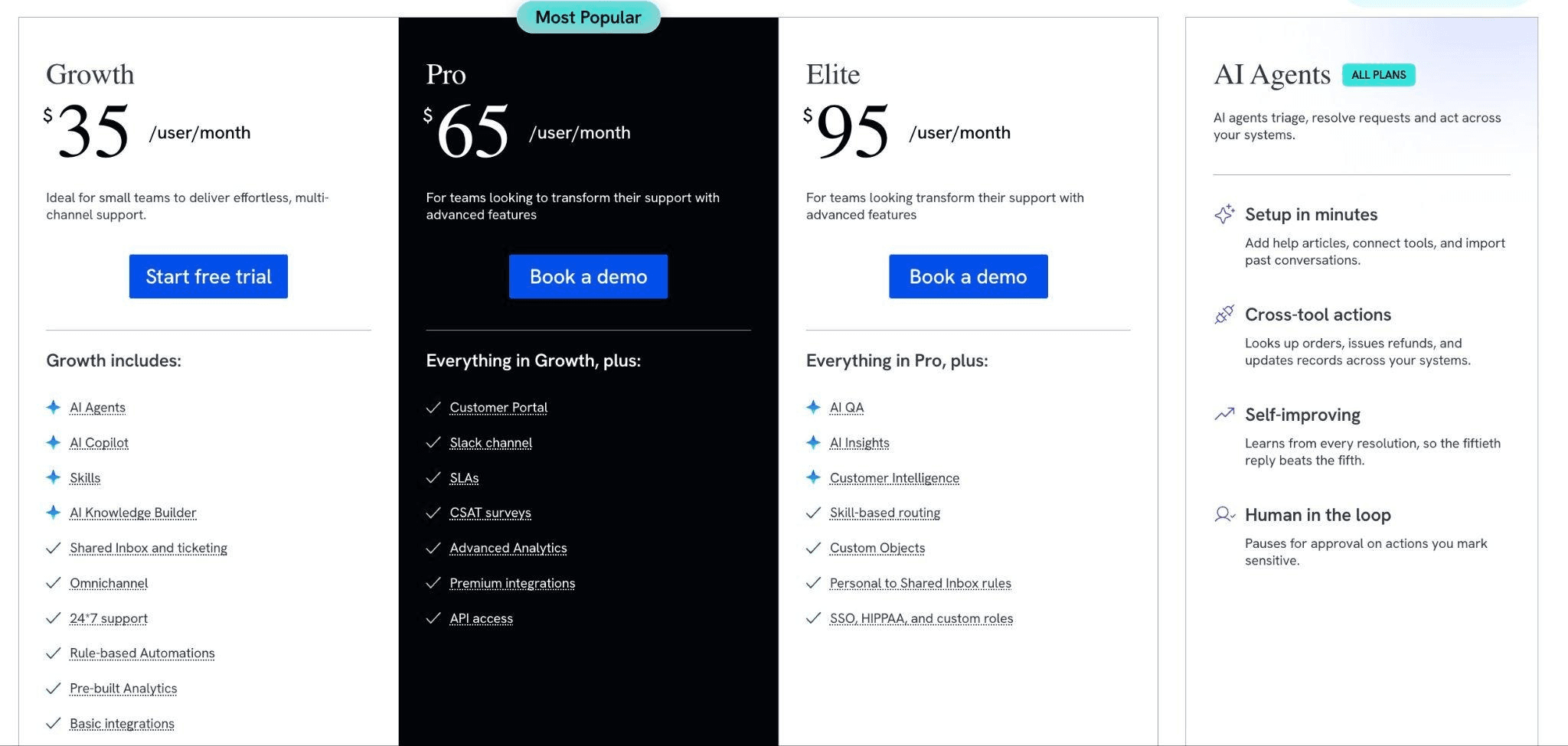
Image via Hiver
Who it is for: small and mid-sized support teams that will not leave Gmail.
Which email analytics software solution should you choose? Your choice should come down to the type of reporting your team needs most. The timetoreply tool is a good fit for response-time and SLA tracking, while Email Meter keeps basic analytics free. For teams handling several customer channels, Front offers analytics alongside its shared inbox. |
How can you choose the right email analytics software tool for your team?
Don’t start with the longest feature list, but how your team works, who handles email, and what your inbox setup looks like. Whether you choose an off-the-shelf tool or a custom one, It also helps to consider how the tool fits into your wider business management software stack.
- By role: Sales, select Email Analytics. Support, select Hiver or Front. Success, select timetoreply.
- By size: Under fifteen seats, select Hiver, Email Analytics, Email Meter, or Front. In between fifteen to a hundred, select timetoreply or Front.
- By inbox: For individual, select Email Meter; for shared, select timetoreply, Front, or Hiver.
Don’t stop at the listed price when comparing email analytics software tools. Check the cost for your team size and make sure your key metrics are included. The tool should also fit into your wider business communication setup and give your team data they’ll actually use
FAQ
1. What is email analytics software and how is it helpful?
An email analytics software tool shows how your team handles email, including response times, volume, workload, and SLA performance. It brings this data together in one place, so managers can quickly see how the team is doing.
2. What is the difference between email analytics and email tracking?
Tracking helps in keeping an eye on one sender's message, so a rep knows when to follow up. Analytics measures reply speed across an entire mailbox, so a manager can keep response times steady.
3. Do email analytics tools read the content of your emails?
It depends on the product, so ask directly. Most report on headers and metadata, not message bodies. timetoreply reads headers and metadata only, and is SOC 2 Type II, ISO 27001, HIPAA, and GDPR compliant.
4. Do these tools work with shared mailboxes?
Yes, most of the tools timetoreply, Front, and Hiver report on shared mailboxes on their standard plans. EmailAnalytics covers Outlook shared mailboxes, and Email Meter puts them on its Custom tier.
5. Do Microsoft 365 and Google Workspace measure team reply time natively?
No. Neither of these tools offers a team-level reply-time report out of the box. Admin consoles cover volume, storage, and security, not responsiveness.
Which email analytics software wins for your team?
Use this guide as a shortlist, then narrow it in three steps.
- First, name the one metric your team is judged on, such as first response time or SLA adherence.
- Second, select two tools from the comparison table that report it for your mailbox type.
- Third, run each for a month at your real seat count, then check who opened the report. Keep the wider picture in view, alongside your AI task management tools.
Choose the right email analytics software solutions based on your needs and budget.


