


business resources
10 Best Photo Sharpening Software in 2026: AI Tools to Fix Blurry Photos
31 Jul 2026

Best Photo Sharpening Software to Sharpen Blurry Photos and Restore Details
Blurry photos can be frustrating, especially when they capture important moments that cannot be recreated. Whether caused by camera shake, incorrect focus, or lens limitations, a lack of sharpness can make an image lose its impact. Fortunately, photo sharpening software can help restore details, improve clarity, and bring blurry images back to life. In this guide, we compare the top 10 photo sharpening tools to help you choose the right option for your needs.
What Is Photo Sharpening Software & How Does It Work?
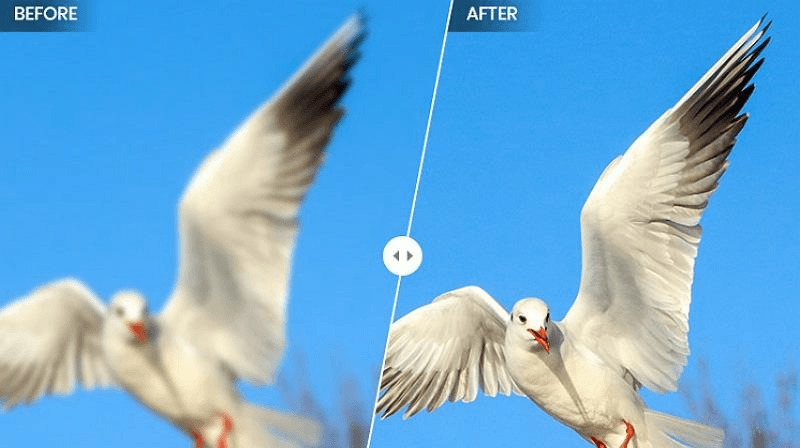
A photo sharpener is a specialized tool that increases contrast around edges and removes blurriness using traditional filters or artificial intelligence. The traditional approach enhances existing pixels, while AI software analyzes image patterns to improve edge clarity, reduce noise, and upscale by reconstructing missing information.
How We Evaluate Photo Sharpening Software
Before exploring all the software, it’s good to know about the factors that distinguish an effective photo sharpener from an average one:
- Sharpening Quality
How well a software enhances skin texture, edge detail, facial features, and fine objects without giving an overprocessed look.
- AI Detail Reconstruction
The most efficient software reconstructs details lost to camera shake, motion blur, compression, out-of-focus shots, etc.
- Noise Reduction Performance
Sharpening can make grain and color noise more visible. Look for software that also offers effective denoising.
- Ease of Use
Software should be easy to navigate, specifically if you are a beginner. Simple controls make the process easier.
- Output Quality
We consider whether the output maintains natural color, realistic texture, resolution, and clean edges when viewed at full size.
At a Glance: Top Photo Sharpening Tools Compared
Below is a comparison table featuring all 10 photo sharpening softwares so you can quickly check the differences:
Tool | Best For | AI Powered | Platform |
HitPaw FotorPea | Overall one-click enhancement | Yes | Win, Mac, Web, Android, iOS |
Adobe Photoshop | Manual precision | Hybrid | Win, Mac, Web, Android, iOS |
Topaz Photo | Detail recovery | Yes | Win, Mac |
Adobe Lightroom | Photographers; RAW workflow | Hybrid | Win, Mac, Web, Android, iOS |
Luminar Neo | Creative photo editing | Yes | Win, Mac |
On1 Resize AI | Image enlargement & print preparation | Yes | Win, Mac |
DxO PureRAW | RAW denoising | Yes | Win, Mac |
Fotor | Beginner-friendly photo sharpening | Yes | Win, Mac, Web, Android, iOS |
VanceAI Image Enhancer | Fast online sharpening | Yes | Win, Web |
GIMP | Free manual editing | No | Win, Mac, GNU, Linux |
10 Best Photo Sharpening Softwares in 2026
Let’s check out the best photo sharpening softwares with their features, benefits, and limitations to help you decide which one offers the best results for your needs:
1. HitPaw FotorPea – Best AI Photo Sharpening Software Overall
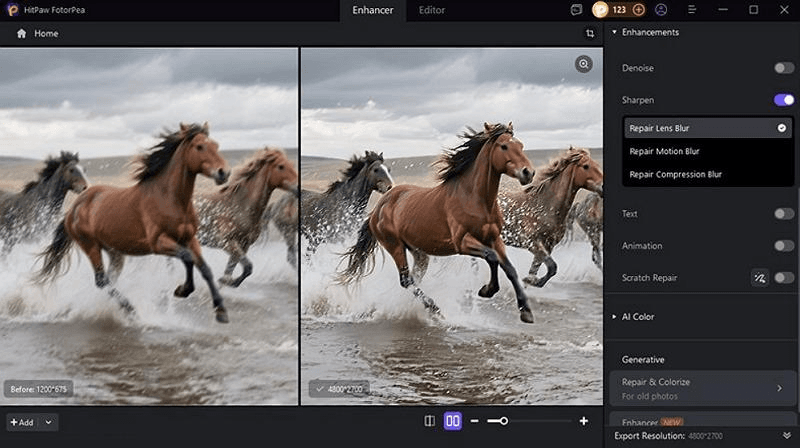
HitPaw FotorPea is the leading AI photo sharpener that can analyze a photo and enhance image clarity by reconstructing missing details. Its specialized Sharpen model removes different types of blur in a photo, i.e., lens, motion, and compression blur.
With its advanced AI models, you can also restore facial details, denoise, upscale, improve text quality, etc. It even ensures precision in every pixel, from skin to fabric and shadows.
Key Features:
- One-click solution
- Supports RAW inputs
- Upscale up to 4K or 8K
Pros:
- Easy-to-use interface
- Allows batch sharpening
- Delivers realistic output
Cons:
- Processing speed may vary depending on your computer’s hardware configuration
2. Adobe Photoshop – Best Professional Sharpening Control
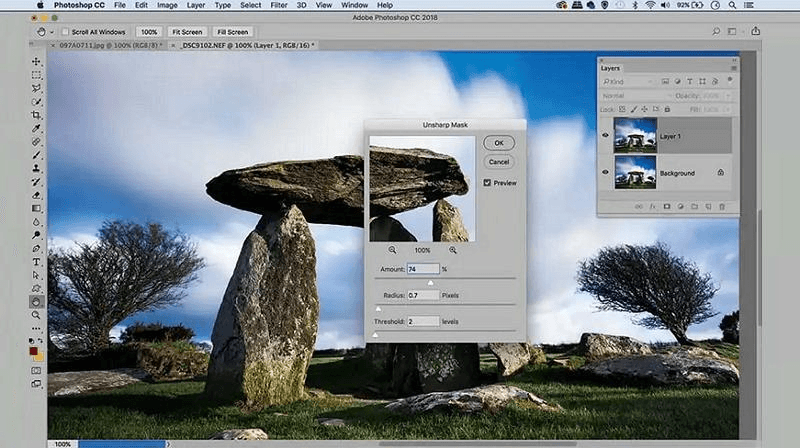
Adobe Photoshop is popular among professionals for photo editing, offering neural filters to deblur and sharpen image like Smart Sharpen, Shake Reduction, and Unsharp Mask. Its unparalleled control over the editing process makes it well-suited to detailed, precise adjustments.
Key Features:
- Super Resolution for upscaling
- Layers, masking, and blend modes
- Access to Creative Cloud assets
Pros:
- Non-destructive workflow
- Easy sync and integration
- Suitable for commercial or print work
Cons:
- Steep learning curve
- Requires high-end PCs to work
3. Topaz Photo – Best AI Detail Recovery
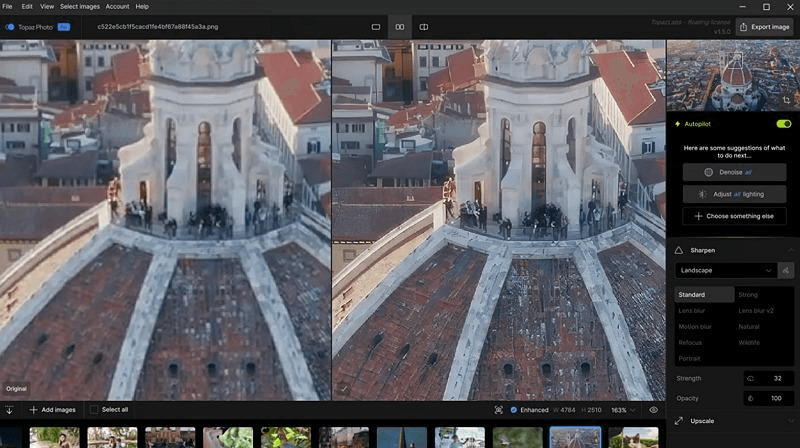
Topaz Photo is a comprehensive suite that combines AI sharpening, denoising, and upscaling. It can handle various types of blur, including general softness, motion blur, and out-of-focus shots. You can also use its Face Recovery model to reconstruct face regions separately, achieving more natural results.
Key Features:
- All-in-one image enhancement solution
- Several AI models with manual control
- Plugin support for Lightroom, Photoshop, etc.
Pros:
- Automatic batch sharpening
- Excellent detail recovery
- Local and cloud rendering
Cons:
- Slow on lower-end hardware
- Expensive subscription-only
4. Adobe Lightroom – Best for Photography Workflow
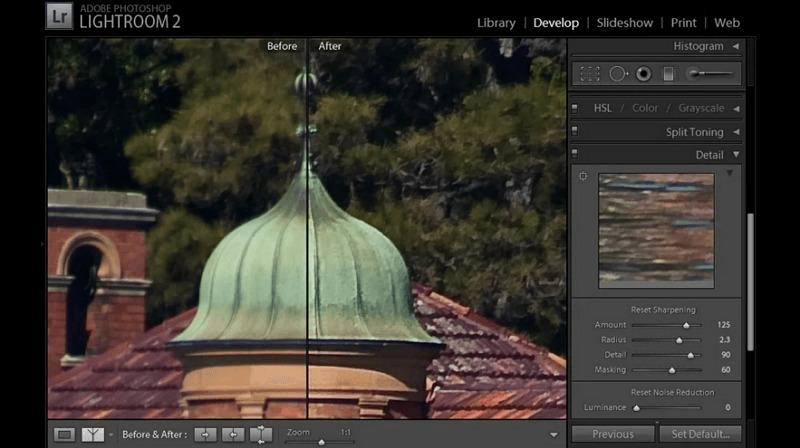
Adobe Lightroom is more than just an AI photo sharpener; it’s designed for editing, organizing, and processing large volumes of photos. Its Detail Panel offers sharpening, noise reduction, and clarity controls in one place. However, its masking slider applies the effect to edges rather than to skin or sky.
Key Features:
- Built-in noise reduction
- A variety of presets available
- Cloud-based library and syncing
Pros:
- Batch sharpening
- Super fast processing
- Non-destructive RAW file editing
Cons:
- Require subscription
- Not suitable for heavily compressed photos
5. Luminar Neo – Best AI Editing Workflow
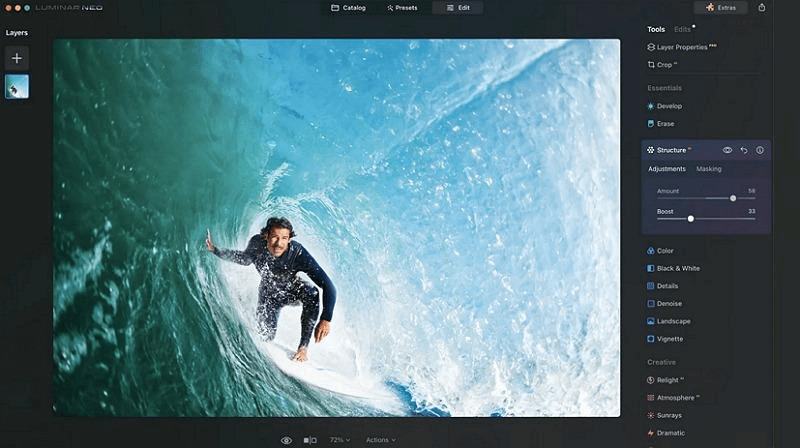
Luminar Neo is a broader editing platform that includes a dedicated AI deblurring tool, SuperSharp AI. It analyzes the image depth and texture to reconstruct lost detail and correct general or motion blur. You can also adjust strength levels to avoid over-sharpening and preserve a natural look.
Key Features:
- Work with layers and masks
- Available as a plugin for Photoshop
- Impressive tools for detail enhancement
Pros:
- Beginner-friendly
- Supports RAW files
- Dedicated AI models
Cons:
- No free trial
- It can be slower to render
6. ON1 Resize AI – Best for Image Enlargement
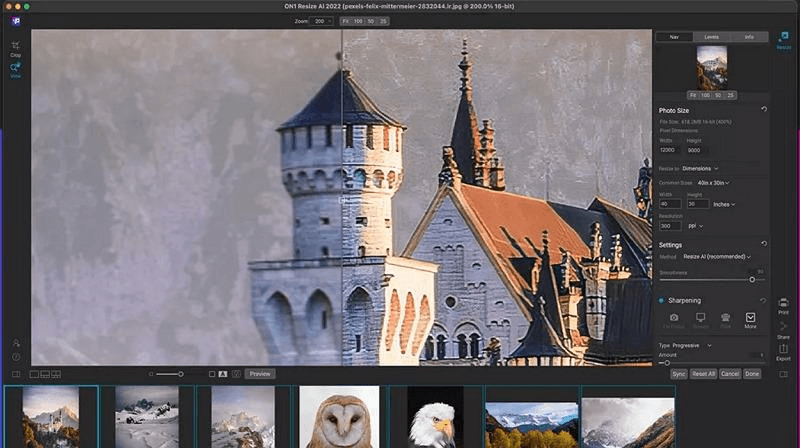
ON1 Resize AI is remarkable desktop software for users who need to enlarge images while refining sharpness, reducing noise, recovering faces, and improving details. It combines enlargement with advanced resolution and smart sharpening presets to increase size to 10x and deliver natural output.
Key Features:
- Rebuild lost detail with AI realism
- Sharpen high ISO or compressed photos
- Integrate well with Photoshop, Lightroom, etc.
Pros:
- Print-ready output
- Handle RAW photos
- Ideal for high volume workflows
Cons:
- Not a dedicated sharpening tool
- Requires more processing power for large files
7. DxO PureRAW – Best RAW Image Enhancement
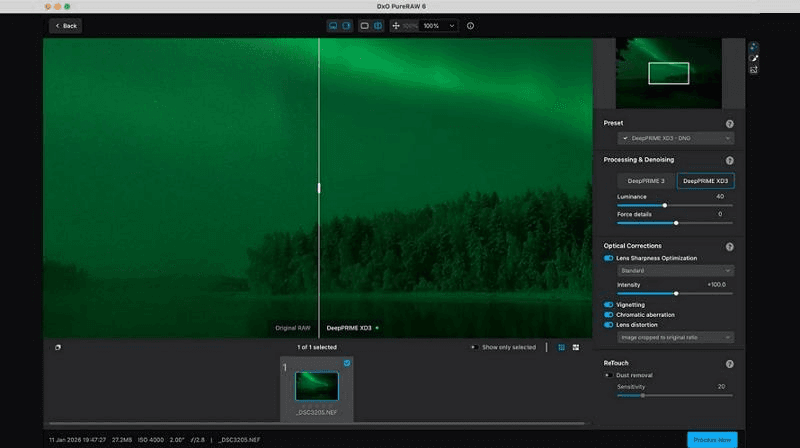
DxO PureRaw is a raw image processing tool designed to reduce noise and improve overall quality before editing in Photoshop, Lightroom, or any other editor. It is well-suited to professional photographers who work with high-ISO images where preserving natural details is important.
Key Features:
- DeepPRIME XD3 noise reduction
- Camera and lens-specific corrections
- Smooth workflow integration
Pros:
- Natural-looking RAW images
- Supports batch processing
- One-time purchase
Cons:
- Not for non-RAW photos
- Very expensive
8. Fotor – Best Beginner Online Photo Enhancer
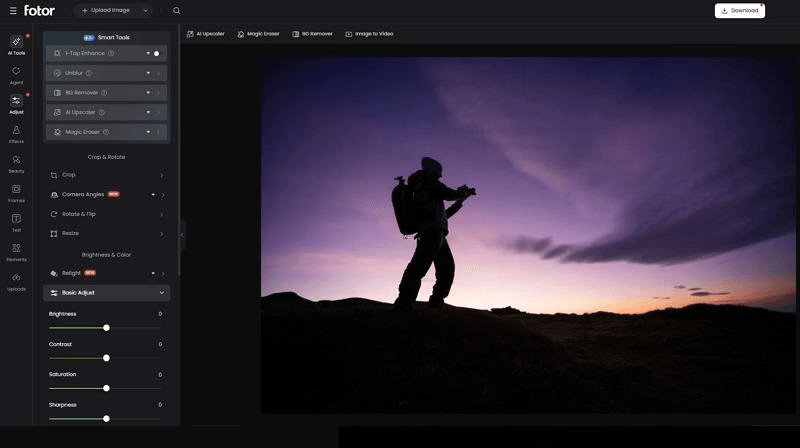
Fotor is a popular online photo enhancement solution that helps users restore clarity and sharpness to their photos, especially when they’re blurry or out of focus. Its AI algorithms can automatically detect the areas that need correction; however, you can set the sharpness level as needed.
Key Features:
- Various photo editing tools
- Preserve original quality
- Up to 4K/8K resolution
Pros:
- Batch photo sharpener
- Fast and simple use
- Watermark-free output
Cons:
- Lack of manual adjustment
- Limited free version
9. VanceAI Image Enhancer – Best Online AI Sharpening Tool
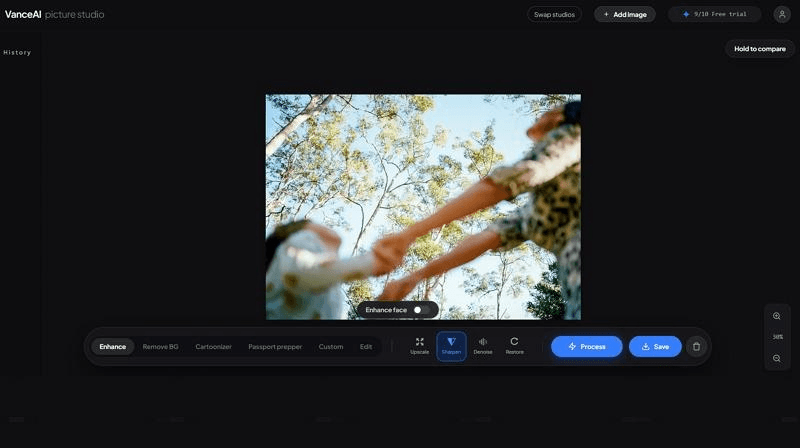
VanceAI Image Enhancer is a browser-based tool that not only helps you sharpen photos, but also offers tools for upscaling, denoising, and restoration. Its advanced AI technology analyzes the photo and enhances it by refining edges, texture, and fine details in seconds.
Key Features:
- One-click AI photo sharpener
- Up to 4K resolution output
- Five sharpening modes
Pros:
- Easy UI
- Fast sharpening
- Batch processing
Cons:
- Watermarked output in the free plan
- No custom option in the web version
10. GIMP – Best Free Manual Editing Software
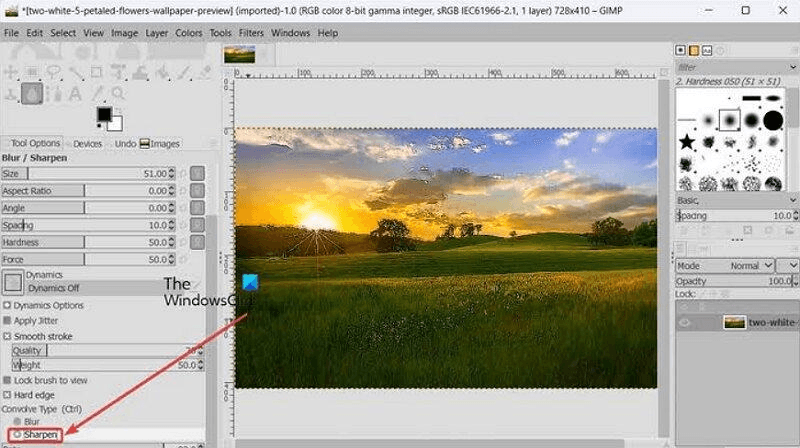
GIMP (GNU Image Manipulation Program) is a free, open-source image editor with quick options to sharpen image. It offers the traditional unsharp mask and the high-pass filter to enhance edge contrast with manual controls. However, it requires a reference image to guide processing of the target image.
Key Features:
- Layers, masks, and selection tools
- Adjustable sharpening strength
- Integration through plugins
Pros:
- Completely free
- Cross-platform support
- Broad image format support
Cons:
- Only slight improvement
- No AI reconstruction
How to Sharpen a Blurry Photo with AI
Now, let’s follow the given steps on how to use HitPaw FotorPea to sharpen image:
Step 1. Upload Blurry Photo
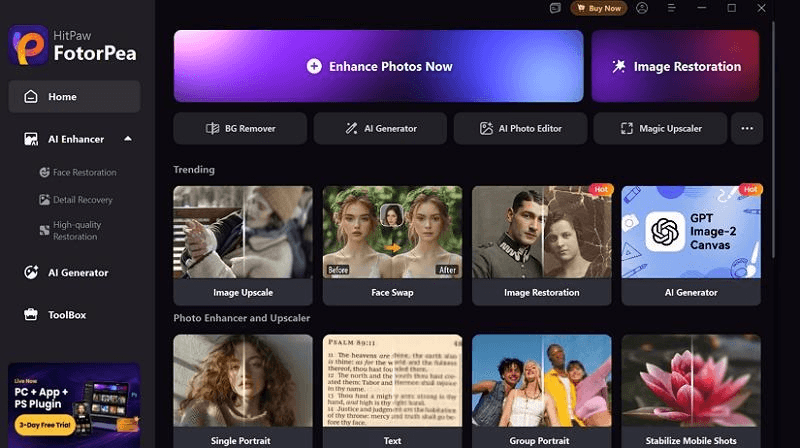
After downloading, installing, and launching this software, tap “Enhance Photos Now” to get to the main interface. Now, click or drag and drop the blurry photo.
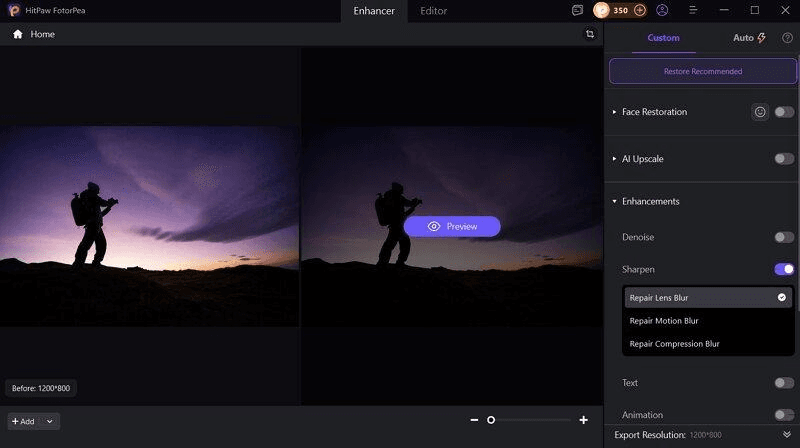
Step 2. Select Sharpen Model
Under the “Enhancements” section in the side column, enable the “Sharpen” model. You can also choose the mode as lens, motion, or compression blur.
Step 3. Preview and Export
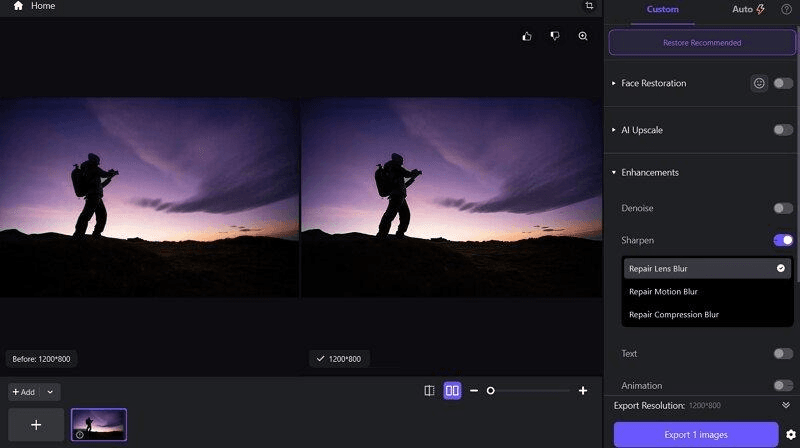
Lastly, press the “Preview” button and let AI finish the processing. Once done, preview the output, and if it’s okay, hit the “Export” tab. That’s all!
Conclusion
Going through this post, you have learned about the leading photo sharpening software, along with all the necessary information. Since each one has unique capabilities, you can easily choose the one perfect for your needs.
However, HitPaw FotorPea is the best AI photo sharpener overall, combining ease of use with a range of dedicated AI models, batch support, and high-quality output. Let’s try it today.
FAQ
Q1: What is the best photo sharpening software?
HitPaw FotorPea is the best solution for users who want automatic AI sharpening, denoising, face improvement, restoration, and upscaling in a single platform.
Q2: Can AI sharpen blurry photos?
Yes, AI tools can sharpen blurry photos by analyzing the photo and enhancing edge details, faces, and other blur patterns. However, the results depend on the source quality.
Q3: How to sharpen an image in Photoshop?
To sharpen an image in Photoshop:
- Open the photo and convert it into a smart object.
- Go to the menu, select “Filter” > “Sharpen” > “Unsharp Mask.”
- Adjust the amount, radius, and threshold. Click “OK.”
Q4: Can photo sharpening improve image resolution?
No, photo sharpening alone can’t increase its resolution. However, some AI tools combine it with upscaling, thus reconstructing detail while creating a larger file.
Q5: Is there free photo sharpening software?
Yes, some free photo sharpener are available, like GIMP. It’s an open-source desktop editor with Unsharp Mask filters, layers, and sharpening tools.


