
business resources
When Old Video Is a Business Asset: A Practical Framework for Making Archives Useful Again
31 Jul 2026

The most valuable video in an organisation is not always the newest. A ten-year-old onboarding recording may still explain a process better than a current handbook. A factory walk-through can preserve operational knowledge that retired employees carried with them. A product launch, leadership address, training session, or customer interview may contain material that a team needs again, even if the original file now looks soft, noisy, or uncomfortable to watch on a modern screen.
That creates a practical management question: which legacy recordings should be improved, and how can a business make them more usable without treating an altered file as a replacement for the source? The answer is not to run every asset through the same automated process. It is to build a small, documented quality workflow that links media decisions to an actual business purpose.
Treat Legacy Video as an Access Problem
A poor-quality recording does more than look dated. It can slow down training, make a product demonstration harder to follow, obscure details in a screen capture, or reduce the confidence of a team preparing a historical clip for a client-facing presentation. In these cases, the issue is access: information exists, but people cannot comfortably retrieve it.
This distinction matters because it changes the definition of success. The goal is not to make a 2012 webinar look as though it was shot on a modern cinema camera. The goal may simply be to make text readable, speech easier to follow alongside captions, and motion stable enough for an employee to understand a procedure. A restrained target produces better decisions than a vague demand to “make it HD.”
Business teams should begin by sorting assets into three groups: records that must remain untouched, recordings worth creating a viewing derivative for, and material with little expected reuse. That prioritisation prevents a large archive project from becoming an expensive exercise in processing files that nobody will open again.
Begin with Business Value, Not File Size
A useful first pass considers four questions. Does the recording support revenue, compliance, training, customer service, or institutional knowledge? Is there a known audience that will use it in the next 12 months? Is the best available source intact? And is the main problem visible enough that a modest improvement could change usability?
A three-minute product demonstration that sales teams still send to prospects may deserve attention before a two-hour event recording that has no identified audience. Likewise, a short safety clip with unreadable signage may carry greater operational value than a polished but obsolete keynote. The selection criteria should be written down before any processing begins. It makes the pilot defensible to budget owners and helps the team measure whether the work improved access.
Keep the original file in at least two controlled locations. Record the source format, capture date where known, duration, owner, and any rights constraints. Every improved version should be saved as a derivative with a visible naming convention. This is basic digital governance: a cleaner copy is useful, but it is not the historical master.
Improve the Dominant Defect Before Everything Else
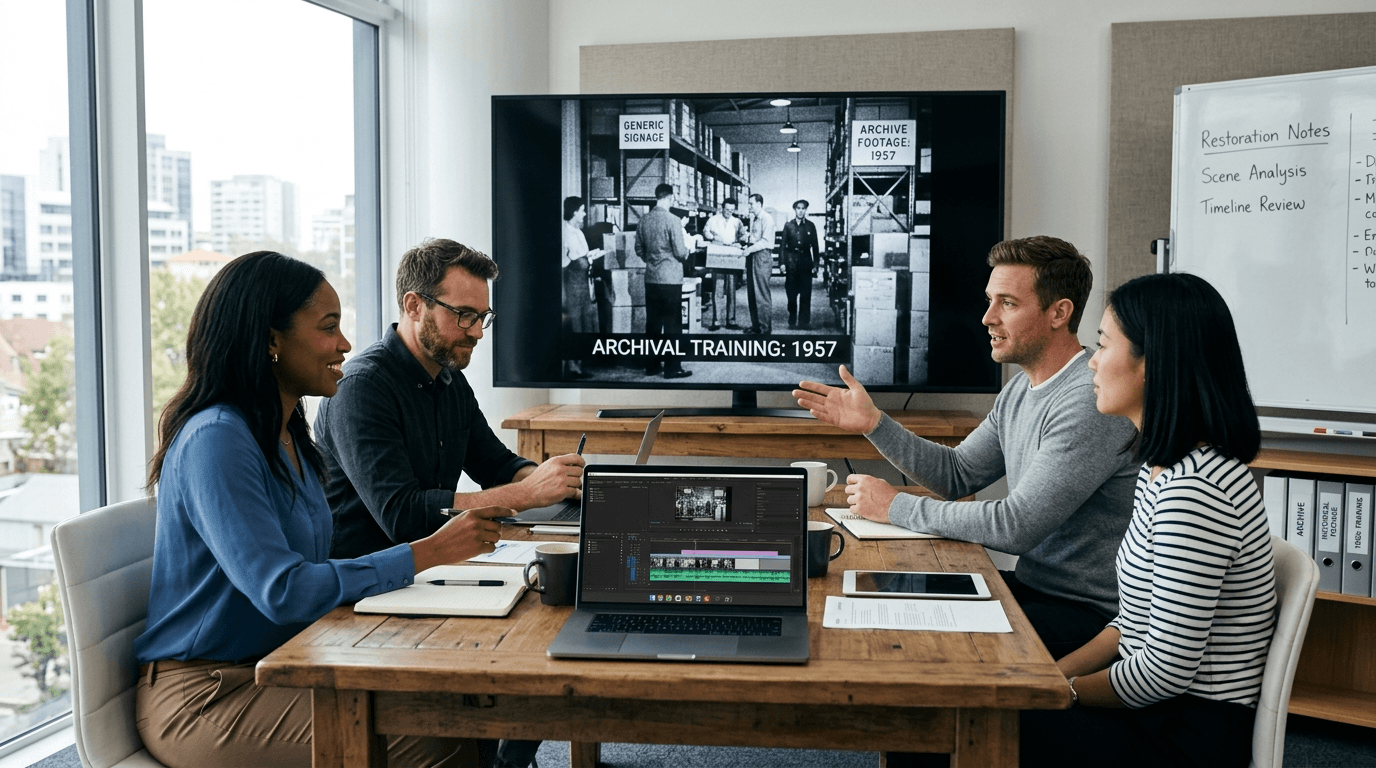
Teams often make the mistake of applying every available adjustment at once: denoising, sharpening, scaling, color correction, frame interpolation, and contrast enhancement. That may make a screenshot look dramatic while making motion less believable. For a business asset, the safest approach is to identify the single defect that most limits use.
If a training recording is dark but otherwise clear, resolve the visibility issue first. If a heavily compressed remote presentation has blocky text and soft interface elements, test compression cleanup and modest detail recovery. If the video is being viewed on a larger display than the one it was created for, assess whether a controlled resolution increase helps people read it without creating unstable edges.
A browser-based Video Enhancer can be useful for a limited pilot because the current UniFab page describes upload-and-process cloud workflows, noise and compression-artifact reduction, detail recovery, and online scaling up to 2×. It lists MP4, AVI, and MOV among supported inputs, with MP4 as the default output. The same page sets an important operational boundary: the online option is limited to 2× scaling and uses cloud credits after an initial test allocation. That limitation is useful to state upfront. A pilot should test whether a more readable derivative is possible, not promise recovery of information that was never captured.

Make Human Review the Acceptance Test
An improved still frame is not an approved business asset. The review has to happen at normal playback speed and should involve the people who understand the content. For training material, ask a subject-matter expert whether terminology, interface labels, gestures, and warnings remain clear. For customer-facing material, ask whether the result still reflects the product, people, and setting honestly. For compliance-sensitive footage, confirm that no enhancement is being treated as recovered evidence.
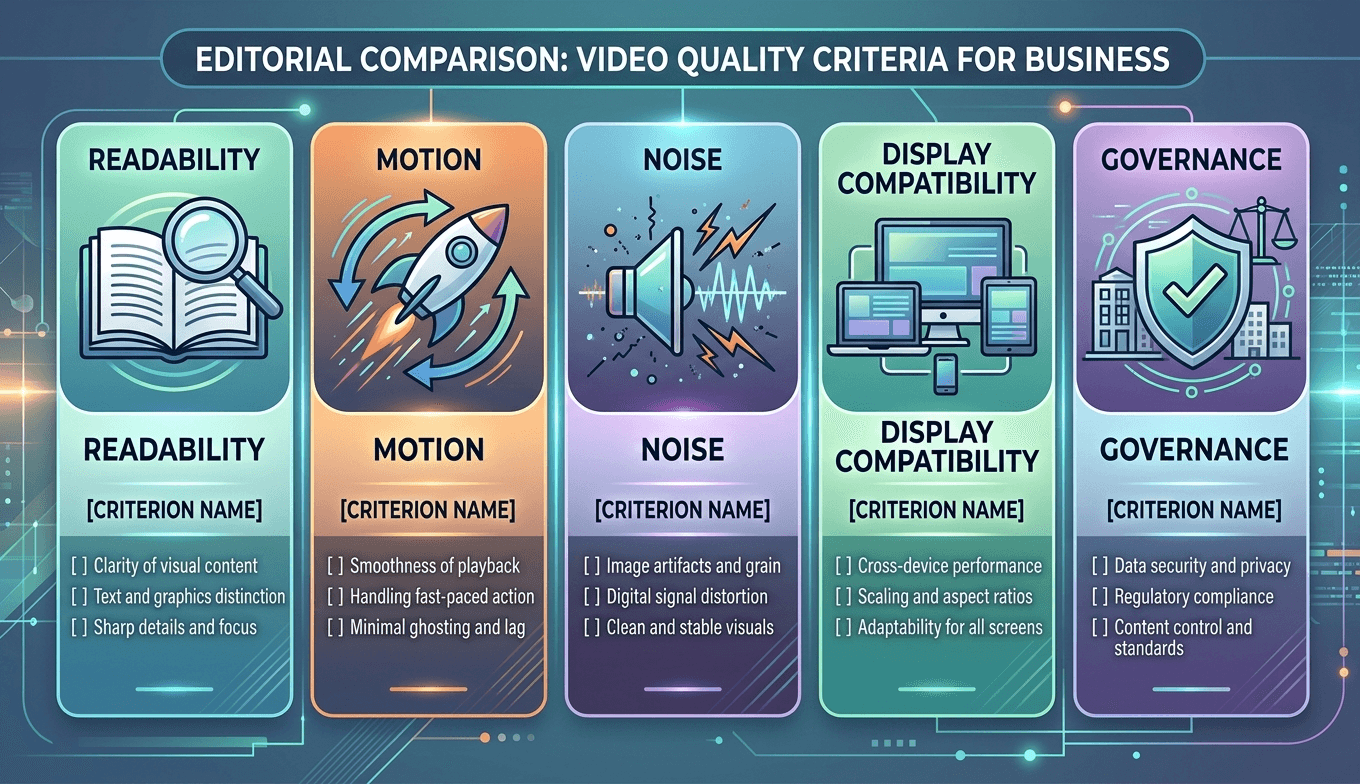
A short acceptance checklist is more useful than a subjective “looks better” decision. It might include readability of essential text, stability around faces and hands, natural motion in charts or screen recordings, absence of distracting artifacts, and the ability to distinguish the original from the derivative. If the result creates invented-looking texture, flickering lines, or altered lettering, the process has gone too far.
Choose Cloud or Local Processing by Operational Need
Where the work runs is part of the governance decision. Cloud processing may suit a small pilot, distributed team, or occasional archive task because it avoids local hardware setup. It also requires teams to consider upload permissions, file-size limits, credit use, and any applicable data-handling rules before moving sensitive material.
Local processing may be a better fit when a business has large source files, repeat work, stricter transfer constraints, or a workstation equipped for the task. UniFab’s product information presents its desktop Video Upscaler as an option with local processing, no queue or credit use, and no input-size limit, while performance depends on the local GPU. Its cloud option is described as accepting uploads up to 10 GB and outputting up to 4K. The product page also identifies different models for general footage, texture-rich video, animation, and cinematic material. That does not remove the need for review; it gives a team a clearer basis for matching the workflow to the asset and operating environment.
The decision should never be “cloud is modern” or “local is safer” by default. It should be based on the sensitivity of the material, anticipated volume, available hardware, turnaround expectations, and the cost of maintaining a repeatable process.
A Public Preservation Lesson: Accessibility Without Revisionism
NASA’s remastering and re-presentation of Apollo-era footage offers a public example of why preservation and access belong together. The source material has been scanned, stabilised, cleaned, and made more viewable for contemporary audiences. Its value does not come from pretending the images were captured by today’s equipment. It comes from making an important technical and historical record easier to study while retaining the distinction between original material and later treatment.
Businesses can apply the same principle without comparing their archives to a national collection. Preserve the highest-quality source. Document what changed in the derivative. Make no claim that reconstructed detail is original fact. And retain enough workflow notes that another team can understand how a new version was created.
Run a Five-Day Pilot Before Scaling
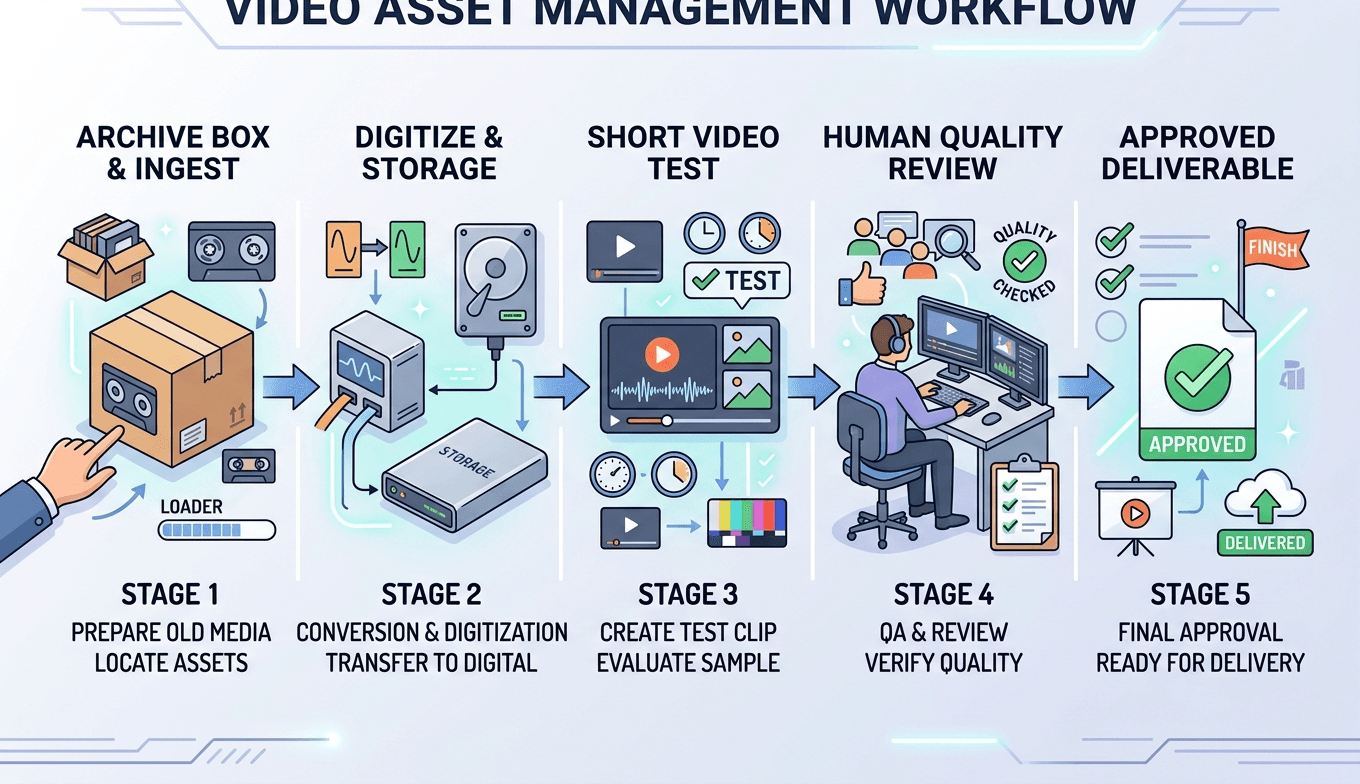
Day one: inventory a small set of candidates and identify the business use for each. Day two: make protected copies and select 20 to 30 seconds containing motion, text, faces, and difficult background detail. Day three: process only the dominant visible defect and retain the original sample beside the derivative. Day four: have content owners review both files at normal speed on the display where the asset will be used. Day five: document the outcome, cost, processing location, and decision to scale, revise, or stop.
This pilot produces evidence that a procurement or transformation team can use. It also exposes problems early: a source may be too weak, a requested use may be unclear, or a workflow may add more review burden than value. Those are valid findings. A responsible media programme does not need every asset to become a success story.
Frequently Asked Questions
Should a company improve every old video it owns?
No. Start with recordings that have a known user, a defined business purpose, and a source file worth preserving. An archive is a portfolio, not a production queue.
Can enhancement recover missing facts from a blurred recording?
No. It can improve viewing comfort or reconstruct plausible detail, but it cannot prove that unseen information was present in the source. Do not use reconstructed detail as evidence.
What should remain unchanged?
The best available original should remain intact. Store the working files and improved exports separately, with clear names and notes explaining their purpose.
How should quality be reviewed?
Review in motion, not just through still frames. Include subject-matter experts where terminology, product features, or operational steps matter.
When is a local workflow preferable?
It may be preferable for larger files, repeated volume, controlled transfer requirements, or teams with suitable hardware. The right choice depends on the organisation’s operating conditions.
Does a better-looking version eliminate the need for metadata?
No. Metadata becomes more important once derivatives exist. Record source, date, settings or workflow, intended use, and approval status.
Make Old Knowledge Usable Again
Legacy video becomes a business asset when people can locate it, understand it, and trust what they are seeing. The practical route is not blanket automation. It is a governed sequence: identify value, preserve the source, improve one visible barrier at a time, review with people who know the material, and document every derivative. Done well, that process turns neglected footage into more accessible organisational knowledge without confusing a modern viewing copy for the original record.


