
business resources
How Can You Successfully Make Your Own Game?
04 Dec 2025

Ever wondered how to make your own game? It might feel like a massive undertaking, but with the tools available today, it's more achievable than you probably think. Whether you're aiming to build a simple hobby project or dreaming of a full-blown career in game development, the secret is breaking the process down into manageable steps. This guide is here to walk you through those essential stages, helping you turn that game idea into a playable reality.
Key Takeaways
- Kick things off with a clear game concept, keeping your audience and the desired look and feel in mind.
- Draft a comprehensive Game Design Document to map out all the details, from mechanics to story and world design.
- Arm yourself with the necessary skills in design and programming, and select the game engine that best fits your project.
- Start the actual build by implementing core mechanics, creating your visuals, and coding the game's logic.
- Test your game relentlessly, gather crucial feedback, and refine it before you even think about your release and marketing plan.
Define Your Game Concept
Before you write a single line of code or sketch a single pixel, the most crucial step is to clearly define what your game is all about. This initial phase is where your game truly takes its first breath. A well-defined concept acts as the bedrock for everything that follows—without it, your project can easily lose focus and become an unmanageable beast.
Brainstorming Unique Game Ideas
This is where your creativity gets to run wild. Don't be afraid to explore some off-the-wall ideas. Think about the kinds of experiences you enjoy as a gamer and what you feel might be missing from the market. What if you combined different genres, explored unusual themes, or put a fresh spin on classic mechanics? Jot down every single idea, no matter how small or strange it seems. You can always polish them later. The goal here is to generate a wide pool of possibilities to draw from.
- Think about your favorite games—what is it about them that makes them so fun?
- Consider real-world activities or concepts that could be transformed into a game.
- Explore different narrative structures or unique ways for players to interact.
A game concept is so much more than a genre; it's the core feeling, the central question, or the unique experience you want to give the player. It’s the 'why' behind your entire game.
Identifying Your Target Audience
Once you have a few promising ideas percolating, it’s time to think about who is actually going to play your game. Understanding your target audience will shape countless design decisions, from the game's complexity and theme to its art style and even monetization. Are you creating something for casual mobile players, hardcore PC gamers, or a very specific niche community? Knowing your audience helps you tailor the experience directly to their expectations and preferences. For instance, a game designed for younger players will have vastly different requirements than one aimed at adults. You could even consider how AI chat characters might resonate with certain demographics in your player base.
| Audience Segment | Potential Interests |
|---|---|
| Casual Mobile | Quick play sessions, simple controls, bright visuals |
| Core PC/Console | Deep mechanics, complex stories, high-fidelity graphics |
| Niche Community | Specific themes, unique challenges, community features |
Visualizing Game Aesthetics and Theme
So, what will your game look and feel like? The aesthetics and theme are what give your game its unique personality. This involves settling on an art style (e.g., pixel art, realistic, stylized), the overall mood (e.g., dark and gritty, lighthearted and whimsical), and the narrative theme (e.g., sci-fi, fantasy, historical). These elements should all work in harmony with your game concept and target audience. For example, a game about exploring ancient ruins would likely benefit from a mysterious, atmospheric theme and a visual style that evokes a sense of history. Thinking about these aspects early on can guide your art and sound design down the road, and it might even influence how you approach things like digital assets within your game world.
Develop Your Game Design Document
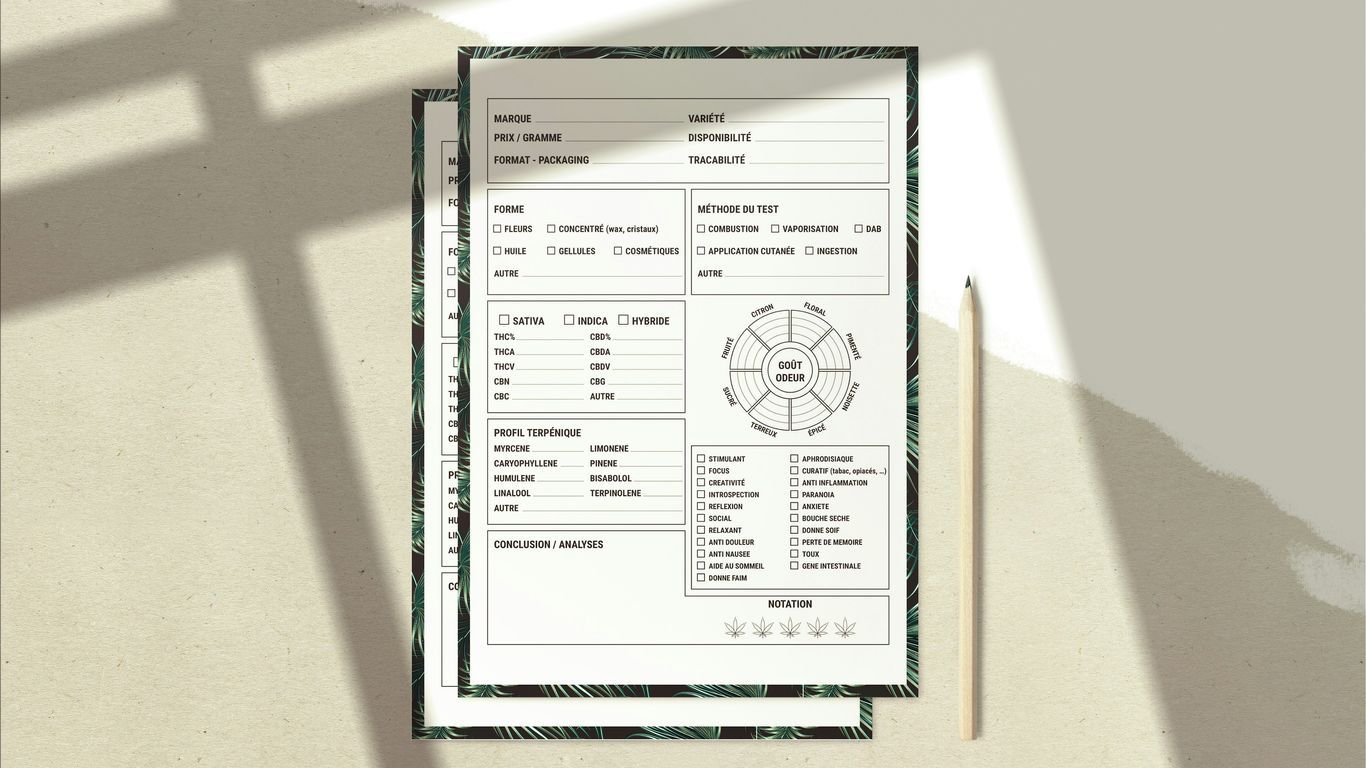
Once you've landed on a clear idea for your game, the next step is to get it all down on paper—or, more realistically, into a Game Design Document (GDD). Think of the GDD as the official blueprint for your entire project. It's where you'll detail everything from core gameplay loops to the tiniest aesthetic choices. This document serves several vital purposes: it keeps you organized, helps you spot potential problems early, and acts as a crucial communication tool if you bring other people on board. It also demonstrates to potential investors or publishers that you've got a well-thought-out plan.
Outlining Core Game Mechanics
The very heart of any game lies in its mechanics—the actions players perform over and over again. Focusing on a strong, well-defined core mechanic is key to creating an engaging experience. For instance, in a puzzle game, the core mechanic might be matching three items, while in a platformer, it’s all about jumping and running. Try to avoid making the core mechanic overly complex or throwing too many in at once, as this can easily overwhelm players. Instead, build upon that central action, introducing new variations and challenges that keep the gameplay feeling fresh and interesting.
Detailing Story and Characters
Even the simplest games can be elevated by a compelling narrative or memorable characters. This section of your GDD is where you should flesh out the world your game inhabits. Who are the main characters? What drives them? What is the overarching plot or premise? Providing this context helps players connect with your game on a much deeper level. For more complex games, you might even create detailed character profiles outlining their backstories, personalities, and roles in the story. This level of detail can inform everything from dialogue to character abilities.
Planning Level and World Design
This part of the GDD zeroes in on the environment where your game actually takes place. How will the levels be structured? What kinds of challenges will players encounter in each area? You'll want to consider the overall flow of the game world—how do players get from one place to the next? For open-world games, this means thinking about geography, points of interest, and how you'll guide exploration. For more linear games, you can map out each level, noting key obstacles, enemy placements, and any unique environmental features. A clear plan here helps ensure a consistent and enjoyable journey for the player.
Acquire Necessary Skills and Software
To truly bring your game idea to life, you’ll need a solid foundation in both the creative and technical sides of game development. This means picking up the right skills and getting comfortable with the software that will become your primary set of tools.
Understanding Game Design Principles
Before you even think about writing code or drawing a pixel, it’s crucial to grasp what makes a game fun and engaging. This involves understanding concepts like player motivation, feedback loops, pacing, and that delicate balance between challenge and reward. Think about how players interact with your game, what kinds of decisions they make, and how those decisions impact their experience. It’s not just about making things look good; it's about crafting an experience that keeps players completely hooked.
- Player Psychology: What exactly drives players to keep playing? Understanding motivations like achievement, exploration, and social interaction is key.
- Core Loops: You need to identify the repeating actions players will perform and make them inherently satisfying.
- Difficulty Curves: How do you introduce challenges gradually so players can learn and improve without getting frustrated?
- User Experience (UX): This is all about designing intuitive menus, clear controls, and helpful feedback systems.
Good game design is often invisible. When it's done well, players don't even notice it—they're just immersed in the experience. The goal is to remove any friction and make the player's journey as smooth and enjoyable as possible.
Learning Essential Programming Languages
Programming is the backbone of any interactive experience. While some engines offer visual scripting options, having a grasp of programming languages will give you far more control and flexibility. The specific languages you'll need will depend on your chosen game engine, but a few are more common than others.
- C#: Widely used with the Unity engine, it’s an excellent starting point for many indie developers thanks to its readability and massive community support.
- C++: This is the powerhouse behind Unreal Engine and many AAA titles. It offers incredible performance but comes with a steeper learning curve.
- GDScript: A Python-like language designed specifically for the Godot Engine, it's known for being quite easy to pick up.
Selecting Appropriate Game Engines
Game engines are essentially software frameworks that provide a whole suite of tools to help you build games more efficiently. They handle many of the complex underlying systems—like rendering, physics, and input—so you can focus on what makes your game unique. Choosing the right engine is a significant decision that will impact your workflow and the types of games you can create.
Here are a few of the most popular options:
| Engine Name | Primary Language(s) | Strengths | Best For |
|---|---|---|---|
| Unity | C#, JavaScript | Versatile, large asset store, strong community | 2D & 3D games, mobile, VR/AR |
| Unreal Engine | C++, Blueprints | High-fidelity graphics, powerful tools | Visually stunning 3D games, AAA aspirations |
| Godot Engine | GDScript, C#, C++ | Open-source, lightweight, easy to learn | Indie games, 2D focus, budget-conscious |
| GameMaker Studio | GML, Drag & Drop | Fast prototyping, beginner-friendly | 2D games, rapid development |
Beyond the engine itself, you'll also likely need software for art (like Photoshop or Krita), audio editing (like Audacity), and version control (like Git or Perforce) to manage all your project files and code.
Begin Building Your Game
With a solid plan in hand, it's finally time to bring your game to life. This is the stage where you translate your design documents and newly acquired skills into a playable experience. It’s where abstract ideas begin to take tangible form, and the real, hands-on work of game creation kicks off.
Implementing Core Game Mechanics
This is where you'll build the foundational actions and systems that define how your game is actually played. Think about things like player movement, interaction with the environment, combat systems, or puzzle-solving elements. It's crucial to get these right early on, as they form the backbone of your entire gameplay loop. Start with the most critical mechanics first and then build outwards. For instance, if you're making a platformer, nailing the jump and movement mechanics should be your absolute top priority.
Designing Engaging Graphics and User Interface
The visuals and the way a player interacts with the game are absolutely key to the overall experience. This involves creating all the art assets—characters, environments, props—and designing an effective user interface (UI). Your UI should be intuitive and easy to navigate, giving players the information they need without being intrusive. Always keep the overall aesthetic you defined earlier in mind and make sure your graphics and UI are aligned with it. A consistent visual style is a powerful tool for immersing the player in your game's world.
Coding Game Logic and Features
This is the process of writing the code that makes everything tick. It includes programming the behavior of game objects, managing different game states, implementing AI for non-player characters, and integrating all the different systems so they work together seamlessly. You’ll be translating the logic from your design document into actual, functioning code. This is often a process of trial and error, so be prepared to debug and refine your code as you go.
Here’s a quick look at some common programming languages used in game development:
| Language | Common Use Cases | Difficulty | Control Level |
|---|---|---|---|
| C++ | AAA games, engine development | High | Very High |
| C# | Unity engine, general game development | Medium | High |
| JavaScript | Web games, simple mobile games | Low | Medium |
| Python | Scripting, rapid prototyping | Low | Medium |
Remember that starting with a smaller, more manageable project is often much more effective than trying to build your massive dream game right out of the gate. Completing smaller projects builds confidence and provides invaluable practical experience that you can apply to larger endeavors later on.
Testing and Iteration
Once you have a playable version of your game, the real work of refining it begins. This phase is all about ensuring your game is fun, functional, and truly ready for players. It involves actively seeking out problems and methodically making improvements based on what you find.
Gathering Feedback from Testers
Getting a fresh pair of eyes on your game is incredibly important. You've been staring at it for weeks or months, so you're bound to miss things that are immediately obvious to someone new. Start by finding people who are willing to play your game and give you their brutally honest opinions—friends, family, or even a dedicated group you recruit online. It's helpful to give them specific things to look for, like how intuitive the controls feel or whether they understand the objectives. You can also use surveys or direct interviews to collect their thoughts. Remember, constructive criticism is pure gold at this stage; it shines a spotlight on the areas that need your attention.
Refining Gameplay Based on Input
After you've collected all that feedback, it's time to act on it. You won't necessarily implement every single suggestion, but you should prioritize the issues that multiple testers ran into or that significantly impact the player experience. This might mean tweaking the difficulty of a level, clarifying some instructions, or even rethinking a core mechanic if it's consistently causing confusion. The goal is to make the game as smooth and enjoyable as possible for your intended audience. For example, if many players are getting stuck in a certain area, you'll need to adjust the level design or add clearer visual cues. This iterative cycle of testing and adjusting is what transforms a rough prototype into a polished product.
Optimizing Performance and File Size
Beyond just the gameplay, you also need to ensure your game runs well on your target hardware and doesn't take up an absurd amount of storage space. Performance optimization involves hunting for bottlenecks—parts of your game that are slowing things down. This could be anything from inefficient code and overly complex graphics to too many processes running at once. Your game engine has tools that can help you identify these issues. Similarly, reducing the file size is crucial, especially for mobile games or games distributed online. This might involve compressing assets like textures and audio, or further optimizing your code. A game that runs smoothly and has a reasonable download size ultimately leads to happier players and fewer support headaches. You can even use certain tools to help with game development and streamline this whole process.
This stage is where your game truly takes shape. It's a continuous cycle of building, testing, and improving. Don't get discouraged by bugs or negative feedback—view them as opportunities to make your game even better. Persistence and a willingness to adapt are absolutely essential for success during testing and iteration.
Monetization and Release Strategy
Once your game is built, tested, and polished, the next huge step is figuring out how to get it into players' hands and—if it's your goal—how to make money from it. This part of the process is all about planning your launch and deciding how your game will sustain itself in the long run.
Defining Your Monetization Model
So, how will your game generate revenue? There are several common approaches, and the best one for you will depend heavily on your game's genre and target audience. You don't have to stick to just one, either; many successful games use a hybrid model.
- Premium (Paid Upfront): Players pay a one-time fee to download and own the game. This is a straightforward model often preferred by players who want a complete experience without any ongoing purchases.
- Free-to-Play (F2P) with In-App Purchases (IAPs): The game itself is free, but players can buy virtual items, currency, cosmetic upgrades, or other advantages. This model relies on a large player base, with a smaller fraction making purchases.
- Advertising: Players can watch ads in exchange for in-game rewards, or ads are simply displayed during gameplay. This is particularly common in the mobile space, especially for casual games.
- Subscription: Players pay a recurring fee (like monthly or yearly) for access to the game or its premium features. While less common for indie games, this can work for titles with a strong, ongoing community and regular content updates.
The key to successful monetization is finding that delicate balance between generating revenue and ensuring player satisfaction. If players feel like they're being nickel-and-dimed or that the game is "pay-to-win," they'll likely walk away, no matter how good the core game is.
Preparing for Platform Release
Getting your game onto platforms like Steam, the App Store, Google Play, or console marketplaces involves a number of steps. Each platform has its own unique submission process, guidelines, and technical requirements you'll need to follow.
- Platform Guidelines: You must thoroughly read and understand the specific rules for each platform you plan to release on. This covers everything from content restrictions and performance standards to UI guidelines.
- Build and Packaging: Create a stable, optimized build of your game that meets the platform's exact specifications. This often involves using specific SDKs and build tools provided by the platform holder.
- Store Assets: Prepare all the marketing materials needed for your store page. This includes compelling screenshots, a game trailer, a well-written description, and a catchy icon.
- Submission and Review: Submit your game build and all your assets to the platform for their review process. This can take some time, and your game might be rejected if it doesn't meet their criteria, requiring you to make revisions.
Marketing Your Game to Players
Let's be honest—even the best game won't find an audience if nobody knows it exists. A solid marketing plan is absolutely vital, and it should start well before your actual release date.
- Build a Community: Engage with potential players on social media, forums like Reddit, and Discord. Share development updates, post behind-the-scenes content, and start building anticipation.
- Content Creators: Reach out to streamers and YouTubers who cover games in your genre. Giving them early access or review copies can result in invaluable exposure to their audiences.
- Paid Advertising: Consider running targeted ads on social media platforms or game-specific ad networks. It's wise to start with a small budget to test what works best for you.
- App Store Optimization (ASO): For mobile games, optimizing your store listing with relevant keywords, attractive visuals, and a clear description is crucial for discoverability.
A well-executed release strategy carefully considers both the technical hurdles of getting your game out there and the marketing efforts required to ensure it finds its players.
Wrapping Up Your Game Development Journey
Creating your own game is a significant undertaking, but it's an incredibly rewarding and achievable goal. As Mentor Heath Smith suggests, it’s wise to start small rather than trying to build your dream game right out of the gate. Focus on a single core idea and make sure it's easy for players to grasp. You'll need to figure out which tools and skills are necessary, whether that's learning to code in languages like C++ or JavaScript, or getting familiar with game engines such as Unity or Unreal Engine. Thankfully, there are plenty of free resources available to help you get started. Designing your game—from the initial concept to the graphics and user interface—requires careful thought, and getting feedback from others is absolutely crucial. Building a game is an iterative process of trial and error, so remember to be patient with yourself. Whether you're making a game just for fun or hoping to forge a career out of it, the journey of creation is what truly matters. Keep learning, keep building, and most importantly, have fun with it.
Frequently Asked Questions
What is the first step to making a game?
The absolute first step is to nail down a great concept for your game. Think about what kind of experience you want to create—maybe a racing game or a puzzle game. This is also the perfect time to start thinking about what your game will look like and what will make it stand out.
Do I need to be a great artist to make a game?
Not at all! While amazing graphics are a huge plus, you definitely don't need to be a professional artist. You can use simple, clean designs or even find plenty of free-to-use art assets online. At the end of the day, the most important thing is that the game is fun to play.
What is a Game Design Document?
A Game Design Document, often called a GDD, is essentially the blueprint for your game. It's a detailed written plan that lays out everything about your game: the core idea, how it plays, the story, the characters, and the visual style. It's a crucial tool for keeping you and your team organized.
Is it hard to learn how to code for games?
Learning to code can certainly be a challenge, but it's far from impossible. There are many different programming languages, and some are much easier for beginners to pick up, especially for simpler games. Plus, many modern game-making tools have features that make the coding process much easier.
What are game engines, and do I need one?
Game engines are powerful software tools designed specifically to help you build games. They provide a lot of helpful, pre-built features, like systems for rendering graphics and making code work. Using a popular engine like Unity or Unreal Engine, which are often free to start with, can save you a ton of time and effort.
How do I get people to play my game once it's made?
Once your game is finished, you've got to let people know it exists! This is called marketing. You can start by telling your friends, sharing it on social media, or posting in online communities. Ultimately, making a game that people truly enjoy is the best way to get them to play it and tell others about it.


