
business resources
Neo Mail Review: Email Hosting for Startups, Freelancers & Teams
21 Feb 2026

Startups, freelancers, and professionals who have just started building their brand realize that having a business email is a must for email communication. However, it doesn’t mean that you need a full-blown enterprise email suite, like Google Workspace and Microsoft 365, which is complex to set up and expensive.
All you want is a professional inbox that works, looks credible, and doesn’t get in your way. If you have been searching for cost-effective business email platforms, then you must have come across Neo Mail, which offers a free domain name and website with its business email plans.
However, the important part is how it works for startups, freelancers, and teams. Well, let’s look into that so that you can know whether you should invest in this platform or not.
What is Neo Mail?

Neo Mail is a business email platform that provides domain name registration, business email, and website deployment into one at cost-effective annual plans.
It has business email management features to organize the inbox for maximum productivity. It has a business growth suite, which includes features to utilize the power of email marketing for better outreach.
Neo Mail hosting also provides:
- 15 to 100 GB email storage
- 100% uptime
- Strong IP reputation for reliable email delivery
- Robust security features, like end-to-end encryption, 2FA, and advanced anti-spam and anti-virus
- Custom DKIM to authenticate outgoing emails
So, overall, it is an all-in-one platform that provides all the essential features to small business owners, freelancers, and professionals, fitting perfectly in their budget.
The onboarding experience with Neo Mail
Neo Mail is an easy-to-use and frictionless platform. The interface is clean, and the setup flow is easy to follow, even for users setting up business email for the first time. From domain selection to mailbox creation, the steps are clearly laid out, reducing the need to jump between multiple dashboards or external tools.
Here are the steps through which you can register your custom domain name, create your business email, and get started with business email:
Step 1. Click on Sign up for free.
Visit Neo Mail, and click Sign up for free.

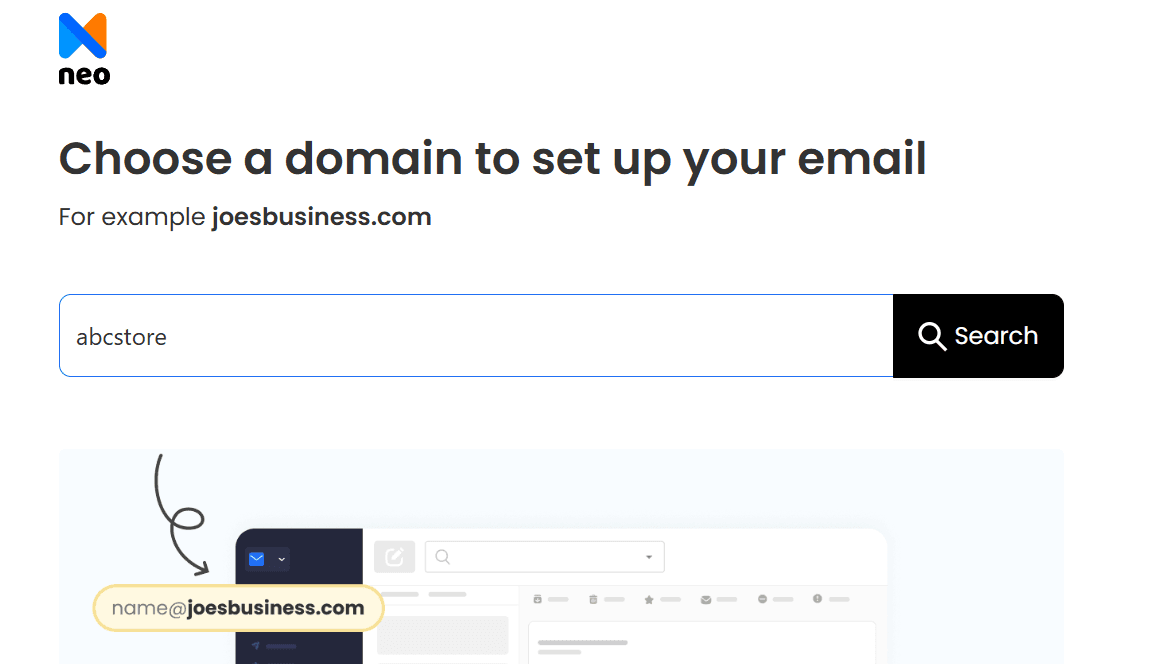
Step 2. Enter your domain name.
Enter the domain name that you wish to register and click on Search.
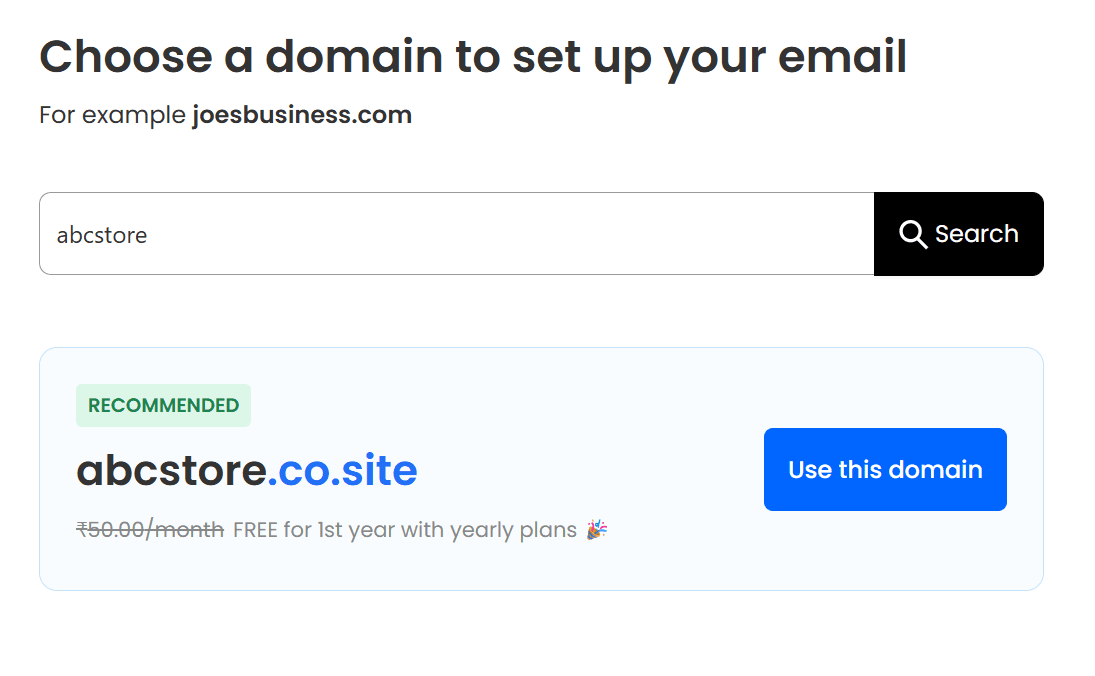
Step 3. Confirm on your domain name.
Click on Use this Domain button to get your domain name.
Step 4. Create your customer account.
Create your customer account with Neo Mail to manage your subscriptions.

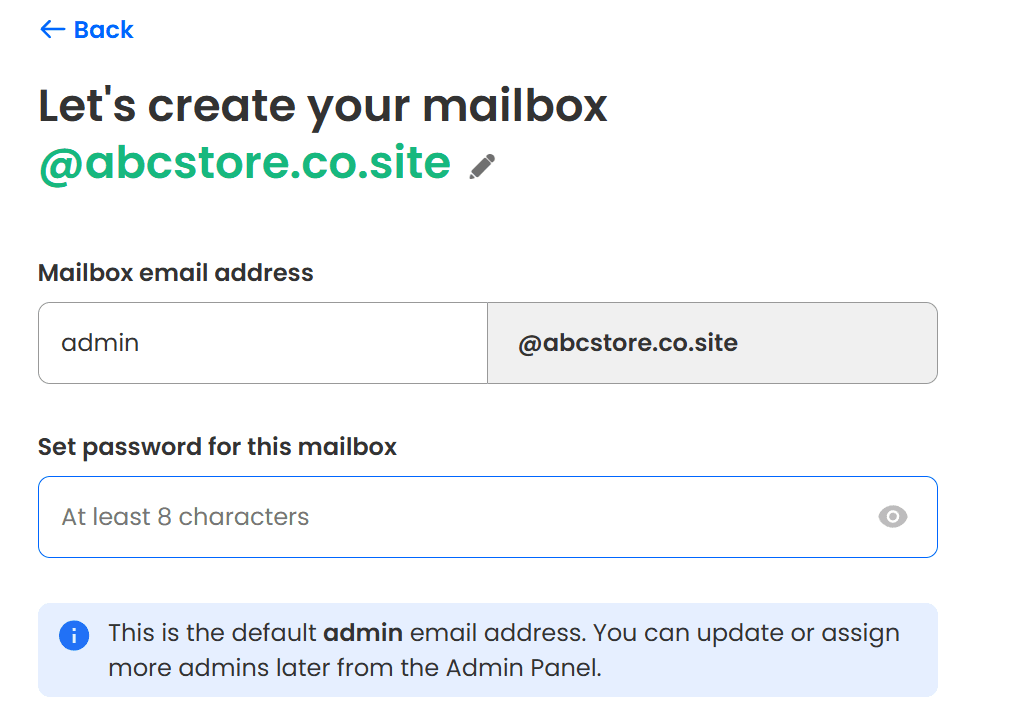
Step 5. Create your business email address.
Create your admin account with your registered domain name and click on Create mailbox.
Step 6. Set up email addresses for your team. (Optional)
If you want, you can create different business email addresses for your team members. Then, you can create general-purpose emails for shared use cases such as support, sales, billing, or info, for managing communications with clients and customers.
Step 7. Build your website. (Optional)
You can set up your website during the registration process using the AI site builder (Neo Site) or do it after this process is completed. You can access Neo Site after signing in to your Neo Mail dashboard.
Step 8. Select your plan.
Now, select your plan, and complete the purchase.
You can then login to Neo Mail using your business email address and start sending and receiving emails immediately.
The experience?
So, most actions are guided within the platform, which minimizes confusion around configuration and verification. Instead of overwhelming users with advanced settings upfront, Neo Mail keeps the initial setup focused on getting a working business email and online presence in place quickly.
For startups, freelancers, and small teams, this approach makes onboarding feel efficient rather than technical.
How freelancers, startups, and teams use Neo Mail?
Let’s understand how freelancers, startups, and teams can use Neo Mail:
1. Freelancers
A freelancer usually needs a professional online identity that helps them win trust and manage external communication. Many clients perceive a custom email domain as a sign of seriousness and professionalism. Here’s how Neo Mail benefits freelancers:
- A free .co.site domain name, regardless of the plan
- A website to act as a digital resume showcasing services and projects
- Neo Bookings to let clients schedule meetings without back-and-forth emails
- Invoice builder to create and send invoices directly from the email platform
- Read receipts to know when clients open important emails
- Priority inbox to keep key client conversations at the top
- Follow-up reminders to avoid missing responses or pending replies
- Auto-reply to send a default response when unavailable and set expectations
Where might Neo Mail feel limited?
Neo Mail is designed to keep things simple, which works well for most solo professionals but may not suit freelancers with more complex workflows. Those who depend heavily on advanced integrations, such as connecting email to multiple CRM tools, project management platforms, or automation software, may feel Neo Mail restrictive.
2. Startups or small business owners
Startups and small business owners’ priorities often include establishing a branded email presence, managing customer communication, setting up a basic online identity, and running email campaigns to improve their outreach. Here’s how Neo Mail helps:
- Create multiple departments and team members’ email addresses with a custom .co.site domain name
- A website can be deployed to showcase your services, customer reviews, and a form to collect lead information.
- Use email templates to standardize replies for sales, support, or onboarding emails. You can even create and save new templates for different purposes, like welcome emails.
- The HTML in the composer helps create structured, visually appealing emails for email campaigns
- Email campaigns help in running targeted outreach to customers, leads, or subscribers from a single platform.
- A catch-all account captures all the emails sent to your domain, including messages addressed to non-existent or misspelled email addresses.
- You can create contact groups based on audience segments to send targeted emails to the right recipients.
- AI Email Writer or Smart Write helps in generating an email draft within seconds to save time and maintain consistent, professional communication.
Where might Neo Mail feel limited?
Neo Mail only allows you to register a free domain name with the .co.site extension. It does not support other top-level domains (TLDs), like .ai, .tech, .com, .cook, and others. Startups and small business owners with fast-evolving operational needs may find Neo Mail better suited for early-stage use rather than long-term scaling.
Also, Neo Site helps in deploying one page website, so if you want a multi-page website or a more advanced site structure, you may need to rely on a separate web-building platform as they grow.
3. Teams
Teams generally need a structured way to manage internal communication across multiple users while maintaining a consistent brand identity. This includes individual mailboxes, shared or role-based email addresses, and centralized administration that does not require technical expertise. Here’s how Neo Mail benefits teams:
- Individual mailboxes so each team member has their own address under the same domain.
- An inbuilt calendar connected with your email to schedule meetings and manage your availability.
- Multiple accounts can be managed, and even your Gmail account can be connected to view and manage emails from one place.
- Email aliases to create multiple contact addresses, and you can even send replies from them.
- Shared or role-based email addresses (like support@ or sales@) that multiple team members can monitor.
- Email templates for consistent replies across team members and faster response times.
- Email labels to categorize, filter, and locate the emails more easily.
- Turbo search to search any email using a keyword, subject, or sender details, just 10x faster.
- Email rules to automatically sort, filter, and route incoming messages based on predefined conditions.
Where might Neo Mail feel limited?
Neo Mail may feel limited for teams that need built-in collaboration tools such as shared documents, spreadsheets, calendars, or real-time editing features. Platforms like Google Workspace offer these tools as part of a larger ecosystem, which can be important for teams that collaborate closely beyond email.
How does Neo Mail reduce the cost of getting online?
Neo Mail hosting includes a free domain name and a basic business website with every business email plan, at no additional cost.
Usually, users have to purchase the domain name from a third-party domain registrar, and then look for a platform that provides both business email and web hosting services.
In some cases, users would have three different vendors for domain registration, email hosting, and web hosting. However, with Neo Mail, you get all three in one place, and you need to pay for business email only.
Besides, here are some other advantages other than cost:
- No setup or integration hassle
When services are split across vendors, users often spend time (or money) connecting DNS, email records, and hosting environments. Neo Mail removes that overhead because everything is pre-configured.
- Fewer renewals
Multiple vendors bring the problem of different renewal dates and pricing structures. This increases the chances of either missing renewal payments or making it very hard to catch up on every renewal. So, Neo Mail simplifies this into a single plan with predictable billing.
- Lower ongoing maintenance effort
If you have two or three vendors for domain name, business email, and website, then it means you will have multiple dashboards, separate support teams, and the troubleshooting responsibility on your team. However, with all three elements in one single platform, Neo Mail makes support and management stay centralized.
The Bottom Line
Neo Mail is a practical choice for freelancers, startups, and small teams that want a professional email setup without the cost or complexity of managing multiple tools. By combining business email with a domain and a basic website, it simplifies the process of getting online and keeps expenses predictable.
While it may not replace full collaboration suites for larger or highly technical teams, Neo Mail delivers well on its core promise: making professional email and brand presence easy to set up and manage.


