


business resources
Reference to Video AI: Keep Characters Consistent Across Different Scenes
27 Aug 2026

In 2026, creating a video with a consistent recurring character is much easier than many people expect. With modern AI tools, a single reference image is all you need to keep your main character looking identical from scene to scene. You do not need to hire actors, draw thousands of animation frames, or master complex 3D rendering software. AI tools can generate visually coherent videos in minutes. This guide explains how to create AI videos with consistent characters using a reference to video AI, even if you have zero technical experience.
The Challenge of Character Consistency in AI Video
Earlier generative video models faced a common problem: lack of control. If you generated a video from a text prompt, the main character’s face, clothing, or hair would change completely in the next clip. This lack of visual stability made it difficult to tell multi-scene stories, build recognizable social media personas, or film dynamic commercial campaigns.
What Is Reference to Video AI?
A reference to video AI is an advanced video generation framework that uses static images as a structural guide for motion synthesis. You upload a reference image of a character, product, or subject, and the engine builds motion around that exact visual anchor.
Unlike simple face-swapping software that pastes a 2D image over existing video footage, a reference-based AI model re-renders the character natively inside a new 3D space. It calculates realistic lighting, facial muscle movements, head turns, and bodily movements while preserving the core visual identity of your subject across every single frame.
Key Features of Pollo AI’s Reference to Video Generator
Pollo AI offers a specialized reference to video AI generator designed to keep characters, products, and objects visually consistent across multiple video clips. Here are the core features that streamline production:
1. Subject Consistency Across Scenes
Once you upload a reference photo of your character, Pollo AI locks in key visual attributes—including face shape, hair style, skin tone, and clothing details. You can generate multiple video clips in different camera angles and movement speeds while your character remains 100% recognizable.
2. Context and Background Swapping
Keep your subject unchanged while completely shifting the environment around them. You can upload a portrait shot taken indoors and place that same character in front of Notre-Dame Cathedral, inside a sci-fi cockpit, or walking through a rainy forest path without losing facial accuracy.
3. Multi-Image Story Remixing
If you have different reference photos—such as a character image, a specific object, and a backdrop—Pollo AI can blend these distinct elements into a single fluid clip. For example, you can upload a reference shot of a character, a puppy, and a park landscape, and the AI will stitch them into a seamless video of the character playing with the puppy on the grass.
Step-by-Step: How to Create Consistent Character Videos with Pollo AI
Creating a multi-scene video with consistent characters requires no manual animation work. Follow these steps to build your first scene:
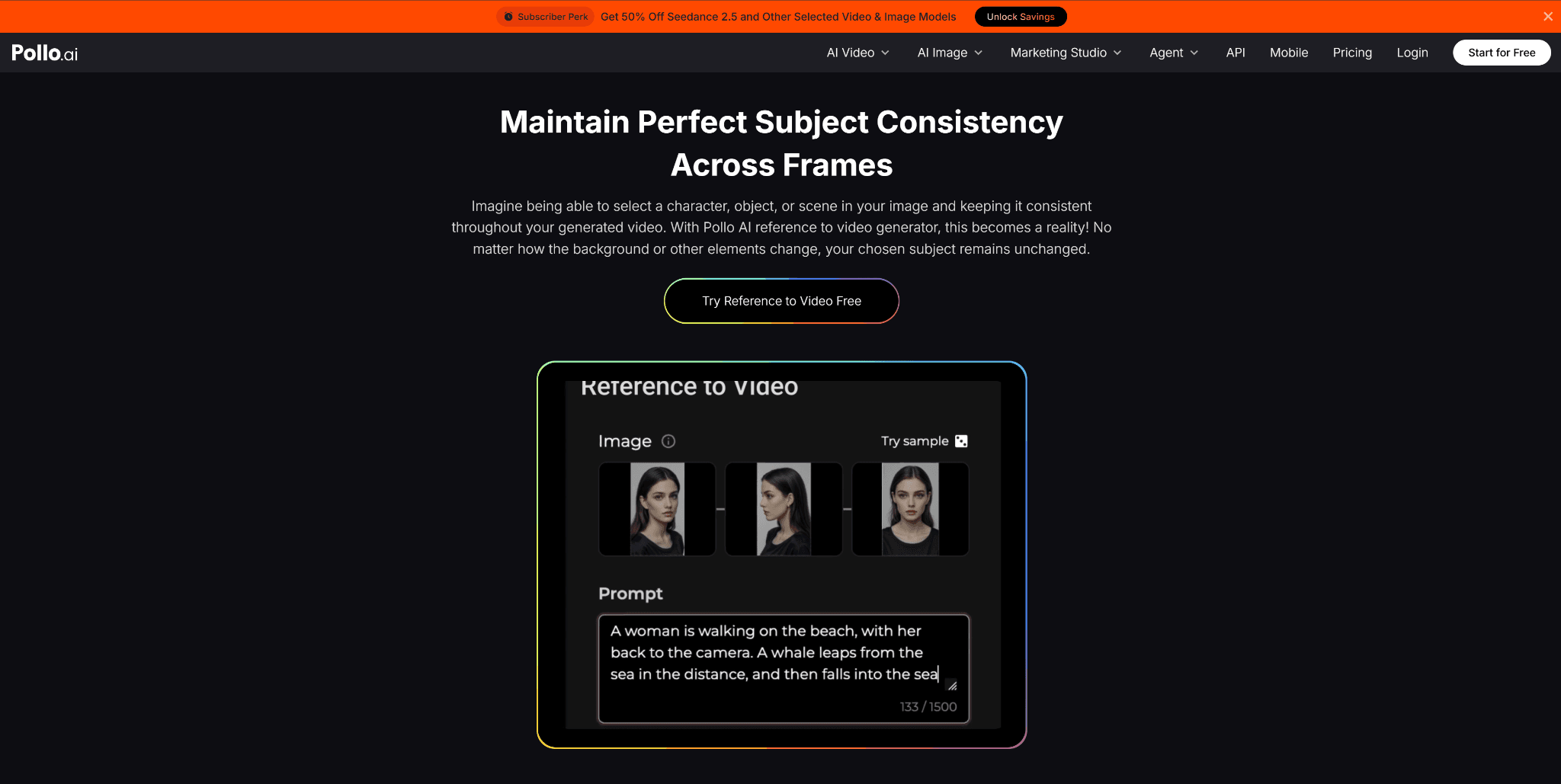
Step 1: Upload Your Reference Image
Select a clear photo of your target character or subject. A high-resolution image with good lighting and clear facial features produces the most accurate results.
Step 2: Select Your Subject Anchor
Upload the image into the Pollo AI reference to video AI workspace. Identify the main element (face, full body, or specific object) that you want the model to lock onto for consistency.
Step 3: Enter Your Action Prompt
Type a text prompt describing what you want your character to do, how the camera should move, and what the surrounding environment looks like.
- Example Prompt: "The character smiles, turns to look at the camera, and takes a selfie in front of a bustling city cafe, soft daylight, cinematic 35mm lens camera movement."
Step 4: Generate and Export
Click generate. The model processes the reference image, retains the subject's exact identity, and animates the requested motion. You can download the video directly or generate additional clips using the same reference subject to build a full story sequence.
Explore 250+ AI Video Apps in Pollo AI
Beyond reference-based generation, Pollo AI serves as a comprehensive visual creation workspace containing over 100 specialized mini-apps tailored for specific platforms and formats:
- Video Meme Maker: Turn consistent character visuals or viral internet templates into animated video memes with customized text layouts in seconds.
- Instagram & TikTok Apps: Automatically format videos into 9:16 vertical aspect ratios optimized for Instagram Reels, TikTok, and YouTube Shorts. Keep your recurring digital avatar or brand ambassador stable across daily social posts.
- Ads Video Maker: Generate short-form product promos and commercial clips. Place your product or brand spokesperson in different seasonal marketing scenes without scheduling physical reshoots.
- AI Anime & Story Apps: Convert reference character concept art into stylized anime episodes, storyboards, or cinematic trailers with uniform character designs.
Real-World Applications Across Industries
Maintaining character continuity gives creators and businesses a significant edge:
- Social Media Influencers: Build faceless visual brands or virtual influencers that maintain a consistent, recognizable appearance across video posts without revealing your real identity on camera.
- Brand Marketers: Keep brand mascots or product packaging identical across dozens of localized video ad variations, cutting commercial shoot costs by over 60%.
- Game Designers & Animators: Quickly test character movements, narrative cinematic cutscenes, and environment reactions before entering formal 3D production pipelines.
- Video Editors: Reduce manual compositing and editing times by generating consistent B-roll footage featuring the same subjects directly inside your workspace.
Achieving consistent character visual continuity used to be one of the biggest bottlenecks in AI video generation. By using a specialized reference to video AI platform like Pollo AI, you can lock in your main subject's appearance and generate endless scenes across any environment. Upload your reference image today, test your prompts, and start building your visual stories for free.


