
business resources
Why CPA Firms Should Stop Managing IT In-House
27 Dec 2025

You did not start a CPA firm to run servers, manage security updates, or troubleshoot remote access at 10 p.m. during tax season.
Yet for many firms, IT has quietly become a daily distraction and a seasonal risk that pulls partners away from billable work and puts deadlines in jeopardy.
For small and mid-sized accounting firms, in-house IT usually begins as a practical decision. Someone on the team is “good with computers,” the server is already in place, and issues feel manageable. Over time, that setup becomes fragile.
Updates get postponed, security controls drift, backups are rarely tested, and performance problems show up at the worst possible moment.
Tax season exposes these cracks immediately. Systems slow down just as workloads spike. Remote access becomes unreliable. A single outage can bring return preparation to a standstill. For CPA firms, IT reliability is revenue protection. If your firm loses access to tax software during peak season, billable hours stop immediately.
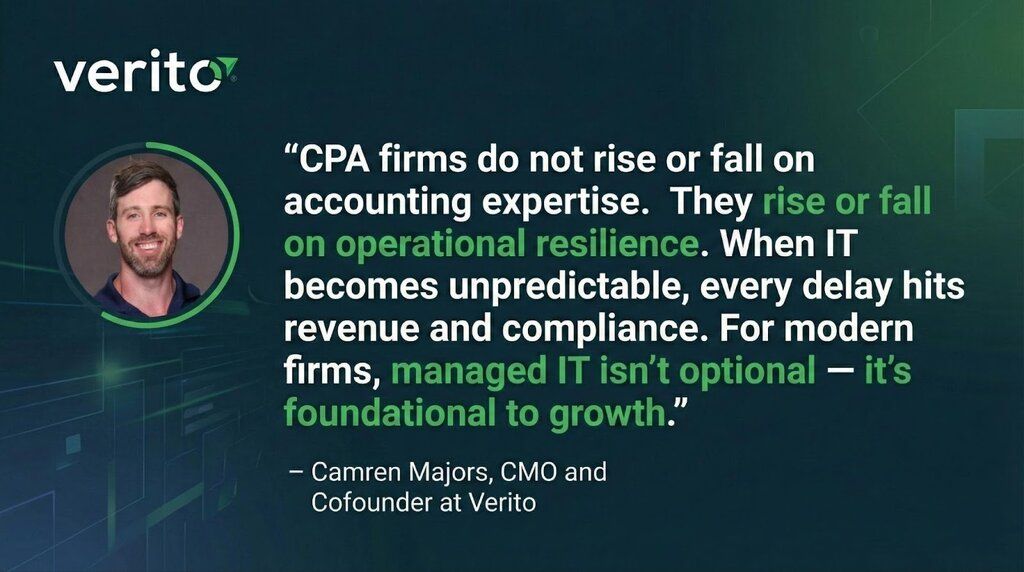
This is why more firms are rethinking whether managing IT internally still makes sense. The shift is not about chasing new technology or giving up control. It is about reducing risk, meeting modern compliance expectations, and freeing partners to focus on clients instead of infrastructure. Many firms now see managed IT services for accounting firms as a way to future-proof your accounting firm’s IT without adding internal headcount or operational complexity.
Before comparing options, it helps to clarify what firms usually mean by “in-house IT” versus a managed approach.
What “in-house IT” means in a CPA firm
In most small CPA firms, in-house IT is not a formal department. It is a combination of partner oversight, a staff member who handles IT alongside their primary role, and outside help called only when something breaks. Security, patching, and compliance tasks are handled inconsistently and often reactively.
What “managed IT” means for a CPA firm
Managed IT is an outsourced model where a specialist provider takes responsibility for monitoring, updates, security controls, backups, and user support. For accounting firms, this also includes deep familiarity with tax and accounting software, predictable response times, and systems designed to stay stable under peak-season pressure.
The rest of this article breaks down why in-house IT fails under real-world CPA firm conditions, how compliance expectations have changed, and how to evaluate whether outsourcing IT is the right move for your firm.
The Real Cost of In-House IT in a CPA Firm
“If IT only works when you don’t need it — it’s a liability, not an asset.”
On paper, managing IT internally can look cheaper. There is no monthly service fee, no external provider, and no long-term contract. In reality, the cost shows up in places most firms never track and rarely associate with IT.
The first cost is lost billable time. When partners or senior staff step in to troubleshoot software issues, coordinate vendors, or respond to security alerts, that time comes directly out of client work. Even small interruptions add up over a season. An hour here, an afternoon there, and suddenly IT has consumed days of high-value time.
The second cost is a constant firefighting culture. In-house setups tend to be reactive by design. Issues are addressed only when something breaks. Patching gets delayed to “after busy season.” Backups run, but no one tests whether they actually restore. Security tools are added one-by-one without a clear system behind them. Everything works until it doesn’t.
There is also the problem of “good enough” security. Most CPA firms do not intentionally ignore security. They simply do not have the time or expertise to manage it properly. Multi-factor authentication may be enabled for some tools but not all. Endpoint updates depend on users restarting machines. Access controls grow messy as staff join, leave, or work remotely. These gaps are rarely visible until an audit, an incident, or a client question forces a closer look.
Then come the costs firms almost never budget for, even though they are very real:
- Partner time spent making IT decisions without full context
- Staff hours lost troubleshooting instead of preparing returns
- After-hours emergencies during filing deadlines
- Software updates and patching done inconsistently
- Security tools purchased but never fully configured
- Onboarding and offboarding risks when access is not tightly controlled
- Backups that exist but have never been tested
- Compliance documentation that no one owns or maintains
This is why in-house IT becomes a distraction for CPA firms. It steals billable hours, increases operational risk, and fails under peak-season pressure. A specialist managed IT partner does the opposite. It reduces downtime, strengthens the firm’s compliance posture, and replaces unpredictable problems with a predictable monthly cost.
The difference is not about effort or intelligence. It is about focus. Accounting firms are built to manage financial risk for clients, not to operate complex IT systems year-round under regulatory scrutiny.
In-House IT Breaks First During Tax Season
Most IT setups look fine in May, June, or October. The real test comes when workloads spike, deadlines are immovable, and every minute of downtime is visible on the billing sheet.
Verito internal analysis (2024) shows that across CPA firms that approached Verito after managing IT in-house, over 80% experienced at least one tax-season disruption in the prior year, most often tied to performance slowdowns, unstable remote access, or delayed IT response during filing deadlines.
Tax season puts unique pressure on a CPA firm’s technology. Usage jumps three to five times in a short window. Databases grow quickly. Multiple staff members access the same tax files at once. Remote access becomes essential, not optional. This is exactly where in-house IT setups start to crack.
Performance is usually the first issue. Local servers or lightly managed cloud systems struggle to keep up when multiple users run heavy tax applications simultaneously. Screens lag. File saves slow down. Returns take longer to process. When systems feel sluggish, productivity drops even if nothing is technically “down.”
Uptime is the next risk. In an in-house model, there is rarely true 24/7 monitoring. If a server fails overnight or during a weekend push, the firm often finds out when staff cannot log in the next morning. For CPA firms, downtime during tax season is not an inconvenience. It is lost revenue and missed deadlines.
Internet reliability is another common concern firms usually face. In this case, moving away from on-premise servers makes more sense. While no system is immune to outages, unmanaged in-office servers often fail without warning. This is where modern managed IT environments shine as they are designed with monitoring, recovery processes, and failover planning so that disruptions can be identified and addressed faster.
Remote access and support bottlenecks make the problem worse. During peak season, staff work longer hours and often from multiple locations. VPNs fail under load. Password resets pile up. The one person who understands the setup becomes a single point of failure. When that person is unavailable, everything slows to a crawl.
This is why slow systems are not just an IT annoyance. They create a chain reaction:
- Slower systems lead to slower return preparation
- Slower preparation increases deadline pressure
- Deadline pressure stresses staff and partners
- Stressed teams make more mistakes
- Clients feel the impact immediately
For CPA firms, performance and uptime are not technical preferences. They are revenue protection. A system that works “most of the year” but fails under peak demand is not reliable. It is a liability.
Specialist managed IT for CPA firms is designed around this reality. Capacity planning, proactive monitoring, and tax-season readiness are built into the model, not treated as an exception. The goal is simple: systems should be efficient and seamless even in the busiest weeks of the year.
Compliance Expectations Are Now Operational, Not Optional
For CPA firms, compliance is no longer a set of guidelines you review once a year. It is an ongoing operational requirement that affects how systems are configured, monitored, and documented every day.
Regulators and professional bodies now expect firms to have documented security practices, consistent enforcement, and the ability to show proof when asked. Written Information Security Programs (WISP), access controls, encryption, and incident response plans are no longer theoretical. They are expected to exist, be followed, and be updated as the firm changes.
Managing this internally is where many small firms struggle. In an in-house setup, compliance tasks often sit on the same desk as client work, staff management, and partner responsibilities. Policies get written once and never revisited. Access reviews are skipped during busy periods. Updates are applied inconsistently. Over time, the gap between what is documented and what is actually happening widens.
This is especially risky when the “IT person” is also doing five other jobs. Security becomes something handled when time allows, not a system that runs continuously in the background. That approach may feel workable until a client questionnaire, an insurance renewal, or a regulatory inquiry forces a deeper look.
There is also the challenge of coordination. Compliance is not just about tools. It requires:
- Clear policies that staff actually follow
- Consistent enforcement across devices and users
- Regular patching and monitoring
- Controlled onboarding and offboarding
- Tested backups and recovery plans
- Documentation that stays current
Security is not a tool, it’s a system: policies, enforcement, and proof. When any one of those pieces is missing, the firm carries unnecessary risk.
This is why many firms turn to reliable and secure managed IT built for tax and accounting firms. Instead of treating compliance as an annual project, it becomes part of daily operations, with controls that are monitored, documented, and maintained continuously. The result is not just better security, but less anxiety around whether the firm would pass scrutiny when it matters most.
Compliance expectations have changed. Firms that continue to manage IT ad hoc are not just behind technologically. They are exposed operationally.
What Managed IT Should Include for CPA Firms
Not all managed IT services are created equal. For CPA firms, generic IT support that works for retail stores or small offices is not enough. Accounting firms have unique software, strict deadlines, and higher compliance expectations. Managed IT for CPA firms must be built around those realities.
At a minimum, managed IT services for accounting firms should cover the following operational areas, not as add-ons but as core responsibilities.
Proactive monitoring and patching
Systems should be monitored around the clock, not just during business hours. Updates and patches need to be applied consistently across servers, desktops, and laptops, without relying on staff to remember restarts or manual installs. This is what prevents small issues from turning into tax-season outages.
Security controls that are enforced, not optional
Managed IT should include multi-factor authentication, endpoint protection, and continuous monitoring for unusual activity. For CPA firms, this is about reducing exposure to ransomware and data breaches without adding daily friction for staff.
Backup and disaster recovery that is actually tested
Backups are only valuable if they restore quickly and completely. A managed provider should own backup monitoring, regular testing, and clear recovery procedures so the firm is never guessing during an emergency.
User access and lifecycle management
Adding and removing users should be controlled, documented, and fast. This reduces onboarding delays, offboarding risk, and accidental access to sensitive client data.
Help desk support that understands accounting software
When something breaks, response time matters. Just as important is expertise. Support teams must understand tax and accounting applications so issues are resolved without long back-and-forth or finger-pointing between vendors.
Vendor coordination and accountability
CPA firms rely on multiple software providers. Managed IT should act as the central point of coordination, handling issues with hosting, security tools, and application vendors so the firm does not have to manage those relationships under pressure.
Clear distinction between co-managed and fully managed IT
Some firms want to retain limited internal oversight. Others want IT completely off their plate. A good provider explains this clearly, defines ownership, and documents who is responsible for what.
Managed IT should feel invisible when it is working well. No surprises, no scrambling during peak season, and no lingering doubt about whether systems are secure and compliant.
In-House IT vs Outsourced IT: Making the Decision
For most CPA firms, the real question is not whether IT matters. It is whether managing it internally still serves the firm’s best interests. Comparing options side-by-side makes the tradeoffs clearer, especially when tax season pressure and compliance expectations are factored in.
In-House IT vs General MSP vs Accounting-Specialist Provider
| Area | In-House IT | General MSP | Accounting-Specialist IT |
| Tax and accounting software expertise | Limited, depends on one person | Basic familiarity | Deep, purpose-built for CPA workflows |
| Response time during peak season | Unpredictable | Contract-based, often slower | Designed for deadline-driven environments |
| Compliance support and documentation | Ad hoc | Generic | Aligned to accounting firm requirements |
| Help desk quality | Inconsistent | Ticket-based, variable | Live support with accounting context |
| Patching and updates | Manual or delayed | Scheduled, broad | Continuous and workflow-aware |
| Backups and recovery | Often untested | Included but generic | Tested with tax software in mind |
| Security monitoring | Tool-based, limited oversight | Standard monitoring | Continuous and CPA-specific |
| Remote access reliability | Fragile under load | Depends on setup | Built for multi-user tax access |
| Scalability during tax season | High risk | Moderate | Designed for seasonal spikes |
This comparison highlights a key point. The risk is not just internal versus external. It is whether the IT model understands the operational reality of a CPA firm.
Should You Stop Managing IT In-House? Use This Checklist.
Answer each question honestly with a yes or no.
- Do partners regularly get pulled into IT issues during busy periods?
- Does performance slow down noticeably during tax season?
- Are backups running without anyone testing restores?
- Is security enforcement inconsistent across devices and users?
- Would you struggle to document your security practices if asked today?
- Is one person a single point of failure for IT knowledge?
- Do after-hours issues delay work the next business day?
- Is remote access unreliable when multiple staff log in at once?
- Are onboarding and offboarding processes informal or undocumented?
- Do IT costs feel unpredictable despite “handling it internally”?
If you answered yes to several of these, in-house IT is likely costing more than it appears. Not just in dollars, but in stress, risk, and lost billable time.
This is the decision point where many firms begin exploring outsourced IT for CPA firms. The goal is not to replace people or disrupt workflows. It is to remove a fragile system that was never designed to carry this level of responsibility year-round.
The next step is understanding how to make that transition without losing control or disrupting client work.
How to Outsource IT Without Losing Control
One of the biggest reasons CPA firms delay outsourcing IT is fear of losing control. That concern is valid, especially when client data, compliance, and deadlines are involved. The reality is that the right transition increases control by making responsibilities explicit and documented instead of informal and assumed.
A structured transition focuses on clarity, not disruption.
With a managed and gradual transition, the firm does not have to move data, rebuild systems, or coordinate with vendors immediately. The managed IT provider ensures the migration and access validation is carried out seamlessly so that staff can continue working without worrying about the technical aspects of the transition.
1. Define access and ownership upfront
Your firm should always retain ownership of data, software licenses, and administrator credentials. A managed IT partner operates systems, but the firm controls who has access and at what level. Nothing should rely on shared passwords or undocumented privileges.
2. Document systems and policies before changes begin
A proper onboarding process starts with documentation. Servers, applications, user roles, backup policies, and security settings are recorded and reviewed. This creates a clear baseline and eliminates the “only one person knows how this works” problem.
3. Establish a reporting and review cadence
Outsourcing IT does not mean operating in the dark. Firms should receive regular updates on system health, security status, and completed tasks. This keeps leadership informed without requiring hands-on involvement.
4. Transition in phases, not all at once
Most firms do not need a big-bang cutover. Email, backups, security monitoring, and help desk support can move first. Hosting or server changes can follow when timing is right, with data migrated and validated in stages to avoid downtime and reduce risk during active work periods.
5. Clarify what the firm still owns
Outsourced IT handles execution. The firm still owns strategic decisions, compliance sign-off, and client communication. This division of responsibility is what prevents confusion and protects accountability.
For many firms, this process becomes simpler when hosting and IT management are combined. When one team owns performance, security, and support, issues get resolved faster and with less stress on staff.
Outsourcing IT is not about giving up control. It is about replacing informal, fragile processes with systems that hold up under pressure.
What to Look for in an IT Partner for Accounting Firms
Once a CPA firm decides to stop managing IT in-house, the next risk is choosing the wrong replacement. Not every provider understands the operational and regulatory realities of accounting firms. The right partner should reduce complexity, not introduce new uncertainty.
Proven accounting software expertise
Your IT partner should work daily with tax and accounting applications, not treat them as just another workload. This includes understanding how multi-user tax software behaves under load and how performance issues affect filing timelines.
A security posture designed for CPA firms
Security should be built into the service, not bolted on. Look for clear policies around access control, monitoring, backups, and incident response, all explained in plain language. This is especially important for firms handling sensitive financial and personal data.
A support model that respects deadlines
Response times matter more during tax season. Support should be available when work is happening, not limited to standard office hours or slow ticket queues. When something breaks, you should reach someone who understands the urgency.
Documentation and process clarity
Strong providers document everything: systems, policies, changes, and responsibilities. This protects the firm during audits, insurance reviews, and staff transitions.
Predictable pricing and scope
IT should be a known monthly cost, not a source of surprise invoices. Pricing should be tied to users or scope, not vague “hours used” models that spike when you need help most.
Hosting and infrastructure that fits accounting workloads
For firms running desktop-based tax software, generic shared environments often fall short. Managed IT providers that are designed to deliver consistent performance without the “noisy neighbor” problem can improve your firm’s efficiency.
Choosing an IT partner is not about finding the cheapest option. It is about finding a provider that understands how technology, compliance, and deadlines intersect in a CPA firm.
Choosing a Reliable Managed IT Provider can improve your Tax Firm’s Productivity
In-house IT often feels manageable until it is tested by tax season pressure, compliance demands, and growth. At that point, it becomes a source of risk rather than support.
Managing IT internally steals billable hours, creates hidden costs, and leaves firms exposed when systems slow down or controls fail. Outsourced IT, when done by an accounting-focused provider, replaces that uncertainty with predictable performance, stronger security, and clearer accountability.
For CPA firms, IT reliability is not a technical preference. It is revenue protection. Moving away from in-house IT is not a loss of control. It is a decision to protect clients, staff, and the firm itself as expectations continue to rise.
Firms ready to take the next step can actively look at reliable Managed IT providers like Verito who can help in taking away the responsibility of IT maintenance while you can focus on what matters the most, and that is your client.
Frequently Asked Questions
Is managed IT worth it for a small CPA firm?
Yes. For small firms without dedicated IT staff, managed IT replaces reactive troubleshooting with proactive monitoring, predictable costs, and stronger security.
What does managed IT include for an accounting firm?
It typically includes monitoring, patching, security controls, backups, user management, help desk support, and compliance-related documentation.
Can we outsource IT without changing our tax software?
Yes. A proper managed IT setup supports existing tax and accounting software without forcing workflow changes.
How do we handle compliance requirements like WISP expectations?
Managed IT providers help implement, enforce, and document security controls so firms can meet compliance expectations consistently.
When is the worst time to switch IT providers?
The peak of tax season is not ideal. However, many transitions can be phased to avoid disruption.


